0:01
Hi everyone. In front of me I've got a
0:03
Xiaomi 17T and let me share with you how
0:06
to add the photo to contact in this
0:14
So, let's begin with opening this the
0:19
the contact list and you can do it using
0:20
the dialer. So, let's let me tap on it.
0:23
Then tap on the three bars icon in the
0:25
left upper corner and go to the
0:28
Now, let's find the contact that you'd
0:30
like to edit and tap on it
0:32
and choose this edit icon so pencil
0:35
Let me quickly I cannot really remove
0:38
the photo. No, I can do it. So, this is
0:41
what you will see after entering the
0:42
contact without any kind of photo
0:45
assigned and we will focus on this
0:47
picture. However, I also highly
0:49
recommend to set the calling card.
0:51
Basically, the idea is the same
0:53
the same as I will show in this
0:55
tutorial. So, for sure you will you will
0:57
be able to do it and basically you can
1:00
simply customize this contact even more.
1:02
You can add I don't know a beautiful
1:04
landscape to the background screen of
1:06
the incoming call or something that
1:08
resembles you of this person or whatever
1:11
you want to but to be honest, I really
1:12
highly recommend to do that. But let me
1:17
on the contact profile profile photo.
1:20
So, let's tap on the circle and now
1:22
we've been transferred to different
1:24
sections from which we can choose the
1:26
So, here we've got our own gallery. You
1:28
can choose our your own photo and set it
1:30
as the contact photo. You can also open
1:32
the camera and I mean your device will
1:35
open the camera right away after tapping
1:36
on it. So, you can take a photo of
1:37
someone who's right in front of you.
1:39
Google photos which are backed up photos
1:41
so I'll just omit that. We've got
1:43
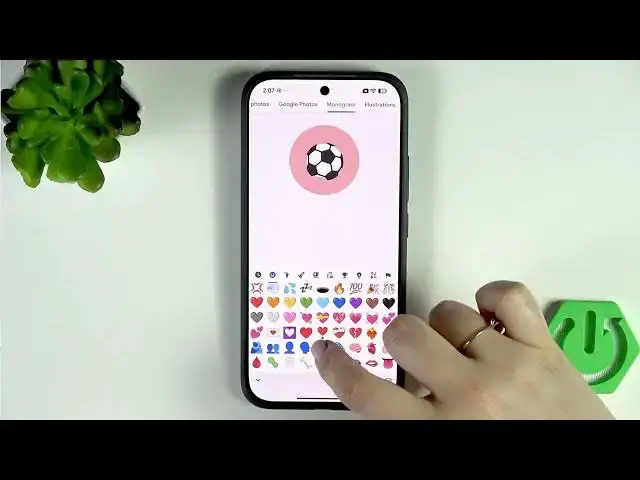
monogram so here you can use one or two
1:50
You can change the background color if
1:51
you want to. You can also change the
1:54
font as you can see you've got a lot of
1:55
things to choose from. You can also use
1:58
emoji instead of [clears throat] the
1:59
monogram. You can just tap on it and
2:01
choose the emoji from the list. So, for
2:04
example, I don't know, the heart, the
2:06
blood, the bacteria, whatever you want
2:11
I'll choose the cat. Again, you can
2:13
change the background color
2:19
You can also use the option monochrome.
2:21
So, now we've got the emoji, right? But
2:24
if we will choose the monochrome, our
2:25
device will simply make it more
2:27
icon-like style. And so, it's up to you
2:29
whether you want it or not. And here
2:32
illustrations, which are free of charge.
2:34
They are available online. So, if you
2:36
don't feel like using monogram, you
2:37
don't really have a photo of this
2:39
person, you can try to find something
2:41
that resembles you about the the person.
2:44
I'll pick this one, maybe.
2:46
Uh so, here we've got this cool fish. As
2:49
you can see, we can change the presets.
2:52
So, different colors, for example.
2:54
Moreover, it doesn't matter if you will
2:56
choose the illustration or your own
2:58
photo, you will be able to zoom it in or
3:00
out. You can change the position of it.
3:02
And thanks to it, you can decide what
3:04
you will see after saving the whole
3:05
contact because this highlighted circle
3:07
is responsible for it.
3:08
So, position it just like you want to.
3:10
You can also rotate it right here and
3:14
Now, tap on save in the right upper
3:15
corner. And as you can see, this is how
3:17
our contact will look like. Of course,
3:19
you will be able to see this photo on
3:21
the contact list. And for example,
3:22
during all incoming calls from that
3:26
All right. So, that will be all. Thank
3:27
you so much for watching. Please hit the
3:29
subscribe button and to leave the thumbs