
MG ZS – How to Change Radio Source
Jun 30, 2026

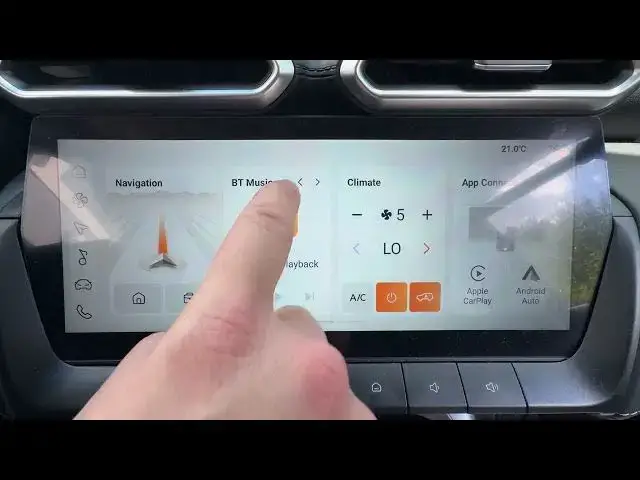
Learn how to change the radio source on your MG ZS quickly and easily. In this short video you'll see how to open the infotainment homepage and use the left/right arrows on the radio widget to switch between Radio, Bluetooth music and USB music. This method is fast, simple and useful when you want to change audio input while driving (follow local safety rules). If you find this helpful please like, comment and subscribe for more MG ZS tips.
How to change radio source on MG ZS?
How to switch to Bluetooth music on MG ZS?
How to play USB music on MG ZS?
0:00 Introduction
0:05 Open the homepage on the MG ZS infotainment
0:10 Tap or focus the radio widget
0:12 Press left/right arrow to change source
0:18 Select Bluetooth music, USB music or Radio
0:25 Final tip and wrap up
#MGZS #CarAudio #CarInfotainment #BluetoothMusic
Find out more:
https://www.hardreset.info/devices/mg/mg-zs/change-radio-source/
Follow us on Instagram ► https://www.instagram.com/hardreset.info
Like us on Facebook ► https://www.facebook.com/hardresetinfo/
Show More Show Less #Science