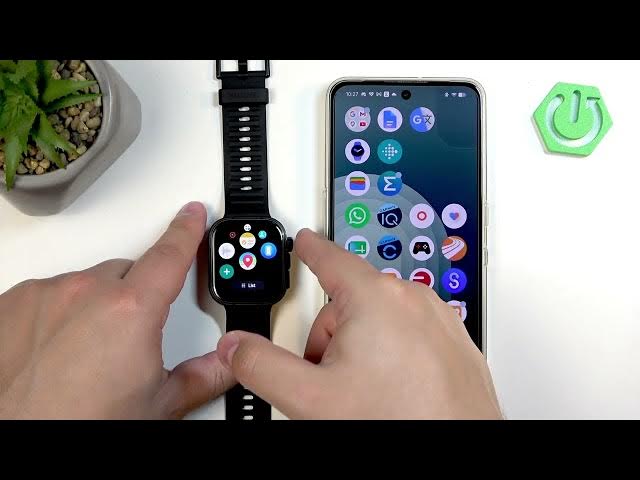

HUAWEI Watch Fit 5 Pro - How to Uninstall Apps
Jun 10, 2026

Learn how to uninstall applications from your HUAWEI Watch Fit 5 Pro quickly and safely. This video shows two clear methods: remove apps directly on the watch by waking the screen, pressing the crown, finding the app icon and long-pressing to confirm uninstall; or use the HUAWEI Health app on your phone (Devices → HUAWEI Watch Fit 5 Pro → AppGallery → Manager/Installation Manager) to tap Uninstall. Both ways free space and declutter your watch menu, and we show the exact steps and confirmations so you know the app is fully removed.
How to uninstall apps on HUAWEI Watch Fit 5 Pro?
How to remove applications from HUAWEI Watch Fit 5 Pro using HUAWEI Health?
How to uninstall apps directly on HUAWEI Watch Fit 5 Pro without a phone?
0:00 Intro
0:11 Two ways to uninstall apps
0:31 Uninstall directly on the watch (press crown, long-press app)
0:53 Uninstall via HUAWEI Health app (Devices → AppGallery → Manager)
1:18 Confirm removal & check watch menu
1:33 Outro
#HUAWEIWatchFit5Pro #UninstallApps #HuaweiHealth #SmartwatchTips
Find out more:
https://www.hardreset.info/devices/huawei/huawei-watch-fit-5-pro/how-to-uninstall-applications/
Follow us on Instagram ► https://www.instagram.com/hardreset.info
Like us on Facebook ► https://www.facebook.com/hardresetinfo/
Show More Show Less #Science