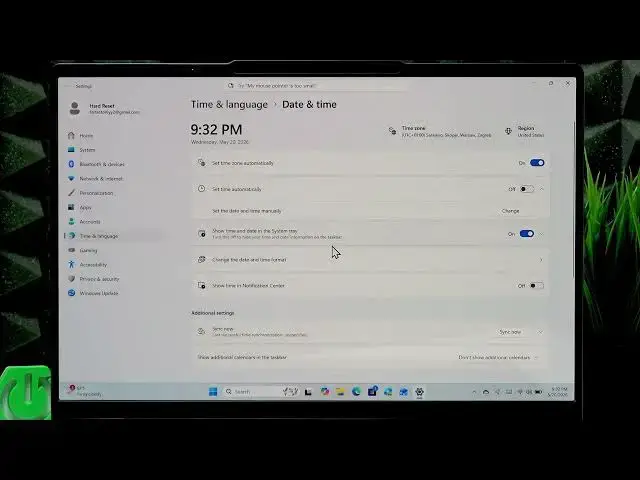

LENOVO Yoga Slim 7 – How to Change Date and Time
Jun 15, 2026

In this short video you'll learn how to change the date and time on your LENOVO Yoga Slim 7. I show how to open Date & Time settings from the clock in the taskbar, change the time zone by disabling automatic time zone, and set the date and time manually by turning off automatic time and clicking Change. Follow these steps to fix wrong clock, time zone errors, or problems with online services on your Lenovo laptop running Windows.
How to change date and time on LENOVO Yoga Slim 7?
How to change the time zone on LENOVO Yoga Slim 7?
How to set time manually on LENOVO Yoga Slim 7?
0:00 Introduction and what we'll do
0:04 Open the clock, right-click and select Adjust date and time
0:18 Change time zone – disable automatic time zone and pick from list
0:30 Set time manually – turn off Set time automatically and click Change
0:40 Choose date, month, day, year and set hour, minutes and AM/PM
1:04 Click OK and Change to apply; warning about incorrect time
1:21 Recommendation: enable Set time automatically to avoid issues
1:29 Outro and subscribe request
#Lenovo #YogaSlim7 #DateTime #WindowsTips
Find out more:
https://www.hardreset.info/devices/lenovo/lenovo-yoga-slim-7/change-date-and-time/
Show More Show Less #Science