0:00
Hello everyone and welcome back to our
0:02
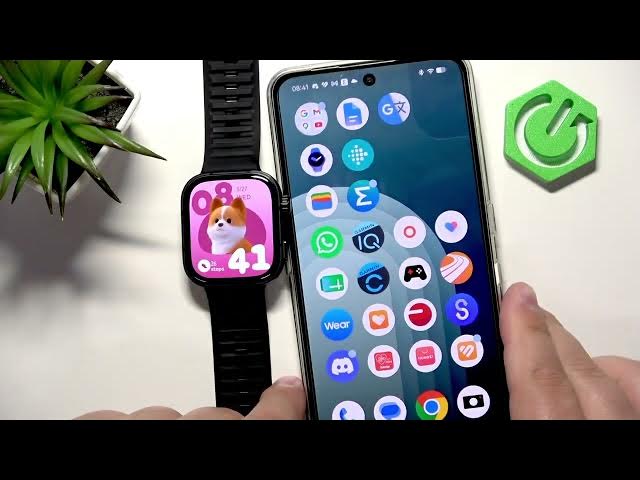
channel. In front of me I have Huawei
0:05
Watch Fit 5 Pro and today I'm going to
0:07
show you how to change the watch face on
0:09
this watch. So let's get started.
0:17
So if you want to change the watch face
0:18
on your watch, it's quite simple. You
0:20
simply need to wake up the screen by
0:22
pressing, for example, ground button.
0:24
And after you wake up the screen, you
0:25
should see the current watch face, the
0:27
home screen. And you can press and hold
0:28
on this watch face to open the watch
0:32
face menu. And here you can scroll
0:34
through the list of watch faces, find
0:35
the watch face you would like to use on
0:36
your watch. And once you find it, you
0:39
can simply tap on it to select it and
0:43
apply it. Some of the watch faces can be
0:46
customized as well. So if you open the
0:48
watch face menu, you can tap on the
0:49
custom button under them. And this
0:51
allows you to change, for example, the
0:53
uh style of the watch face. So if you
0:56
swipe up and down and then you can go to
0:59
the next thing by swiping left and you
1:01
can change the time on this one and then
1:05
color. Uh different watch faces will
1:07
have different types of customization.
1:09
So not all of the watch faces have the
1:12
same types and also we can change the
1:14
function. So basically the data being
1:15
displayed on our watch face and we can
1:17
tap on one find something we like select
1:21
it and it will be changed and you can
1:23
change any any pull that is highlighted
1:25
basically. Okay and once you're done you
1:27
can press the button to apply it and
1:29
here we have our watch face and if your
1:32
watch is paired with a phone you can
1:33
also use the phone application to change
1:35
the watch face. So if we bring our phone
1:39
right here, zoom out the camera a bit so
1:42
you can see the whole screen of the
1:44
phone. And on the phone that is paired
1:45
with our watch, we can open the Huawei
1:47
Health. Here we can tap on devices,
1:51
select our uh Fit Fit 5 Pro and then
1:55
scroll down, find this category called
1:58
my faces and tap on it. And here we have
2:02
a list of watch faces installed on our
2:04
watch. And we can find the watch face we
2:05
like. And then simply tap on it and then
2:09
tap on apply. And the watch face will be
2:11
applied. You can also install additional
2:13
watch faces by going back to the device
2:16
page right here. Tapping on the more I
2:18
option next to watch faces.
2:21
And uh here you can browse through the
2:23
store. Find something you like and once
2:26
you find the watch face you like you tap
2:28
on it. uh you tap on install, it will
2:32
start downloading and installing. And
2:33
after it's done, it will be applied uh
2:43
like this. Okay. And that's how you uh
2:47
change the watch face on this watch. If
2:49
you found this video helpful, please
2:51
consider subscribing to our channel and
2:53
leaving the like on the video. Thank you
2:55
for watching and see you in the next