0:00
Hello everyone and welcome back to our
0:01
channel. In front of me I have Huawei
0:04
Watch Fed 5 Pro and today I'm going to
0:06
show you how to track the amount of
0:08
steps taken on this watch. So let's get
0:17
We can track the steps in few ways on
0:19
this watch. The first way is to do it uh
0:21
on the watch face. So if you wake up the
0:22
screen, some of the watch faces display
0:24
the step counter. This one doesn't, but
0:26
you can always press and hold on the
0:28
current watch face to open the watch
0:29
face menu and then look for something
0:31
that displays the step counter and apply
0:36
this one doesn't or does it?
0:42
I'm not sure this one. This one does,
0:43
for example. So, if we apply the watch
0:45
face, it have a step it has a step
0:47
counter right here. And you can also uh
0:50
customize some of the watch faces to
0:52
display the step counter. So, let's say
0:53
the watch face you you like doesn't have
0:55
the step counter. You can always tap on
0:57
custom and then swipe left until you see
1:00
the function menu. And then you can tap
1:03
on one of the functions and hopefully it
1:05
will allow you to pick steps because not
1:08
all you be you will be able to pick
1:10
steps but this one allows you. And then
1:12
you can press the ground button to apply
1:14
it. And now we have step counter on our
1:16
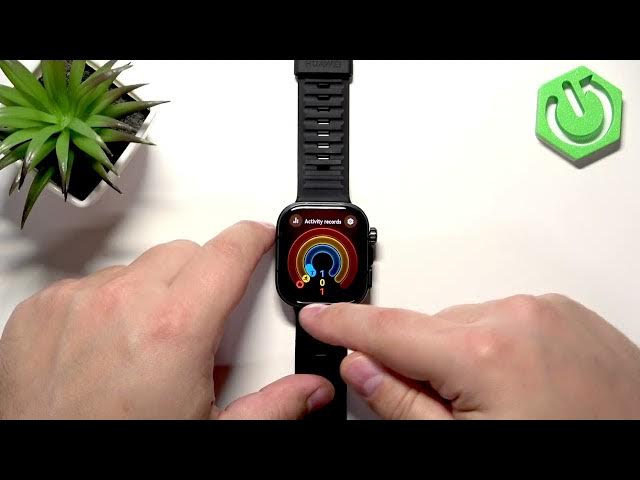
watch face. Another way to track these
1:18
steps is to basically open the activity
1:20
uh card. And to do it, swipe left on
1:22
this home screen. And here we have the
1:23
activity records. And you might not see
1:26
steps right here, but you can tap on
1:27
this activity record. Uh agree to the
1:32
And then uh next, next, next, next. Uh
1:36
start anyway. And then once you open the
1:41
uh command tutorial go away. Uh you can
1:46
up on the screen to scroll through the
1:48
menu. And here we have the step counter
1:50
as well. And the last way to check it is
1:52
to use the Huawei health application if
1:54
you if you have a watch paired with a
1:56
phone. And in that app, you can
1:58
basically uh check info. And it's more
2:02
detailed there in the app. So I
2:03
recommend to check it out there. And you
2:06
can basically open the Huawei have
2:07
health application on the uh application
2:11
on the phone that is paired with your
2:12
watch, my bal. And in the app, you will
2:14
see the health page. And here you have
2:16
the step counter. You can tap on it and
2:19
in here you can track a lot more data
2:21
because you can track daily, weekly,
2:23
monthly and yearly progression and you
2:25
have like the amount of the steps taken,
2:28
how many steps you have away, calories,
2:31
distance and stuff like that. So you
2:32
have a lot more info right here in the
2:34
app. Okay, and that's how you track the
2:37
amount of steps taken on this watch. If
2:39
you found this video helpful, please
2:40
consider subscribing to our channel and
2:42
leaving the like on the video. Thank you
2:44
for watching and see you in the next