0:00
Welcome, I'm filming this Samsung Galaxy Z Fold 3 and today I will show you how to reset
0:11
the device through recovery mode and also remove a screen lock if you have one that
0:15
you just don't know. Now going quickly over this, normally if you try to turn off the device when it has a screen
0:22
lock as you can see I do have right now, so just simulate me trying to turn it off, try
0:29
to pull down the notification panel, nothing happens, I try to bring up the menu to turn
0:33
it off and it forces you to put in the pattern anyway to turn off the device which is fairly
0:38
annoying and basically does nothing apart from annoying you. So we'll need to basically do it in a weird way
0:45
Now before we get started do get a cable and simply connect to your computer and then connect
0:50
this to your device. Now I'll close it because it's going to be easier for me to do it with a closed screen
0:56
So once you have it ready to go you want to see the lock screen just for the purpose
1:03
of you knowing when the device turns off because we will need to hold the power key and the
1:07
volume down at the same time and you will hold both of those keys till the screen turns off
1:14
So make sure you're interacting with it in some way just so you are aware that it's going
1:20
to turn off. Power key volume down and once it turns off switch to power key volume up
1:26
There we go, so it's now turning on
1:38
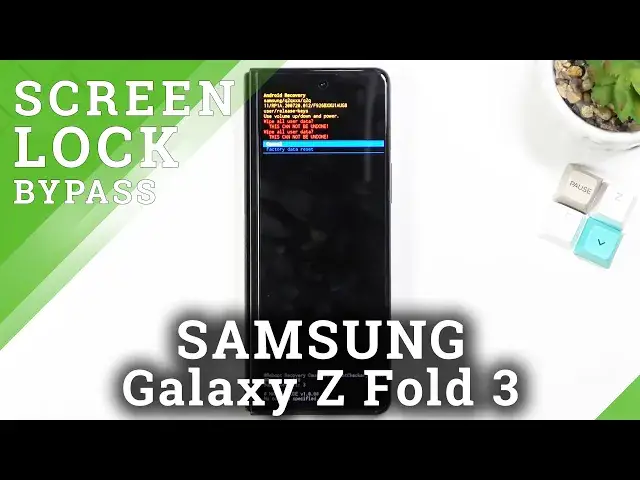
And as you can see we're now in the recovery mode. So quickly going over this again, you want to see the lock screen just so you know when
1:45
the screen turns off, meaning when the device itself will turn off because the timer for
1:50
the screen timeout is quicker than the shut off, hard like reboot of the device when you're
1:57
holding those keys, the power key and volume down. So when you're interacting with it you will exactly know when the screen turns off, meaning
2:03
when the phone turns off. And once that happens you want to switch from power key and volume down to power key and
2:08
volume up which is the key combination to boot it into the recovery mode
2:13
Now once you're in the recovery mode you don't actually need the cable anymore so you can
2:16
just throw it to the side, unplug it and then from here select the data wipe factory reset
2:24
There we go, confirm it with power key. Then again using volume keys to navigate select factory data reset confirm with power key
2:33
At the very bottom you should see data wipe complete at which point reboot system now
2:37
will be selected by default so press power key once more to initiate the reboot
2:42
And this will continue the process in the background so it will take it a little bit longer for the device to boot back up but once this is completed you will be presented
2:49
with the Android setup screen. So I'll be back once that is visible
3:03
And as you can see the process is now finished and you can set up your device however you like with the screen lock being completely removed as well
3:10
And if you found this video helpful don't forget to hit like, subscribe and thanks for watching