
GameSir Cyclone 2 – How to Turn RGB Off
May 28, 2026

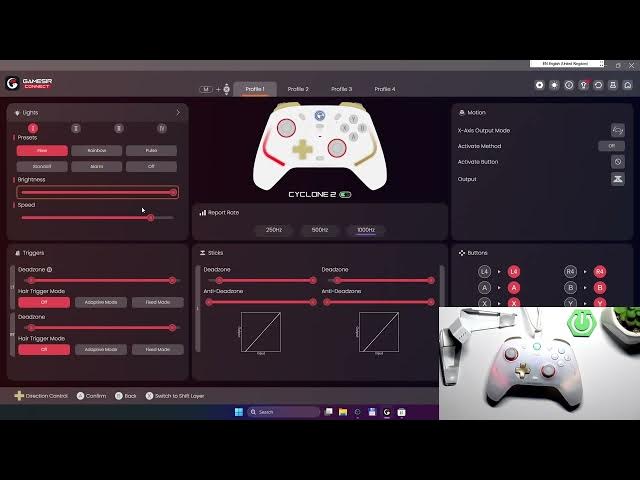
In this short video I show how to turn the RGB lighting off on the GameSir Cyclone 2 using the GameSir Connect app. Disabling RGB saves battery and gives a cleaner look for long gaming sessions. This quick, clear demo is ideal for new owners or anyone who wants to reduce power draw or distractions. You’ll see exactly where to open the app and which preset to select so the lights switch off immediately.
How to turn off RGB on GameSir Cyclone 2?
How to disable RGB lights with GameSir Connect on GameSir Cyclone 2?
How to turn off RGB on GameSir Cyclone 2 to save battery?
0:00 Intro – GameSir Cyclone 2 shown and purpose of video
0:03 Why turn RGB off – save battery and reduce distractions
0:16 Open the GameSir Connect app on your phone
0:19 Select Presets and choose “Off” to disable RGB
0:23 Confirm – RGB is now turned off
0:24 Outro – like, comment and subscribe
#GameSir #GameSirCyclone2 #RGB #ControllerTips
Find out more:
https://www.hardreset.info/devices/gamesir/gamesir-cyclone-2/
Follow us on Instagram ► https://www.instagram.com/hardreset.info
Like us on Facebook ► https://www.facebook.com/hardresetinfo/
Show More Show Less #Science