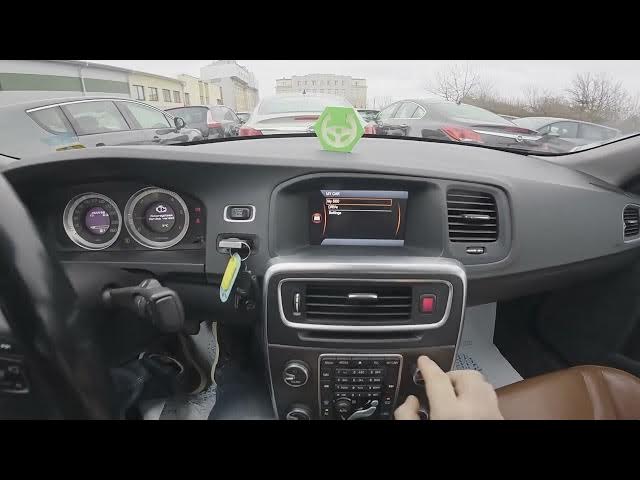

Volvo S60 II (2010-2019) – How to Enable or Disable Welcome Lights
Jan 6, 2026

In this short video I show how to enable or disable the Welcome Lights (Approach Light) on a Volvo S60 II (2010 - 2019). You will learn how to use the center display menu to change the Approach Light duration so the exterior lights stay on when you approach or lock/unlock the car. Follow the steps: open the My Car menu, enter Settings → Car settings → Light settings, then choose Approach Light duration (Off, 30s, 60s or 90s). This is an easy way to customize convenience lighting on your Volvo S60 and improve visibility when you get in or out of the car.
How to enable Welcome Lights on Volvo S60 II (2010 - 2019)?
How to change Approach Light duration on Volvo S60 II (2010 - 2019)?
How to disable Welcome Lights on Volvo S60 II (2010 - 2019)?
0:00 Intro — Volvo S60 and what we will change
0:07 Open the center display, go to "My Car" and select "Settings"
0:14 Enter "Car settings" then open "Light settings"
0:21 Find "Approach Light duration" and choose Off / 30s / 60s / 90s
0:30 Wrap up — reminders and subscribe
#VolvoS60 #WelcomeLights #ApproachLight #CarTips
Find out more:
https://www.hardreset.info/devices/volvo/volvo-s60-ii-2010-2019/how-to-enable-or-disable-welcome-lights/
Follow us on Instagram ► https://www.instagram.com/hardreset.info
Like us on Facebook ► https://www.facebook.com/hardresetinfo/
Tweet us on Twitter ► https://twitter.com/HardResetI
Show More Show Less