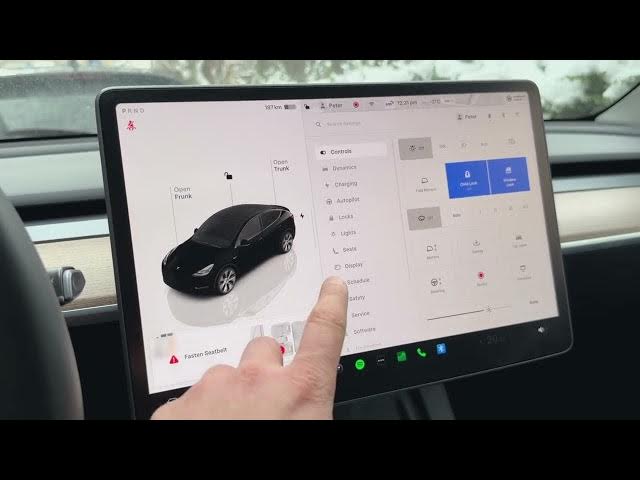

Tesla’s Hidden Range Killer: The Truth About Phantom Drain
Jan 19, 2026

In this video we explain where Tesla range disappears while your car is parked and how to check detailed park-mode energy use from the Energy app. You will learn how to open the Energy app, switch to the Park tab, read the last two hours of park consumption, and identify the biggest drains like screen time (Netflix/YouTube) and Sentry Mode. We also show a quick, practical way to reduce parked battery use by enabling Low Power Mode (Car → Charging → Low Power Mode) and explain what features are disabled to conserve energy. This guide is for Tesla owners and anyone curious about Tesla park mode battery consumption, vampire drain, and simple settings to save range while waiting in the car.
How to check Park energy usage on a Tesla using the Energy app?
How to enable Low Power Mode on Tesla vehicles to reduce battery drain?
How much battery does Sentry Mode use on a Tesla while parked?
0:00 Introduction — where your Tesla range goes while parked
0:18 Open the Tesla menu and tap All Apps → Energy
0:34 Switch to the Park tab to view last 2 hours of park consumption
0:46 Screen time drain — Netflix/YouTube effect on range
0:58 Sentry Mode — how much range it can use
1:13 Other park factors — mobile app, preconditioning, standby
1:26 How to enable Low Power Mode: Car → Charging → Low Power Mode
1:47 What Low Power Mode disables and expected savings
2:10 Summary and quick tips to save battery while parked
#Tesla #ParkMode #BatteryDrain #SentryMode
Find out more:
https://www.hardreset.info/devices/car/car-tesla/
Show More Show Less #Autos & Vehicles
#Motor Vehicles (By Type)
#Science