0:00
Hello guys. Today I have got the Realme
0:03
Watch S5 and I'm going to show you all
0:07
the features audio gives you.
0:16
But first, let's start with the health
0:20
As you can see here, we've got the steps
0:24
section, which means that we our watch
0:27
gives us all the steps measurement
0:29
during the whole day. Calories, it can
0:32
show us the calories burned during the
0:34
whole day. Workout duration, which means
0:37
that our watch can detect our workouts
0:39
and automatically start them. And I can,
0:41
you know, for example, running, cycling,
0:46
or you can tap exercise now to start
0:49
workout and of course stunt times here
0:52
I've got this workout previously
0:54
mentioned sleep it can measure our sleep
0:57
quality like for example phases air I am
1:00
for example the time and in the end it
1:03
gives us the sleep score here we've got
1:06
the heart rate so of course it measures
1:10
our heart rate during the whole day like
1:12
the phases etc SPO2, the blood oxygen
1:19
V2 max. V2 max is the maximum uh O2
1:24
level that your organism can get into it
1:28
during the intensive workout. And as you
1:32
can see here, I've got all of this data
1:34
here. Stress level during the whole day
1:40
Here we've got sample data. And we can
1:48
fat scale right here. As you can see
1:52
here, we've got manage cars and we can
1:55
actually add the period tracker with
2:00
and our watch can easily manage I mean
2:05
manage uh track our period the cycles
2:09
and oh mean our the menstrual period in
2:12
women's life can get started and just
2:16
set it up. Now we can go back to home
2:20
and go back to our watch. We can change
2:23
the watch faces here in the face
2:25
gallery. It can be either animated or
2:30
As you can see, it's I don't want to see
2:33
the password. Skip. Skip.
2:36
Here we've got our as you can see
2:39
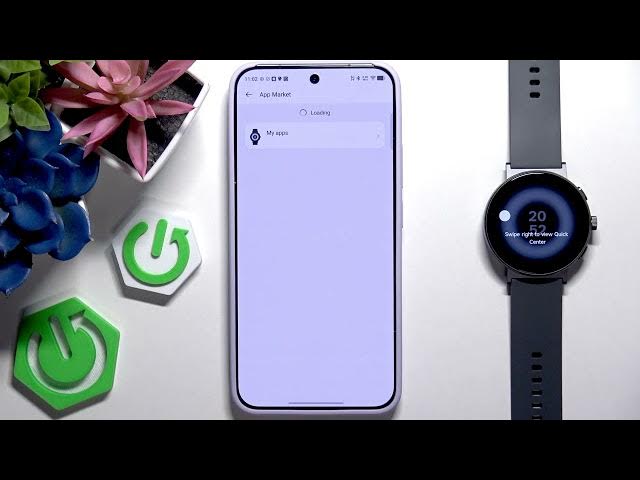
our watch face where you can install the
2:41
applications in the app market such as
2:47
I don't know what can load right now
2:50
but it's here as you can see I have some
2:52
connectivity issues with my Wi-Fi pardon
2:56
we've got here notifications can get the
3:01
from our phone like from applications
3:03
such as Instagram Gmail messages
3:06
Facebook, Chrome or many others and it
3:08
can send them to our watch so that we
3:12
can see them during some workout or just
3:15
you know on the watch live alerts we can
3:18
here show the progress of ride hailing
3:21
food delivery on their services on your
3:23
watch and here we've got Google map or
3:27
if we can tap it we can manage all of
3:29
the applications from here
3:34
workouts this is the final I told you
3:36
that we can add our workouts to our
3:38
watch so that we can tap and exercise by
3:42
Uh, of course it has its limit because
3:45
we need to remove some from it to add
3:48
because we have here the limit
3:51
and that's how it works. Here we've got
3:54
this intelligent worker recognition and
3:59
We have enable identification types and
4:02
many types of our running uh run for our
4:05
exercises like for example running,
4:07
walking, rowing machine or elliptical.
4:11
The device automatically recognizes when
4:13
you are running, walking or using an
4:15
elliptical machine or rowing machine and
4:18
it asks whether you want to enter the
4:21
corresponding workout mode. Tap okay to
4:23
enter that mode. Here we can tap auto
4:25
post workout and here auto end workout.
4:31
Here we've got event reminder which are
4:33
reminders just and we can add them here.
4:37
H reminders like for example standup
4:39
reminders what reminders 24hour uh heart
4:43
rate monitoring 24-hour SPO2 tracking
4:46
continuous stress monitoring m reminder
4:48
and am detection. These are all the
4:51
things that I told you in a moment ago.
4:53
But here we can just add the reminders
4:57
If we tap more functions, we can see
4:59
some quick functions. That is this is
5:01
actually the rest of it just the rest of
5:03
the features that our watch features.
5:07
And here we've got find my phone. We can
5:10
find my phone with our watch. If you for
5:12
example have it under a blanket and you
5:15
and we can't find it, we can just tap
5:17
find my phone and your phone will ring
5:19
using this application. Find my watch.
5:22
We can find our wallet using this
5:34
As you can see, it's it's escaping.
5:38
Here we've got weather. We can enable
5:40
weather on our watch. Music.
5:45
So, there's music control information
5:47
display to our music here. frequent
5:53
quick reply to some notifications from
5:56
the SMS and the word clock.
6:01
And that should be actually it.
6:04
We our watch don't feature actually
6:07
doesn't feature many other things. So