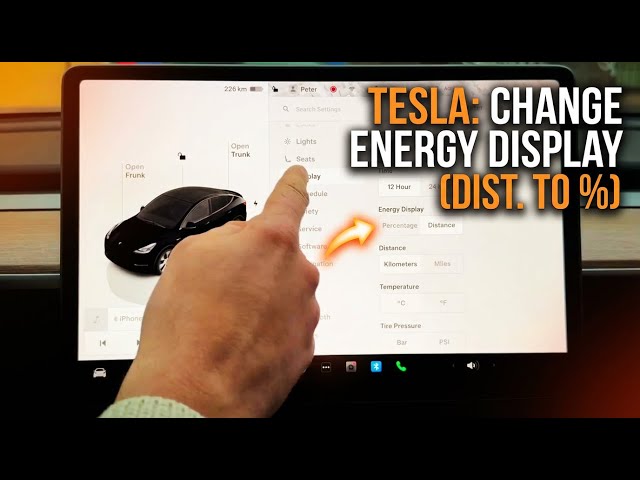

TESLA - How to Change Energy Display (Distance to Percentage)
Jan 23, 2026

In this video I show how to change the Tesla energy display from distance (kilometers or miles) to battery percentage and back. You will learn where to open Display settings using the car icon, how to find the Energy Display option, how to toggle between distance and percentage by tapping the readout, and how to switch units between km and miles. These quick steps work on every Tesla model and help you see either remaining range or battery percent at a glance.
How to change the energy display on Tesla?
How to switch Tesla energy display from distance to percentage?
How to change Tesla energy display from kilometers to miles?
0:00 Intro - what we will change
0:09 Open the home screen and tap the car icon
0:28 Go to Display settings and find Energy Display
0:57 Change from Distance to Percentage (tap the readout)
1:10 Switch units between km and miles
1:25 Wrap up and subscribe
#Tesla #EnergyDisplay #BatteryPercentage #TeslaTips
Find out more:
https://www.hardreset.info/devices/car/car-tesla/
Follow us on Instagram ► https://www.instagram.com/hardreset.info
Like us on Facebook ► https://www.facebook.com/hardresetinfo/
Show More Show Less #Autos & Vehicles
#Science