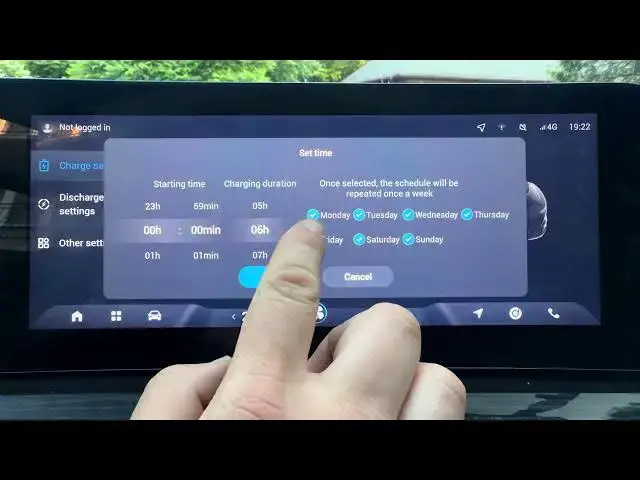

OMODA 5 EV – How to Schedule Charging
Jun 30, 2026

Learn how to schedule charging on your OMODA 5 EV quickly and easily. In this short video we walk through the exact screen menu and steps to set a charging start time, pick days of the week, and choose charging duration so your car charges only when you want. Follow along: open the display, go to Menu → New Energy → Charge Settings → Charging Management, select Charging Schedule, set the start time and days, choose the charging duration, tap OK, then plug in your car. Once scheduled, the OMODA 5 EV will start charging automatically at the set time when connected to the charger. This helps you use off-peak electricity, protect battery health, and save on charging costs.
How to schedule charging on OMODA 5 EV?
How to set charging duration on OMODA 5 EV?
How to choose days for charging schedule on OMODA 5 EV?
0:00 Intro
0:06 Open Menu and New Energy
0:17 Charge Settings → Charging Management
0:26 Select Charging Schedule and set start time
0:34 Choose days of week and charging duration
0:40 What happens when car is plugged in
0:45 Outro / Like & Subscribe
#OMODA5 #EVCharging #ScheduleCharging #ElectricVehicle
Find out more:
https://www.hardreset.info/devices/omoda/omoda-5-ev/
Follow us on Instagram ► https://www.instagram.com/hardreset.info
Show More Show Less #Science