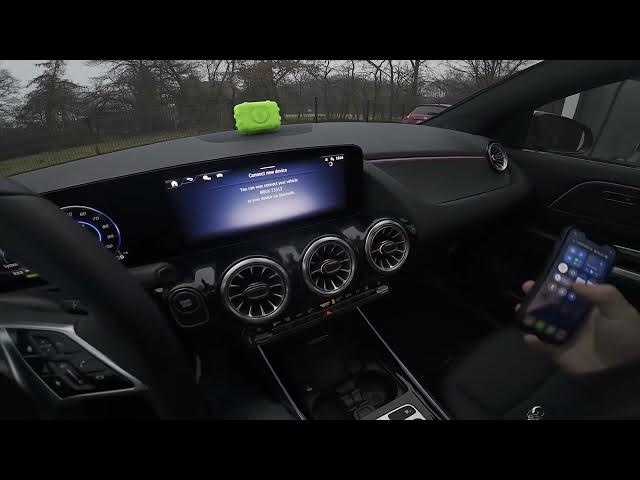

MERCEDES-BENZ EQA – How to Pair Smartphone with Car via Bluetooth
Jan 1, 2026

This video shows how to quickly pair your smartphone with a MERCEDES-BENZ EQA using the car's Bluetooth system. You will see every step on the EQA display and on your phone: open the Devices menu, choose Connect New Device, open Bluetooth settings on your phone, select MB/U/X, then confirm the pairing. Works for both Android phones and iPhone and lets you connect CarPlay after pairing. Follow along for a fast, reliable Bluetooth connection setup.
How to pair a MERCEDES-BENZ EQA with a smartphone via Bluetooth?
How to connect iPhone to MERCEDES-BENZ EQA Bluetooth?
How to connect Android phone to MERCEDES-BENZ EQA and enable CarPlay?
0:00 Intro — Overview of MERCEDES-BENZ EQA and pairing process
0:07 Open the display menu and select "Devices"
0:24 Select "Connect New Device" on the car; open Bluetooth settings on your phone
0:30 Choose "MB/U/X" from the phone Bluetooth list
0:37 Confirm pairing on both the car screen and phone
0:54 Paired — CarPlay and connected devices ready
#MercedesBenz #EQA #BluetoothPairing #CarPlay
Find out more:
https://www.hardreset.info/devices/mercedes-benz/mercedes-benz-eqa/how-to-pair-smartphone-with-car-via-bluetooth/
Follow us on Instagram ► https://www.instagram.com/hardreset.info
Like us on Facebook ► https://www.facebook.com/hardresetinfo/
Show More Show Less