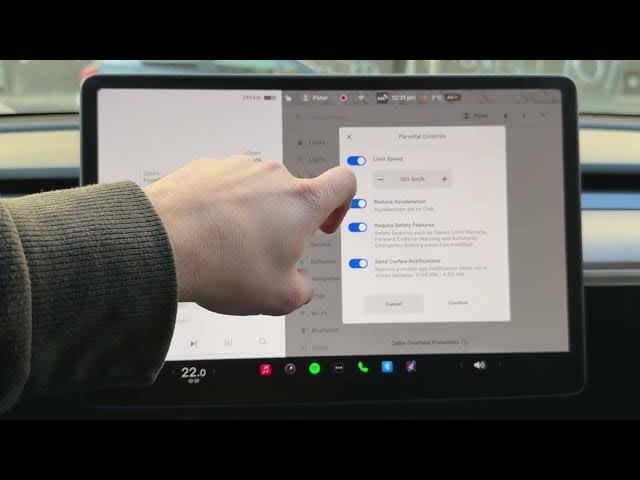

TESLA Model Y – How to Enable Parental Controls
Jan 19, 2026

In this video I show how to enable and configure Parental Controls on a TESLA Model Y. You will learn how to open the car settings, go to the Safety tab, enable parental controls, set a speed limit, reduce acceleration to Chill mode, require safety features, enable Send Car View notifications for night driving, and create a 4-digit PIN and optional Pin to Drive. This walkthrough uses the in-car menu so you can quickly protect teenage drivers and get peace of mind.
How to enable parental controls on TESLA Model Y?
How to set speed limit and reduce acceleration on TESLA Model Y parental controls?
How to set Pin to Drive and create a 4-digit PIN on TESLA Model Y?
0:00 Intro
0:08 Open the car icon and go to Settings → Safety
0:23 Find Parental Controls and enable the toggle
0:39 Set speed limit and enable reduced acceleration (Chill)
0:59 Require safety features and enable Send Car View notifications
1:27 Create a 4-digit PIN and confirm parental control
1:37 Pin to Drive option, how it works and how to disable it
1:54 Outro and final tips
#Tesla #ModelY #ParentalControls #PinToDrive
Find out more:
https://www.hardreset.info/devices/car/car-tesla/
Show More Show Less #Autos & Vehicles