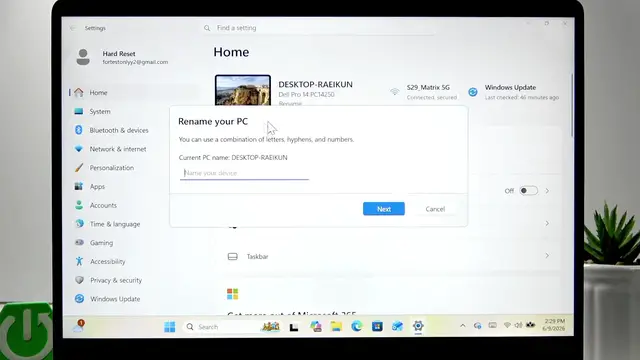

DELL Pro 14 – How to Change Device Name
Jun 10, 2026

In this short, clear video you will learn how to change the device name on your DELL Pro 14 quickly and safely. We open the Start menu, go to Settings, and use the Rename option on the Settings home page. You will see how to enter a valid new name (letters, numbers and hyphens only — no spaces) and how restarting the laptop applies the change so the new name appears in Windows and on the network. This walkthrough is perfect for users who want a simple, step-by-step way to rename their Dell laptop without extra tools or confusion.
How to change device name on DELL Pro 14?
How to rename Dell Pro 14 laptop in Windows?
Where is the Rename option in DELL Pro 14 Settings?
0:00 Intro – what we will change
0:05 Open Start menu and go to Settings
0:26 Click Rename on the Settings home page
0:45 Enter new name rules (letters, numbers, hyphens) and confirm
1:01 Restart to apply changes now
1:19 Verify the new device name in Settings and outro
#Dell #DellPro14 #WindowsTips #RenameDevice
Find out more:
https://www.hardreset.info/devices/dell/dell-pro-14/change-device-name/
Follow us on Instagram ► https://www.instagram.com/hardreset.info
Like us on Facebook ► https://www.facebook.com/hardresetinfo/
Show More Show Less #Science