
DELL Pro 14 – How to Change Touchpad Sensitivity
Jun 10, 2026

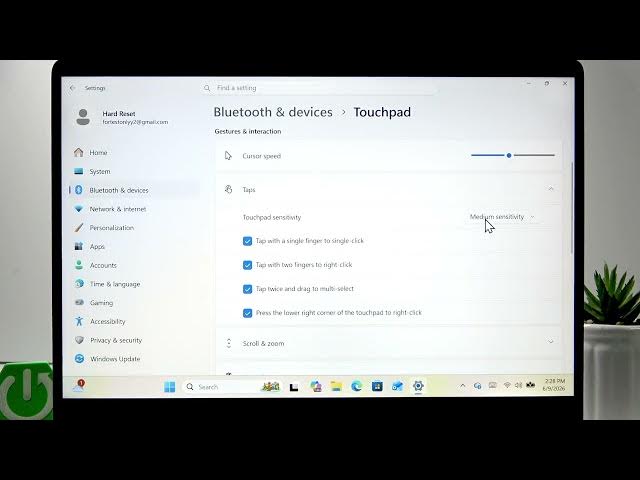
In this short video we show how to change the touchpad sensitivity on your DELL Pro 14 using built-in Windows settings. You will learn how to open Start → Settings, go to Bluetooth & devices, open Touchpad, adjust the scrolling sensitivity slider and change the tap/pressure sensitivity from the Taps menu. These quick steps let you make the touchpad more responsive or less sensitive to accidental taps. Works on DELL Pro 14 and similar Dell laptops running Windows.
How to change touchpad sensitivity on DELL Pro 14?
How to adjust scrolling sensitivity on DELL Pro 14 touchpad?
How to change tap/pressure sensitivity on DELL Pro 14?
0:00 Intro – what we’ll change
0:05 Open Start and go to Settings
0:15 Open Bluetooth & devices and select Touchpad
0:24 Adjust the scrolling sensitivity slider (left = less, right = more)
0:35 Change tap/pressure sensitivity in the Taps menu
0:54 Wrap up and subscribe
#DellPro14 #TouchpadSensitivity #DellLaptop #WindowsTouchpad
Find out more:
https://www.hardreset.info/devices/dell/dell-pro-14/change-touchpad-sensitivity/
Follow us on Instagram ► https://www.instagram.com/hardreset.info
Like us on Facebook ► https://www.facebook.com/hardresetinfo/
Show More Show Less #Science