
AMAZFIT Cheetah 2 Pro – How to Unpair from Android Phone
Jun 10, 2026

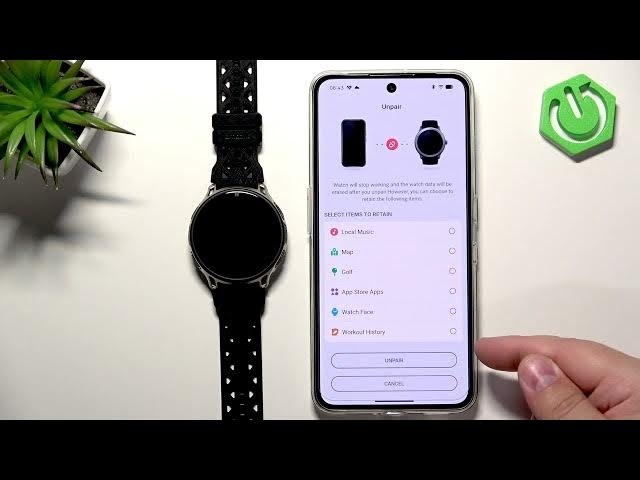
Learn how to unpair your AMAZFIT Cheetah 2 Pro from an Android phone step by step using the Zepp app. This short, clear video shows how to open Zepp, select your Cheetah 2 Pro, find and tap the Unpair button, choose which data to retain (workouts, watch faces, apps, maps, music) and confirm the unpair so the watch resets to factory defaults. Unpairing is useful when you want to connect the watch to another phone, sell or give it away, or simply remove it from your account.
How to unpair the AMAZFIT Cheetah 2 Pro from an Android phone?
How to remove AMAZFIT Cheetah 2 Pro from the Zepp app?
How to reset AMAZFIT Cheetah 2 Pro before selling or pairing with a new phone?
0:00 Intro – what we will do
0:30 Open Zepp app and select device
0:44 Scroll to Unpair on the device page
0:51 Choose data to retain (workouts, watch face, apps, music)
1:21 Confirm Unpair and OK
1:29 Watch resets and disappears from Zepp
1:42 Reset complete – language list shown
1:57 Outro and subscribe reminder
#AMAZFIT #Cheetah2Pro #Unpair #ZeppApp
Find out more:
https://www.hardreset.info/devices/amazfit/amazfit-cheetah-2-pro/how-to-unpair-from-android-phone/
Show More Show Less #Science