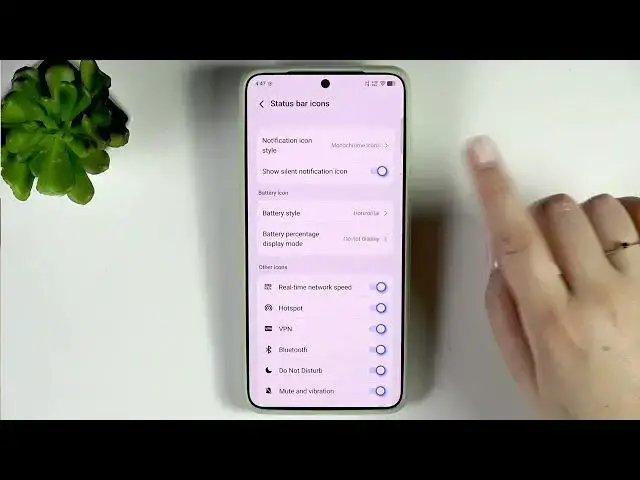

VIVO X300 Ultra – How to Show Battery Percentage
Jun 17, 2026

In this short video I show how to display the battery percentage on the status bar of the VIVO X300 Ultra. You will learn where to find the option (Settings → Notifications & status bar → Status bar icons) and how to change the Battery icon display mode. I explain the differences between Horizontal, Vertical and Circle styles and the three percentage options: Do not display, Show outside the battery icon, or Show inside the battery icon (inside is only available for Horizontal and is smaller). This guide is perfect if you want a clear battery percent on your VIVO X300 Ultra or need to switch styles for better visibility.
How to show battery percentage on VIVO X300 Ultra?
How to display battery percent inside the battery icon on VIVO X300 Ultra?
How to find Status Bar Icons on VIVO X300 Ultra settings?
0:00 Intro – What we will do
0:08 Open Settings and go to Notifications & status bar
0:20 Enter Status bar icons and find Battery options
0:28 Battery percentage display modes explained (Horizontal options)
0:56 Differences for Vertical and Circle styles
1:16 Choose your preferred style and wrap up
#VIVO #VIVOX300Ultra #BatteryPercentage #AndroidTips
Find out more:
https://www.hardreset.info/devices/vivo/vivo-x300-ultra/show-battery-percentage/
Follow us on Instagram ► https://www.instagram.com/hardreset.info
Like us on Facebook ► https://www.facebook.com/hardresetinfo/
Show More Show Less #Science