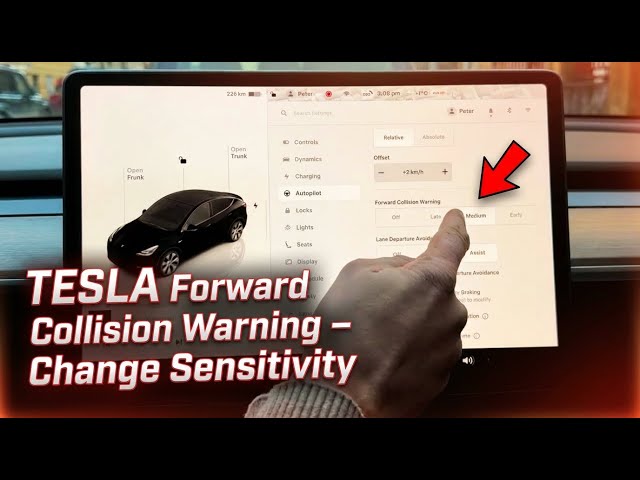

TESLA Forward Collision Warning – How to Change Sensitivity
Jan 23, 2026

Learn how Tesla's Forward Collision Warning works and how to change its sensitivity in seconds. In this short video we show how to open the car settings from the home screen, go to Autopilot, find Forward Collision Warning and choose Late, Medium or Early so the car alerts you sooner or later. You can also turn the feature off if you prefer. This walkthrough applies to Tesla vehicles with Autopilot features (Model 3, Model Y, Model S, Model X).
How to change Forward Collision Warning settings on Tesla?
How to set Forward Collision Warning sensitivity on Tesla Autopilot?
How to turn off Forward Collision Warning on Tesla?
0:00 Intro
0:05 Open car settings (home screen → car icon)
0:18 Go to Autopilot and find Forward Collision Warning
0:27 What Forward Collision Warning does (monitors road for vehicles/objects)
0:43 Change sensitivity: Late / Medium / Early or turn off
0:58 Outro — subscribe and feedback
#Tesla #ForwardCollisionWarning #Autopilot #TeslaTips
Find out more:
https://www.hardreset.info/devices/car/car-tesla/
Follow us on Instagram ► https://www.instagram.com/hardreset.info
Like us on Facebook ► https://www.facebook.com/hardresetinfo/
Show More Show Less #Autos & Vehicles