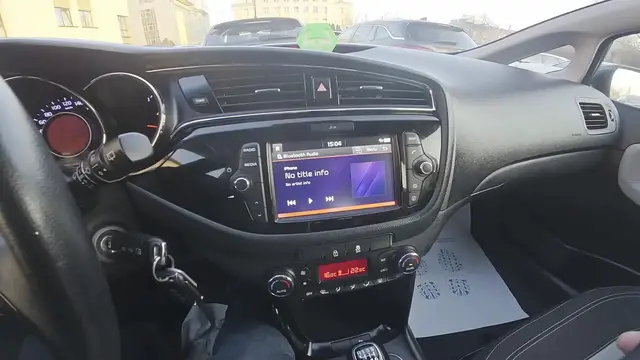

Kia Ceed II Facelift – How to Play Music from Smartphone via Car System
Dec 28, 2025

In this short video we show how to play music from your smartphone through the Kia Ceed II Facelift car system. You will see the infotainment screen, open Media, choose Bluetooth Audio and then play music directly from your phone. This method works with Android and iPhone devices using the car's Bluetooth audio input. Follow these simple steps to get audio from your smartphone into the Kia Ceed II Facelift quickly and reliably.
How to play music from smartphone on Kia Ceed II Facelift?
How to connect smartphone to Kia Ceed II Facelift via Bluetooth?
Where is Bluetooth Audio in Kia Ceed II Facelift infotainment?
0:00 Intro – What we’ll do
0:06 Check the infotainment screen
0:12 Open Media and select Bluetooth Audio
0:20 Play music from your smartphone
0:30 Wrap up, tips and subscribe
#KiaCeedII #KiaCeed #BluetoothAudio #CarAudio
Find out more:
https://www.hardreset.info/devices/kia/kia-ceed-ii-facelifting/how-to-play-music-from-smartphone-via-cars-system/
Follow us on Instagram ► https://www.instagram.com/hardreset.info
Like us on Facebook ► https://www.facebook.com/hardresetinfo/
Tweet us on Twitter ► https://twitter.com/HardResetI
Show More Show Less