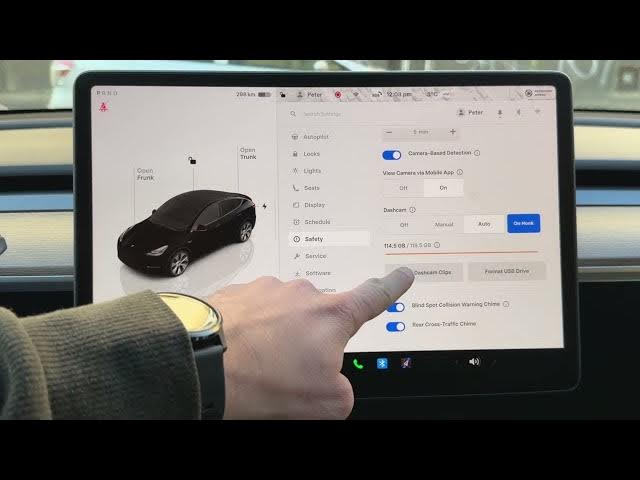

How to Clear Storage on Your Tesla USB Drive
Jan 19, 2026

This video shows how to free up dash cam storage on your Tesla using the car's main screen. You will learn how to check Storage Health, delete dash cam and Sentry clips safely, and when to use Format USB Drive. I explain the difference between deleting clips (keeps the drive set up for new recordings) and formatting (wipes everything and recreates TeslaCam folders). Follow these simple steps to fix a full or glitchy Tesla USB drive and get your dash cam recording again.
How to clear storage on Tesla USB drive?
How to delete dash cam clips on Tesla?
How to format Tesla USB drive for dashcam?
0:00 Check storage health – orange bar warning
0:09 Open main screen and use the Car icon
0:21 Go to Controls → Safety and Security → Storage Health
0:34 Option 1 – Delete the dash cam clips (clears Sentry and Dashcam folders)
1:03 Read the warning and confirm permanent deletion
1:27 Option 2 – Format USB drive (use for new or glitchy sticks)
1:53 Formatting explanation and when to use it
2:01 Final storage check and wrap up
#Tesla #DashCam #TeslaTips #USBDrive
Find out more:
https://www.hardreset.info/devices/car/car-tesla/
Show More Show Less #Autos & Vehicles