Up next in 10


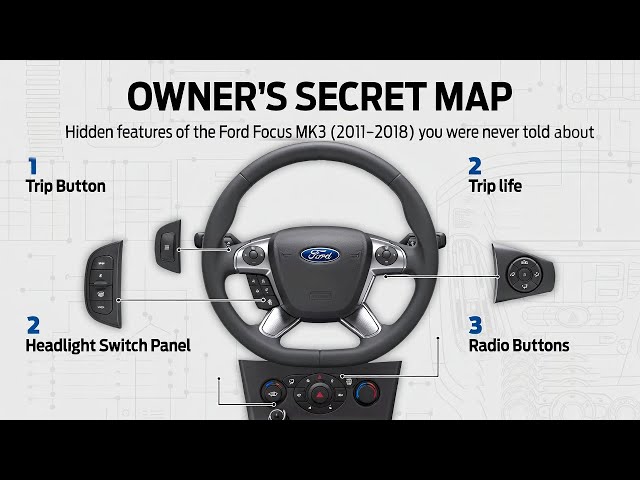
In this Ford Focus MK3 (2011–2018) quick walkthrough, I show the most useful everyday functions and where to find them fast. You’ll learn where the USB ports and power outlets are, how to use seat heating, AC recirculation, rear window defrost, start-stop, traction control, cruise control, speed limiter, and MyKey settings. I also cover instrument cluster options like language, units, brightness, navigation info, vehicle graphics, speed warning, tire pressure reset, trip computer stats, wipers and lights settings (auto lights, rain-sensing wipers, high beam, fog lights). If you want simple Ford Focus MK3 tips, settings, and “where is it located” help, this video is for you.
How to reset tire pressure monitor on Ford Focus MK3 (2011–2018)?
How to enable rain-sensing wipers and auto lights on Ford Focus MK3 (2011–2018)?
Where is the USB port and power outlet in Ford Focus MK3 (2011–2018)?
0:00 Where to find USB ports (center console + armrest)
0:41 Seat heating on/off and intensity (driver + passenger)
1:18 Interior air recirculation on/off
1:52 Rear windshield defrost (heated rear window)
2:22 Hill start assist on/off (cluster settings)
2:54 Rain-sensing wipers on/off (menu)
3:29 Auto lights and light switch overview
4:07 Change instrument cluster language
4:41 Auto fan / auto airflow (climate control)
5:17 Change temperature (dual-zone knobs)
5:46 Reset TPMS / tire pressure monitor
6:21 MyKey max speed limiter setting
6:55 Activate speed limiter (steering wheel buttons)
7:29 Start-stop on/off (button near shifter)
Show More Show Less View Video Transcript
0:00
Hello. Today I'm in Ford Focus. In this video, I'll show you where is the USB
0:06
port. To find USB port in your car, take a
0:12
look in the center of it. First USB port is located right here. You can use this USB port for connection.
0:20
The second USB port is located inside the armrest.
0:27
This USB port can be used for charging. If you find this video helpful, please
0:34
leave like, comment, and subscribe. Hello. Today I'm in Ford Focus. In this
0:41
video, I'll show you how to enable disable.
0:47
In the beginning, take a look in the center of the car. Right here, we've got the climate control panel. To enable
0:52
seat heating, take a look at the left side of the climate control panel and right side. Press this button to enable
0:57
seat heating for driver. Press it again to change intensity
1:03
and again until no light is on to disable it. You can do the same thing for the passenger.
1:12
If you find video helpful, please like, comment, and subscribe.
1:18
Hello. Today I mean fourth focus. In this video I'll show
1:25
you how to enable and disable interior airflow circulation.
1:34
In the beginning, take a look in the center of the car. Right here we've got the climate control panel. To enable
1:39
interior airflow circulation, simply press this knob. Press it again to disable it. If you
1:45
find the video helpful, please leave like, comment, and subscribe. [Music]
1:53
Hello. Today I'm in Ford Focus. In this video, I'll show you how to enable and disable rear windshield heat.
2:01
In the beginning, take a look in the center of the car. Right here, we've got the climate control panel. To enable
2:07
rear windshield heating, simply press this button. To use this function, make sure that the car is running.
2:14
first again to disable it. If you find this video helpful, please hit like, comment, and subscribe.
2:22
Today I'm in for focus. In this video, I'll show you how to enable and sable start assistant.
2:30
In the beginning, take a look at the instrument cluster and navigate through via this panel. Scroll left and now go
2:37
to settings, driver assist, and here start assistant.
2:43
Press okay button to enable or disable it. If you find the video helpful, please
2:50
like, comment, and subscribe. Hello. In front of me, I've got for
2:56
focus. In this video, I'll show you how to enable rain sensing wipers.
3:04
In the beginning, take a look at the instrument cluster and navigate through via this panel. Scroll left and now
3:11
enter settings. Enter vehicle settings,
3:18
wipers, and press okay button to enable or disable it. If you find this video helpful, please
3:24
like, comment, and subscribe. [Music]
3:29
Hello. Today I'm in Ford Focus. In this video, I'll show you how to enable and disable auto lights.
3:39
In the beginning, take a look behind left side of the steering wheel. Right here, we've got this panel. To enable
3:44
auto lights, twist this knob three times to the right side. Auto lights are now
3:50
enabled. To disable it, set it to zero position. Thanks to this panel, you can also
3:55
enable position lights, deep beam, and fog lights. If you find this video helpful, please leave like, comment, and
4:02
subscribe. [Music] Hello, today I'm in Ford Focus. In this
4:08
video, I'll show you how to change language on instrument cluster.
4:14
In the beginning, take a look at instrument cluster and navigate through it via this panel.
4:20
Now, go to settings and go to display. Enter language
4:28
and select new language from the list.
4:34
If you find this video helpful, please like, comment, and subscribe.
4:40
[Music] Today I'm in Ford Focus. In this video, I'll show you how to enable and disable
4:46
auto airflow. In the beginning, take a look at the
4:54
screen display. Below it, we've got the climate control panel.
5:00
To enable auto airflow, simply press this knob.
5:06
To disable auto airflow, change airflow power. If you find this video helpful,
5:11
please like, comment, and subscribe. Hello. Today I'm in forth focus. In this
5:18
video, I'll show you how to change airflow temperature.
5:24
In the beginning, take a look in the center of the car. Since this car has dual zone air flow, you can adjust
5:32
temperature for driver's side of the car and passengers. Simply twist those two
5:37
knobs. If you find this video helpful, please like, comment, and subscribe.
5:44
[Music] Hello. Today I'm in Ford Focus. In this video, I'll show you how to reset tire
5:52
pressure monitor. In the beginning, take a look at the
5:57
instrument cluster and navigate through it via this panel. Scroll left and go to settings.
6:04
Enter driver assist and find tire monitor. Hold okay button to reset it.
6:10
Make sure that the tire pressure is correct for each tire before position. If you find this video helpful, please
6:17
like, comment, and subscribe. [Music] Hello. Today I'm in Ford Focus. In this
6:24
video, I'll show you how to set max speed.
6:30
To enable speed limit, make sure that your car has my key created and go to instrument cluster settings.
6:38
Next, go to my key max speed
6:43
and set between 140 160 km and off.
6:50
If you find this video helpful, please hit like, comment, and subscribe.
6:56
Hello. Today I'm in Ford Focus. In this video, I'll show you how to activate speed limit.
7:03
In the beginning, take a look at the left side of the steering wheel. Right here, we've got this panel. Press limit
7:08
button to activate speed limiter. Next, press set button. To increase speed limit, press set plus. To decrease,
7:15
press set minus. Right here, we've got the speed limiter. If you find this video helpful, please
7:22
like, comment, and subscribe. [Music] Hello. Today I'm in Ford Focus. In this
7:29
video, I'll show you how to enable or disable start stop function.
7:36
To disable start stop, take a look in the center of the car right here next to gearbox shifter. We've got this button.
7:43
Press it and start stop is disabled. Unfortunately, start stop cannot be disabled permanently and you have to
7:50
press this button each time you start the car. If you find this video helpful, please
7:56
like, comment, and subscribe. Hello. Today I mean port focus. In this
8:04
video, I'll show you how to enable and disable traction control.
8:10
In the beginning, take a look at the instrument cluster and navigate through it via this panel. Firstly, scroll left
8:17
to go to menu and enter settings. And now go to driver assist. Press okay
8:23
button on traction control to enable or disable it.
8:29
If you find this video helpful, please like, comment, and subscribe.
8:35
Hello. Today I'm in Ford Focus. In this video, I'll show you how to find and reset average fuel consumption.
8:43
In the beginning, take a look at the instrument cluster and navigate through it via this panel.
8:48
Go to trip and scroll down until you see average
8:55
fuel consumption. Press and hold okay button to reset it.
9:03
If you find this video helpful, please leave like, comment, and subscribe.
9:10
Today I'm in for focus. In this video, I'll show you how to use voice assistant.
9:17
In the beginning, take a look at the right side of the steering wheel. Right here, we've got this panel. To activate voice assistant, simply press button in
9:24
the center of the panel. Take a look at the screen display. And here is the list of commands. The
9:30
commands differ in different menus. For example, these are the commands for radio and navigation.
9:46
To get more comments, tap help and you will go to commands list. If you
9:53
find video helpful, please like, comment, and subscribe.
9:58
Hello. Today I'm in fourth focus. In this video, I'll show you how to enable and disable max front windshield
10:04
blowing. In the beginning, take a look in the center of the car. To enable max
10:11
windshield blowing, simply press this button. To disable it, press it again.
10:19
If you find this video helpful, please like, comment, and subscribe.
10:25
[Music] In front of me, I've got Ford Focus. In this video, I'll show you how to enable
10:30
and disable rain light. In the beginning, take a look at the
10:36
instrument cluster and navigate through it via this panel. Scroll left and next
10:43
go to settings. Now enter vehicle settings.
10:50
Lighting and press okay button on rain light to
10:56
enable or disable it. If you find the video helpful, please leave like, comment, and subscribe.
11:03
[Music] In front of me, I've got focus. In this
11:08
video, I'll show you how to enable navigation info on instrument cluster.
11:15
In the beginning, take a look at the instrument cluster and navigate through it via this panel. Firstly, scroll left
11:21
and next go to settings. Now, go to display and press okay button
11:29
on navigation info to enable or disable it. If you find this video helpful, please leave like, comment, and
11:35
subscribe. [Music] Hello. Today I'm in Ford Focus. In this
11:42
video, I'll show you how to enable and disable warning times.
11:48
In the beginning, take a look at the instrument cluster and navigate through it via this panel. Scroll left and now
11:54
go to settings. Enter vehicle key, vehicle settings,
12:00
times, and press okay button on warning to enable or disable it.
12:05
If you find this video helpful, please see like, comment.
12:11
Hello. Today I'm in for focus. In this video, I'll show you how to enable and disable information time.
12:20
In the beginning, take a look at the instrument cluster and navigate through it via this panel. Scroll left and now
12:27
go to settings. Enter vehicle
12:32
times and press okay button to enable or disable it.
12:39
If you find the video helpful, please leave like, comment, and subscribe.
12:45
Hello. Today I'm in Ford Focus. In this video, I'll show you
12:50
how to enable and disable rear wiper.
12:57
In the beginning, take a look behind right side of the steering wheel. Right here, we've got this lever. To activate rear wiper, push the button located on
13:04
the top of the lever upwards. Again, upwards to it constantly and downwards
13:10
truly disabled. If you find this video helpful, please hit like, comment, and subscribe.
13:18
Hello. Today I'm in Ford Focus. In this video, I'll show you how to enable position lights.
13:26
In the beginning, take a look behind left side of the steering wheel. Right here, we've got this panel. To enable
13:33
position lights, twist this knob once to the right side. Position lights are now
13:38
enabled. To disable it, set it to zero position. Thanks to this panel, you can also enable deep beam
13:44
out lights and fog lights. If you find this video helpful, please like,
13:49
comment, and subscribe. Hello. Today I'm in Ford Focus. In this
13:55
video, I'll show you how to find and reset our average speed.
14:02
In the beginning, take a look at the instrument cluster and navigate through it via this panel. Firstly, go to trip
14:09
computer and now scroll up.
14:14
Find average speed and press and hold okay button to reset it.
14:19
If you find this video helpful, please leave like, comment, and subscribe. [Music]
14:26
So, today I'm in for focus. In this video, I'll show you how to find and reset trip timer.
14:34
In the beginning, take a look at the instrument cluster and navigate through it via this panel.
14:39
Firstly, let's go to trip computer and scroll up until you see trip timer.
14:47
To reset it, press and hold okay button on the steering wheel. If you find the video helpful, please
14:53
leave like, comment, and subscribe. Hello. Today I'm in Ford Focus. In this
15:00
video, I'll show you how to change steering wheel position.
15:05
In the beginning, take a look under the steering wheel. Right here, we've got the lever. We have to push to unlock the
15:12
steering wheel. Now, you can change steering wheel height and distance.
15:18
Pull the lever to lock the steering wheel position. If you find this video helpful, please leave like, comment, and
15:25
subscribe. [Music] Hello. In front of me, I've got
15:32
Ford Focus. In this video, I'll show you how to change traction control start
15:38
mode. In the beginning, take a look at the
15:44
instrument cluster and navigate through it via this panel.
15:50
Firstly, let's go to settings and then go to my key.
15:57
Go to traction control and select always on or selectable.
16:04
If you find this video helpful, please leave like, comment, and subscribe.
16:10
Hello. Today I'm in forth focus. In this video, I'll show you how to enable or
16:16
disable auto engine off.
16:22
In the beginning, take a look in the at the instrument cluster and navigate
16:27
through via this panel. Scroll left and now go to settings.
16:34
Enter vehicle settings and press okay button on auto engine off to enable or
16:39
disable it. If you find this video helpful, please hit like, comment and subscribe.
16:48
Hello. Today I'm in Ford Focus. In this video, I'll show you how to enable rain
16:53
sensing wipers. In the beginning, take a look behind
16:58
right side of the steering wheel. Right here, we've got this lever. To enable rain sensing wiper when the wipers are
17:05
disabled, push slightly upwards. And now rain sensing wipers are enabled.
17:12
You can change its sensitivity by twisting this lever. If you find this video helpful, please
17:18
like, comment, and subscribe. Hello. Today I'm in Ford Focus. In this
17:25
video, I'll show you how to find digital speed and go.
17:32
In the beginning, take a look at the instrument cluster and navigate through it via this panel.
17:38
Go to trip computer and digital speedometer is located at the second window. If you find this
17:46
video helpful, please hit like, comment, and subscribe. [Music]
17:52
Hello. Today I mean port focus. In this video, I'll show you
17:57
how to enable Inible Max AC.
18:03
In the beginning, take a look in the center of the car. Right here, we've got the climate control panel. To enable Max
18:10
AC, simply press this button.
18:17
Press it again to disable it. If you find this video helpful, please like,
18:22
comment, and subscribe. Hello. Today I'm in port focus. In this
18:30
video, I'll show you how to enable rare sprinklers.
18:38
In the beginning, take a look behind right side of the steering wheel. Right here, we've got this lever. To enable rear spinkers, push this lever forward
18:46
and hold.
18:52
Let the lever go to disable this function. If you find this video helpful, please like, comment, and
18:57
subscribe. Today I'm in Ford Focus. In this video,
19:03
I'll show you how to set speed warning.
19:09
In the beginning, take a look at the instrument cluster settings and navigate through via this panel. Scroll left and
19:15
go to settings. Enter my key.
19:21
Go to speed minder and select between 70, 90, 100, 110,
19:29
120, 140 and off.
19:35
If you find this video helpful, please like, comment, and subscribe.
19:40
[Music] Today I'm in for focus. In this video, I'll show you how to find car status.
19:50
In the beginning, take a look at the instrument cluster and navigate through it via this panel.
19:55
Go to menu and go to information. Find system check and press okay button.
20:02
And here is the car status. If you find this video helpful, please
20:08
hit like, comment, and subscribe. Hello. In front of me, I've got Ford
20:14
Focus. In this video, I'll show you how to enable vehicle graphic on instrument
20:20
cluster. In the beginning, take a look at the
20:26
instrument cluster and go to settings.
20:32
Next, enter display and find vehicle graphic. Press it to enable this
20:38
function. Vehicle graphic will be enabled only on navigation display. If you find this video helpful, please
20:45
like, comment, and subscribe. Hello. In front of me, I've got Ford
20:51
Focus. In this video, I'll show you how to find current fuel consumption.
20:57
In the beginning, take a look at the instrument cluster and navigate through via this panel. Firstly, go to trip
21:03
computer and scroll until you see current fuel
21:09
consumption. If you find this video helpful, please like, comment, and subscribe.
21:15
[Music] Hello. Today I'm in Ford Focus. In this
21:21
video, I'll show you how to find trip AA autometer.
21:28
In the beginning, take a look at the instrument cluster and navigate through it via this panel.
21:33
Now go to trip computer and scroll down. Here is the trip
21:38
autoometer. Press and hold okay to reset it.
21:44
If you find this video helpful, please leave like, comment, and subscribe.
21:50
[Music] Today I'm in for focus. In this video, I will show you how to enable and disable
21:56
headlamp delay. In the beginning, take a look at
22:01
instrument cluster and navigate through via this panel. Scroll left and go to
22:07
settings. Now, enter vehicle settings and
22:12
lighting. Go to headlamp delay and switch it between manual, 20, 40, or 60
22:20
seconds. If you find this video helpful, please
22:26
leave like, comment, and subscribe. [Music] Hello. Today I'm in Ford Focus. In this
22:33
video, I'll show you how to adjust side mirrors position. [Music]
22:39
In the beginning, take a look at the driver's doors. Right here, we've got this panel. To adjust side mirror's
22:44
position, firstly switch this button between left and right side to select side mirror. And
22:50
now push arrows around the knob to adjust the position
22:56
of the side mirror. If you find the video helpful, please like, comment, and subscribe.
23:03
[Music] Today I'm in fourth focus. In this video, I'll show you how to change instrument cluster brightness level.
23:13
In the beginning, take a look behind left side of the steering wheel. Right here, we've got this panel. To change
23:18
instrument cluster brightness level, take a look at the right side of this panel. Right here, we've got plus and minus buttons. Press it to change
23:26
instrument cluster illumination. If you find this video helpful, please leave like, comment, and subscribe.
23:35
Hello. Today I'm in hard focus. In this video, I'll show you how to enable
23:41
Tylock for Windows. In the beginning, take a look at the
23:47
drivers doors. Right here, we've got this panel. To enable Tylock for
23:53
Windows, simply press this button. Thanks to this function, only driver can lower and rise side windows. If you find
23:59
this video helpful, please leave like, comment, and subscribe.
24:05
Hello. Today I'm in forth focus. In this video, I'll show you how to manage radio via steering wheel.
24:13
In the beginning, take a look at the right side of the steering wheel. Right here, we've got this panel.
24:18
Back to this panel, you can change radio volume, radio station,
24:26
and you can also activate voice assistant.
24:31
If you find this video helpful, please like, comment, and subscribe.
24:37
Hello. Today I'm in Ford Focus. In this video, I'll show you how to set volume
24:43
limit. In the beginning, take a look at the
24:48
instrument cluster. Make sure you've got my key created and navigate through via this panel.
24:54
Scroll left and go to settings. Enter my key.
25:01
Scroll down and find volume limit. Press okay button to enable or disable it.
25:07
If you find this video helpful, please hit like, comment, and subscribe. [Applause]
25:12
[Music] Today I'm in Ford Focus. In this video, I'll show you how to find my key
25:20
mileage. In the beginning, take a look at the
25:25
instrument cluster and navigate through it via this panel.
25:31
Go to information.
25:42
Scroll down and here is the Mikey mileage. If you find this video helpful, please
25:48
like, comment, and subscribe. Hello. Today I'm in for focus. In this
25:55
video, I'll show you how to navigate through instrument cluster display.
26:02
In the beginning, take a look at the instrument cluster.
26:10
Right here, we've got the panel text which we can navigate through it. Press left or right arrow to change menu on
26:17
the instrument cluster.
26:24
We can manage here trip computer one with average speed
26:30
statistics digital speedometer trip autoometer average fuel instantaneous fuel distance
26:37
to empty trip timer and then we can go to info and settings. In settings, we
26:46
can manage driver assist, vehicle settings, my key and display.
26:54
In info, we can manage my key mileage,
26:59
admin keys, and system check. If you find this video helpful, please leave
27:04
like, comment, and subscribe. [Music] Today, I'm in Ford Focus. In this video,
27:12
I will show you how to use front wiper.
27:20
In the beginning, take a look behind the right side of the steering wheel. Right here, we've got this lever. To activate
27:26
front wipers, push the lever upwards to use it in auto mode that you can also
27:32
adjust again upwards to use it in
27:37
slow mode and again to use it in high mode. You can also use front wipers once by pushing the lever downwards. If you
27:44
find this video helpful, please like, comment, and sub. [Music]
27:50
Today, I mean for focus. In this video, I'll show you where are the power
27:56
outlets. Find power outlet in your car. Take a
28:02
look in the center of it. First power outlet is located right here. Second power outlet is located inside
28:09
the armrest. You can use the power outlet
28:17
to charge your devices or connect dash cam. If you find this video helpful,
28:22
please like, comment, and subscribe. Hello. Today I'm in for focus. In this
28:29
video, I'll show you how to change units on instrument cluster.
28:35
In the beginning, take a look at the instrument cluster and navigate through it via this panel. Scroll left and go to settings.
28:45
Enter display. And here you can adjust measure units
28:53
and temperature units.
28:58
If you find this video helpful, please like, comment, and subscribe.
29:04
Hello. Today I'm in Ford Focus. In this video, I'll show you how to enable and disable climate control.
29:13
At the beginning, take a look in the center of the car. To enable climate control, simply press this button.
29:21
If you find this video helpful, please hit like, comment, and subscribe.
29:27
[Music] Hello. Today I'm in Ford Focus. In this video, I'll show you how to close and
29:34
open side rear view mirrors.
29:40
In the beginning, take a look at the driver's doors. Right here, we've got this panel. To close side rearview
29:46
mirrors, press the button at the top of the panel.
29:53
Press again to open them. If you find this video helpful, please leave like, comment, and subscribe.
30:01
Hello. Today I'm in Ford Focus. In this video, I'll show you how to lock and unlock all the doors.
30:09
In the beginning, take a look at the driver's doors. Right here, we've got this panel. To lock all the doors, press this button on the bottom. To unlock
30:16
them, press it on top. If you find this video helpful, please leave like, comment, and subscribe.
30:23
[Music] Today, I mean focus. In this video, I'll
30:28
show you how to manage steering wheel buttons.
30:34
In the beginning, take a look at the left side of the steering wheel. Right here, we've got the panel, thanks to which we can navigate through instrument
30:40
cluster display. Thanks to this panel, we can manage
30:46
speed limiter and cruise control. And thanks to panel on the right side, we can manage radio and voice assistant. Of
30:54
course, if you press right here, you will use horn. And to adjust steering wheel position, the lever is here.
31:02
If you find this video helpful, please like, comment, and subscribe.
31:09
Hello. Today I'm in for focus. In this video, I'll show you how to switch right
31:14
left traffic mode. In the beginning, take a look at the
31:20
instrument cluster and navigate through it via this panel. Scroll left and now go to settings.
31:29
Next, go to vehicle settings, lighting, and find traffic RL. Select
31:38
right hand or left hand traffic. If you find this video helpful, please
31:45
leave like, comment, and subscribe. Hello. Today I'm in Ford Focus. In this
31:52
video, I'll show you how to enable and disable AC.
31:59
In the beginning, take a look in the center of the car. Right here, we've got
32:05
climate control panel. To enable AC, simply press this button.
32:10
If you find this video helpful, please like, comment, and subscribe.
32:15
[Music] Today, I'm in Ford Focus. In this video,
32:20
I'll show you how to enable disable front windshield blowing.
32:27
In the beginning, take a look in the center of the car. Right here, we've got the climate control panel. To enable
32:33
front windshield blowing, simply press this button. Press it again to disable it.
32:41
If you find this video helpful, please hit like, comment, and subscribe. [Music]
32:48
In front of me, I've got fourth focus. In this video, I'll show you how to enable and disable deep beam.
32:56
In the beginning, take a look behind left side of the steering wheel. Right here, we've got this panel. To enable G
33:03
beam, twist this knob twice to the right side. Tip beam is now enabled. To
33:09
disable it, set it to zero position. Thanks to this panel, you can also enable position lights, auto lights, and
33:14
fog lights. If you find this video helpful, please leave like, comment, and subscribe.
33:22
[Music] Hello. Today I'm in Ford Focus. In this video, I'll show you how to change
33:28
airflow direction. In the beginning, take a look in the
33:34
center of the car. Right here, we've got the climate control panel. To adjust airflow direction,
33:40
press buttons right here. Press this button to select
33:46
top airflow direction and this button to select bottom. You can also enable front
33:51
windshield blowing and max front windshield blowing. If you find this video helpful, please
33:58
leave like, comment and subscribe. [Music]
34:03
Hello. Today I'm in Ford Focus. In this video, I'll show you how to change airflow power.
34:11
In the beginning, take a look in the center of the car. Right here, we've got this panel to change airflow power. Take
34:18
a look at the top of the climate control panel. Press minus button to decrease airflow power and plus button to
34:24
increase airflow power. If you find this video helpful, please like, comment, and subscribe.
34:32
Hello. In front of me, I've got Ford Focus. In this video, I'll show you how to create custom
34:38
driver profile. In the beginning, take a look at the
34:44
instrument cluster and navigate through it via this panel. Firstly, go to menu and settings.
34:50
Next, go to my key and select create. Hold my key. Create my key by pressing
34:59
and holding okay button.
35:12
To use this function, you have to place key in backup location.
35:26
The backup location is located under the armrest right there.
35:36
So place the key inside the armrest and again go to settings
35:44
my key and create.
35:57
Right here you can manage custom settings for your profile. If you find this video helpful, please
36:03
leave like, comment, and subscribe. [Music] Hello. In front of me, I've got fourth
36:11
focus. In this video, I'll show you how to disable my key profile.
36:20
In the beginning, take a look at the instrument cluster and navigate through it via this panel.
36:28
Firstly, let's go to settings. And now enter my key.
36:35
Find clear all. Select it and press and hold okay button to remove my key.
36:42
If you find this video helpful, please leave like, comment and subscribe.
36:48
[Music] Hello. Today I'm in for focus. In this video, I'll show you how to enable and
36:54
disable high beam. In the beginning, take a look behind
36:59
left side of the steering wheel. Firstly, enable deep beam. Now, push
37:04
this lever forward to enable high beam constantly. You can see that high beam is enabled by blue icon right here.
37:10
Disabled it. Pull the lever. Pull the lever like this to blink high beam.
37:19
If you find this video helpful, please leave like, comment, and subscribe.
37:25
Hello. Today I'm in Ford Focus. In this video, I'll show you how to enable and
37:31
disable fog lights. In the beginning, take a look behind
37:37
left side of the steering wheel. Right here, we've got this panel. To enable fog lights, firstly enable deep beam.
37:45
And now, press buttons on the left side to enable front fog light and rear fog light. You can see that fog lights are
37:51
enabled by icons right here. To disable it again, press those buttons. If you
37:57
find this video helpful, please like, comment, and subscribe. [Music]
38:03
Today I'm in for focus. In this video, I'll show you how to activate cruise control and how to manage.
38:12
In the beginning, take a look at the left side of the steering wheel. Right here, we've got this panel. To activate
38:18
cruise control, press this button. And now, accelerate to desired speed. Then
38:24
press set button. And now you can let the acceleration pedal go. Press set
38:29
plus button to increase speed. Set minus button to decrease speed. Reset button
38:35
to reset to first set speed. And cancel button to pause. To start over again,
38:40
press set or set minus. To disable control, press this button again. If you
38:46
find this video helpful, please leave like, comment, and subscribe. [Music]
38:52
Hello. today. I mean Ford Focus. In this video, I'll show you how to use front sprinklers.
39:01
In the beginning, take a look behind right side of the steering wheel. Right here, we've got this lever. To activate
39:06
front sprinklers, pull the lever and hold.
39:12
Let the lever go to disable this function. If you find this video helpful, please leave like, comment, and
39:18
subscribe. [Music] Hello. In front of me, I've got fourth
39:23
focus. In this video, I'll show you how to find number of admin. [Music]
39:30
In the beginning, take a look at the instrument cluster and navigate through it via this panel.
39:37
Go to menu and information.
39:42
Scroll down and here is the number of my admin keys.
39:47
If you find this video helpful, please leave like, comment, and subscribe.
39:53
[Music] Today I'm in Ford Focus. In this video, I'll show you how to find range.
40:02
In the beginning, take a look at the instrument cluster and navigate through via this panel. Now
40:08
go to trip computer. Scroll down until you see distance to
40:14
empty. This is the range of your car. If you find the video helpful, please like, comment, and subscribe.
40:21
[Music] Hello. Today I'm in forth focus. In this
40:26
video, I'll show you how to find trip status.
40:32
In the beginning, take a look at the instrument cluster and navigate through it via this panel. Firstly, let's go to
40:37
trip computer and trip statistics are located on the
40:42
first menu. Right here, you can find trip info,
40:48
average fuel consumption, current fuel consumption, and range.
40:53
If you find this video helpful, please like, comment, and subscribe.
40:59
[Music] Today, I'm in Ford Focus. In this video, I'll show you how to find autoometer.
41:08
Autometer is total mileage of your car. To find it, take a look at this unit cluster. Autometer is always located in
41:15
the bottom left corner right here. If you find the video helpful, please leave
41:20
like, comment, and subscribe. [Music]
#Autos & Vehicles
#Motor Vehicles (By Type)
#Ford