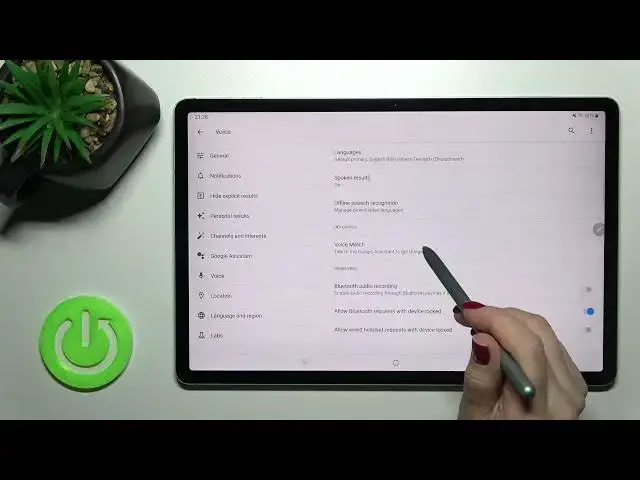

How to Turn Off Hey Google of Google Assistant on Samsung Galaxy TAB S7 FE
Jul 3, 2024

Check more info about Samsung Galaxy TAB S7 FE:
https://www.hardreset.info/devices/samsung/samsung-galaxy-tab-s7-fe/
Hi there! Google Assistant is an artificial intelligence-powered virtual assistant developed by Google. It offers voice commands, voice search, and voice control for your Samsung Galaxy TAB S7 FE, allowing you to complete a number of tasks by simply saying “Ok Google”. It's designed to make our life a little easier. But if, if you don't want the Hey Google feature to constantly listen to you and execute your commands, you can Deactivate it on your Samsung Galaxy TAB S7 FE by following the simple step-by-step guide above. For more information visit our HardReset.info YT channel and discover many useful tutorials for Samsung Galaxy TAB S7 FE.
How to Change Google Assistant Settings on Samsung Galaxy TAB S7 FE?
How to Disable Hey Google on Samsung Galaxy TAB S7 FE?
How to Switch Off Okey Google Option on Samsung Galaxy TAB S7 FE?
#HeyGoogle #OkGoogle #OkGoogleFeature
Follow us on Instagram ► https://www.instagram.com/hardreset.info
Like us on Facebook ► https://www.facebook.com/hardresetinfo/
Tweet us on Twitter ► https://twitter.com/HardResetI
Support us on TikTok ► https://www.tiktok.com/@hardreset.info
Use Reset Guides for many popular Apps ► https://www.hardreset.info/apps/apps/
Show More Show Less #Software
#Science
#Intelligent Personal Assistants