0:00
Welcome! In front of me I have the ROG Phone 7 from ASUS and today I'll show you how we can boot this phone into safe mode
0:11
So to get started you want to hold your power button and once you see your boot options hold power off
0:21
As you can see this brings up this window at the bottom a reboot to safe mode. Do you want to reboot into safe mode? This will disable all third-party applications
0:28
you have installed and it will be restored when you reboot again. Confirm it and
0:36
just to kind of clarify this what it refers to is in this mode or this mode is primarily designed for troubleshooting your device
0:44
Therefore any application that you have installed yourself will be temporarily turned off
0:48
Either it will be visible on the home screen or it will be just completely hidden but no matter if you can see it or not you won't be able to obviously use it
0:56
Now that also extends sometimes to applications that even come installed on the device and
1:03
additionally also some things like widgets will occasionally not work either. Now like I mentioned this is designed for troubleshooting so you boot your device into this mode
1:15
fix whatever problem you are having and then simply reboot the device again to go back to the normal mode so you can use your
1:22
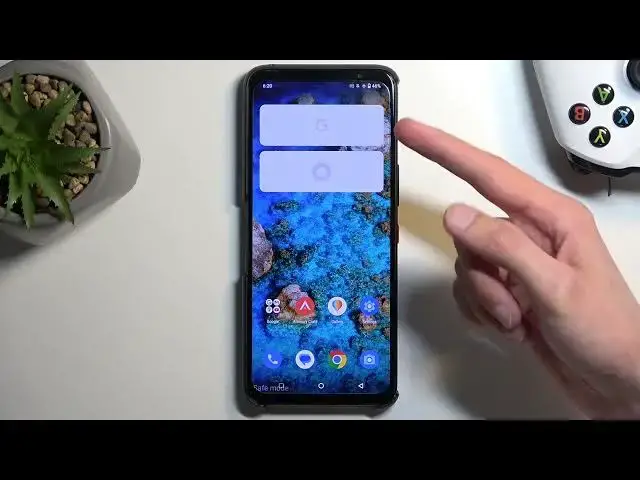
device normally. As you can see once the device boots up we have a safe mode marking right here at the bottom
1:28
Widgets obviously don't work and it looks like Asus hides applications that are disabled in this mode. So there's no apps right here
1:40
visible that it wouldn't be able to use. Now one thing to keep in mind which is kind of scammy. I assume it's a partnership
1:48
Facebook apparently is one of those apps that can function in this mode which let's be honest Facebook is not a
1:53
part of Android ecosystem. So it has zero effing rights to be visible or running in here
2:02
The reason I'm kind of pointing this out because almost any application is or should in theory be blocked right now, be completely not able to run. But Facebook and
2:12
Zuck therefore can still spy on you even when you're in safe mode. Now you can see how that is a little bit of a
2:19
intrusive kind of thing to have. So let's just fix this up
2:25
Zuck on these nuts. Zuck. Bye bye. There we go. So we fixed the problem. Anyway
2:33
Once you're done with this mode and you want to go back to the normal one so you can use your device normally all you
2:38
would need to do is hold your power button and this time around select restart. Once the device boots back up it will automatically go back to the normal mode
2:46
And with that being said, hopefully you found this very helpful. If you did, don't forget to hit like, subscribe and thanks for watching