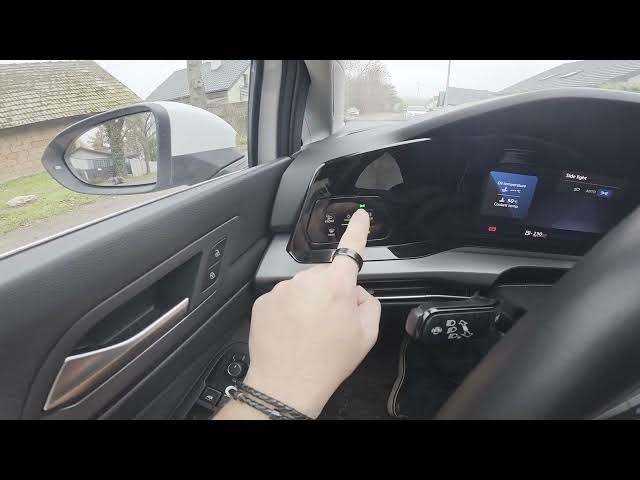

Volkswagen Golf VIII (2019-now) – How to Enable & Disable Position Lights
Jan 15, 2026

Learn how to enable and disable the position lights on a Volkswagen Golf VIII (2019 - now). This short, clear video shows the exact panel location behind the left side of the steering wheel, how to use the MODE button, and which icon to watch for. You'll see step-by-step actions to turn position lights on and off, plus a quick note about the beam and auto light functions. This guide is perfect for Golf 8 owners looking for a fast, reliable how-to to control their lights safely and correctly.
How to enable position lights on Volkswagen Golf VIII (2019-now)?
How to disable position lights on Volkswagen Golf VIII (2019-now)?
Where is the position lights button on Volkswagen Golf VIII (2019-now)?
0:00 Intro
0:06 Find the control panel behind the left side of the steering wheel
0:15 Press MODE to enable position lights (watch for the icon)
0:24 Press MODE again to disable position lights
0:30 Note: panel also controls beam and auto lights
0:35 Outro — like, comment and subscribe
#Volkswagen #GolfVIII #PositionLights #CarTips
Find out more:
https://www.hardreset.info/devices/volkswagen/volkswagen-golf-viii-2019-now/how-to-enable-disable-position-lights/
Follow us on Instagram ► https://www.instagram.com/hardreset.info
Like us on Facebook ► https://www.facebook.com/hardresetinfo/
Show More Show Less