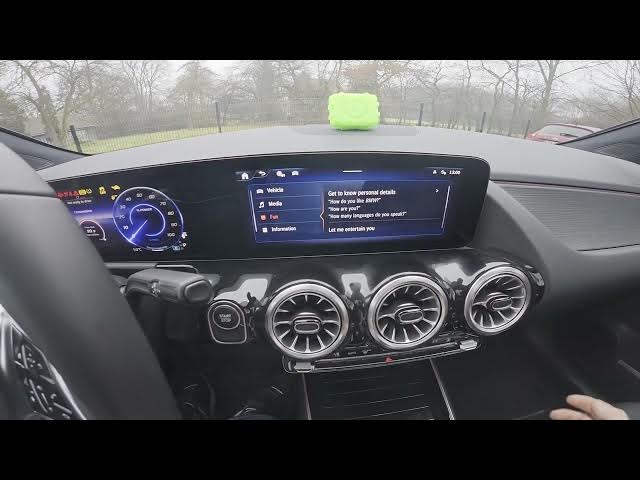

MERCEDES-BENZ EQA – Hey Mercedes Features Preview
Jan 2, 2026

In this video I’m in front of the MERCEDES-BENZ EQA and I show all key Hey Mercedes features and how to use the voice assistant. You will learn how to open Hey Mercedes info from the MB Apps menu, what the assistant can do with natural speech and interruptions, which systems it can control (navigation, interior climate, communication, vehicle info, engine, media, fan and general information) and I demonstrate common commands including setting the climate. This walkthrough helps you use Hey Mercedes confidently in your EQA and shows practical examples from the car screen.
How to use Hey Mercedes in MERCEDES-BENZ EQA?
How to set climate with Hey Mercedes on MERCEDES-BENZ EQA?
How to control navigation and media with Hey Mercedes on MERCEDES-BENZ EQA?
0:00 Introduction — MERCEDES-BENZ EQA and Hey Mercedes overview
0:07 Open the screen display and go to MB Apps → Hey Mercedes info
0:19 What the Hey Mercedes function is capable of (feature overview)
0:28 Introduction details — what you can expect from the assistant
0:34 Speak naturally and interrupt — how Hey Mercedes understands you
0:51 What settings you can control: navigation, interior, communication, vehicle, engine, media, fan, information
1:25 Live voice demo — example prompts and assistant responses
1:41 Engine status attempt — limitations and error response
2:03 Climate set example — setting temperature to 19 degrees
2:15 Outro — like, comment and subscribe
#MercedesBenz #EQA #HeyMercedes #CarVoiceAssistant
Find out more:
Show More Show Less #Autos & Vehicles
#Motor Vehicles (By Type)
#Science
#Mercedes-Benz