Up next in 10

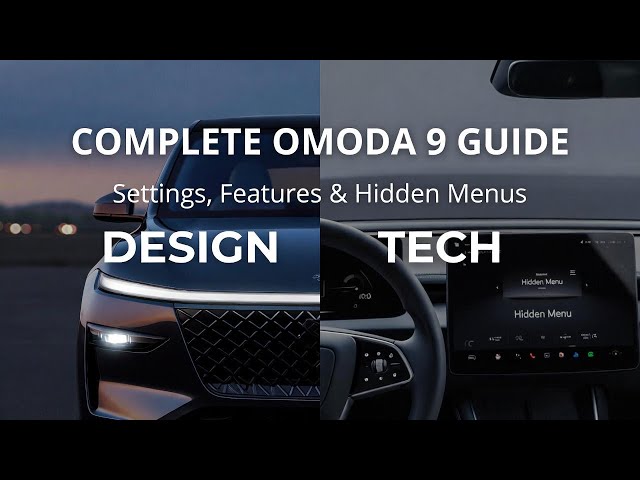
OMODA 9 – Full Overview + Best Settings, Features & Hidden Menus (All Tutorials)
Jan 3, 2026

Want a complete, easy-to-understand walkthrough of the OMODA 9? In this video, we do a full deep dive into the OMODA 9 SUV (often called Omoda / Amoda 9), covering the design, interior, tech, safety systems, hybrid performance, EV range, charging time, pricing, and then we jump straight into real car tutorials from the infotainment screen and cabin controls. You’ll see how to use key features like wireless Apple CarPlay and Android Auto, ambient lighting modes, 360 camera, driver assistance settings, Bluetooth pairing, Wi-Fi hotspot connection, navigation options, radio settings, charging menus, service reset, OTA software info, power modes, drive modes (EV/Sport/Hybrid), auto parking assistant, and more. If you’re buying, owning, or test-driving the OMODA 9 PHEV / Super Hybrid, this is the one video that saves you time and helps you unlock the best comfort, safety, and tech settings fast.
How to enable wireless Apple CarPlay and Android Auto in OMODA 9?
How to change ambient lighting color and brightness in OMODA 9?
How to enable driver assistance features like lane keeping and AEB in OMODA 9?
0:00 OMODA 9 preview: what this SUV is all about
0:44 Exterior design highlights (LEDs, coupe profile, size)
1:40 Interior, screens, comfort, ambient lighting, audio
2:58 Infotainment overview and key menus
3:11 Safety and ADAS features (360 camera, auto parking, AEB)
3:56 Super Hybrid powertrain: engine + motors + AWD
5:14 0–100 km/h, top speed, real performance talk
5:51 Battery size, EV range, efficiency, 1,100 km claim
7:48 Boot space, practicality, pricing vs rivals
9:47 Comfort features tour: seats, climate, 360 cam
12:52 Vehicle settings: smart key, locks, tailgate options
13:38 Headlights and HUD settings explained
15:13 Safety features menu: collision, lane, blind spot, monitoring
18:40 Where to find VIN number + VIN decoding basics
Show More Show Less View Video Transcript
0:00
Hello everyone. Thank you for coming back to our channel and thank you for each view, subscribe and comment. In
0:08
this video, we'll dive into Omoda 9 preview. Relax, sit back, and enjoy.
0:19
Chinese automakers have been on roll lately, and the upcoming Amod 9 might be the boldest move into Europe's crowded
0:26
midsize SUV market. Today, I'll give you full preview of what to expect. From its
0:32
bold exterior looks to its comfort, safety, tech, performance, and how it stacks up price-wise against familiar
0:39
names like the Hyundai Santa Fe, Mazda CX60, and Toyota Highlander. The
0:44
preview, let's start with exterior design. The design of Omoda 9 builds up on the brand's futuristic aesthetics
0:51
we've already seen with the Omoda 5, but it's more refined, more premium, and clearly aimed at competing with Western
0:57
and Japanese rivals. The front fascia blends an illuminated closed grill with
1:04
thin split LED headlights, giving it an EV inspired look, even in combustion
1:11
versions. The coupe like side profile, floating roof line, and large 20-in allo
1:16
wheels give the car a sporty stance, while chrome accent and wraparound LED
1:23
taillights complete the upscale design. It's about 4.8
1:28
m long, which positions it right in the sweet spot for midsize family SUV, but
1:35
with more visual drama. Next, let's take a look at the interior and comfort
1:40
features. Inside, you can immediately tell a model wants this to feel premium.
1:45
The cabin design is minimal but rich in details. Dual 12.3 in curved OLED
1:52
displays dominate the dashboard, merging driver info and infotainment into one
1:57
visually seamless unit. The center console is floating with hidden wireless charging pads and compact drive
2:04
selector. The material quality at least front seats, panoramic roof, and 14
2:10
speaker Sony surround system. For connectivity, the model 9 will support Apple CarPlay, Android Auto, and even
2:18
wireless phone mirroring. Charging your devices won't be an issue either. Up to five USBC ports, two wireless chargers,
2:26
and an integrated Wi-Fi hotspot are planned. Plus, a modus incar AI
2:31
assistant responds to natural voice commands, controlling climate, navigation, and even seat settings.
2:39
We've talk about carfotainment system. And now, let's dive deeper. Inside car
2:45
settings, you can find plenty options for safety and driver assistance. When it comes to safety, a model 9 continues
2:52
the brand's commitment to advanced assistance systems. Expect a level two
2:57
plus ADAS suit, including adaptive cruise control with stop and go, lane
3:02
centering and lane departure prevention, blind spot detection with active
3:07
correction, 360° camera with transparent chassis view, and smart automatic
3:14
parking with remote control from your smartphone. There's also driver attention monitor, collision warning,
3:20
and auto emergency braking. All of which should help it score well in a NCAP
3:26
tests once released. All of those safety and driver assistance features are great
3:32
options. If we take a look at the performance and power trains of the car,
3:37
the Model 9 Super Hybrid system represents bold entry into the competitive plug-in hybrid SUV segment,
3:44
blending strong performance with surprising efficiency and modern hybrid technology. At its core, this flagship
3:53
model uses a sophisticated 1.5 L turbocharged petrol engine paired with
3:58
three electric motors and an advanced hybrid drivetrain to deliver a blend of
4:05
speed, responsiveness, and everyday usability. Under the bonnet, the Model
4:10
9's hybrid setup combines 1.5 liter turbo petrol, four cylinder engine that
4:17
contributes to overall power and can also act as generator. Three electric
4:22
motors, two at the front and one at the rear that provide instant torque and
4:29
all-wheel traction. Together these elements from the super hybrid system producing a combined output of around
4:37
395 KW which is approximately 5330
4:44
horsepower with torque figures that place it firmly in performance SUV
4:49
territory. Performance is one of the standout aspects of the model 9. From
4:55
zero to 100 kilometers per hour, it takes about 4.9 seconds to accelerate, a
5:03
figure that rivals many traditional performance SUVs. The top speed is
5:08
approximately 180 km/ hour. Acceleration is most dramatic when the hybrid battery
5:14
is charged and the system can deploy its full power, particularly in sport mode
5:20
where all power sources are engaged. Now we know everything about acceleration,
5:26
speed, powertrain and output of this car. It is good to know something about
5:32
the battery, EV range and efficiency of the car. A key advantage of the moderniz
5:37
hybrid setup is its large 34.46 46 kWh
5:43
battery, which is generous for a plug-in hybrid SUV and allows for electric only
5:50
range up to 145 km on battery power alone. Many hundreds of kilometers are
5:57
offered thanks to combined range of petrol and hybrid battery with some
6:03
claimed figures exceeding 1,100 km when both electric and petrol systems are
6:10
used. Efficiency fuel efficiency is equally impressive on paper with
6:16
combined WLTP fuel consumption as low as 1.4 to 1.7 liter for 100 kilometer aided
6:25
by frequent electric driving and regenerative braking. Next important
6:31
thing after knowing basics about battery and engine are transmission, drive
6:37
dynamics and what this means on the road. The powertrain uses 3-speed
6:42
dedicated hybrid transmission that ensures smooth transitions between electric engine and hybrid drive modes.
6:51
Traction is delivered through an intelligent all-wheel drive system, distributing torque to both axles for
6:57
confident handling in various conditions. What it means on the road for drivers, the model 9 offers strong
7:04
straight line performance that's competitive with sporter SUVs despite its size and hybrid nature. Electric
7:11
dominant daily use, reducing fuel costs and emissions for routine commutes.
7:16
flexible longd distance capability thanks to combined internal compution and electric range potential. In the
7:24
end, let's talk about boot and practicality of this car price and
7:30
competitor comparison. Amoda also seems to understand practicality. Boot capacity is expected to be around 550 L
7:39
expanding to over 1,500 L with the rear seats folded. under floor storage and
7:45
smart power tailgate at convenience while rear passengers get separate AC
7:51
controls and seatback USB ports making it familyfriendly. In terms of pricing,
7:57
a model wants to undercut traditional premium rivals while still offering serious tech. The expected price in
8:04
Europe is between 45,000 and 55 52,000
8:10
depending on the version. That places it below Mazda CX60
8:16
56,000, Hyundai Santa Fe Hybrid €54,000, and
8:22
Toyota Highlander 58,000. But with similar or better equipment and
8:28
sharper interior design. So if a Moda keeps build quality high, this could be
8:34
real contender. You'd be getting a near premium experience at midmarket price.
8:41
Let's sum up the video. The Amod 9 looks like promising blend of tech forward
8:46
design, comfort, and competitive pricing. It's not just another SUV from
8:52
China. Its statement that the gap between traditional brands and newcomers is closing fast. I'll be keeping an eye
9:00
on European availability, especially once test units arrive. So, if you want
9:06
to see full performance testing and comparison against the CX60 or Santa Fe,
9:11
make sure to subscribe because that's exactly what's coming next. Once again,
9:17
thank you very much for watching. Please leave like, comment, and subscribe
9:23
if you found this video helpful. In front of me, I've got a Moda 9. In
9:30
this video, I'll show you all comfort features in this car.
9:39
Let's start with driver's doors. Right here on the driver's doors, we've got
9:45
panel thanks to which we can adjust seat position
9:50
and memorize up to three profiles.
9:58
Next, take a look behind left side of the steering wheel. Right here we've got the panel thanks to which we can enable
10:04
auto lights quickly adjust side mirrors and fold side mirrors.
10:10
Also, this car has electric steering column adjustment.
10:16
Now, take a look at the steering wheel. Right here, we've got the panel thanks
10:21
to which you can manage speed limiter and adaptive cruise control.
10:29
Next on the right side we've got the panel thanks to which we can activate voice assistant
10:36
and navigate through instrument cluster display. On instrument cluster we can
10:41
quickly find our speed limit and range.
10:48
Next take a look in the center of the car. This car is equipped with two cup
10:56
holders and drawer with cooler feature.
11:06
A Model 9 also has dual zone climate control with plenty of
11:13
functions like AC, steering wheel heating,
11:20
front windshield defroster, air purification, air
11:26
climate control, seat heating and seat ventilation.
11:34
seat massager and automatic cabin ventilation and air
11:42
cleaning. If you press button here, you've got
11:49
access to full 360 camera that is also adjustable.
11:58
Now, let's take a look at the screen display.
12:04
This car is equipped with large main screen thanks to which you can watch
12:11
videos and photos. It has Android Auto and Apple CarPlay
12:16
that are wireless. You can quickly enter around view
12:22
monitor from the main screen. And also in atos lamp you can adjust ambient
12:28
lighting of your car.
12:33
Now let's go to vehicle settings. Here we've got access to smart key. In
12:41
smart key settings you can enable approaching unblock
12:46
manual automatically. You can enable tailgate key of opening manage and FC
12:52
service and welcome when approach. In the vehicle settings, we've got even
12:57
more functions we can adjust like easy entry, easy exit. We can adjust opening
13:03
height of the tailgate, automatic lock, and more. This car is
13:10
also equipped with wireless charging tray that can be enabled here.
13:19
Now, let's go to headlight settings. Here, we can adjust headlight height. We
13:25
can enable smart welcome light music rhythm.
13:31
Then here we can enable HUD head-up display is located there. You can see
13:38
it. And also from this menu we can adjust its settings like head-up steering
13:47
wheel mode, brightness, height, snow mode, head up
13:53
display content. Let's go to vehicle comfort. Here
14:00
we can change vehicle color on the homepage. Child presence detection and rear view
14:08
mirror adjustment via steering wheel.
14:15
A model 9 is new car with bunch of comfort and safety
14:21
features. To be honest, it's loaded with them and everyone in my opinion can find
14:27
something for themselves. In the end, this car has large panoramic
14:37
ro.
14:48
If you find this video helpful, please like, comment, and subscribe. [Music]
14:54
Hello. In front of me, I've got a model 9. In this video, I'll show you all safety features included in this car.
15:06
Firstly, take a look at the driver's doors. This car is equipped with child
15:11
lock for windows and also child lock for doors. Here we've got quick switch to lock or
15:19
unlock doors.
15:24
And here we've got quick access to lights, settings, and mirrors adjustment.
15:33
On the steering wheel, we can find adaptive cruise control and speed
15:39
limiter. Behind the steering wheel here we can find traction control switch on
15:47
off and he descent
15:52
control. The last button allows you to go to 360 camera.
16:00
Now take a look at the settings of the car. Let's go to vehicle
16:08
because here magic happens. Now go to vehicle
16:13
comfort. This car is equipped with child presence detection. HUD next to which
16:21
you can quickly measure your speed headlight settings for safety at night
16:28
for example and driver assistance settings. As you can see, there are a bunch of the driver assistant settings
16:36
like forward collision warning, automatic emergency braking, lane departure,
16:42
lane departure prevention,
16:47
emergency lane keeping, door opening warning, blind spot
16:53
detection, rear collision warning, driver monitoring, rear cross traffic
16:59
and brakes. pedals, brake pedal settings. Here, this
17:05
car is also equipped with intelligent cruise control, drive away information,
17:10
speed limit assistant, over speed alarm, intelligent speed
17:18
control, HMA, which is
17:23
high beam automatic system and intelligent avoidance.
17:31
So, as you can see, this car is loaded with safety systems.
17:37
Except those electronic systems, this car is equipped with multiple airbags,
17:42
at least six in basic trim. It has
17:48
SOS button in case of emergency.
17:56
Also, you can disable passenger airbug thanks to the switch under the console
18:02
center console. And last but not least, this car got
18:08
five star in lower NCI rating.
18:16
If you find this video helpful, please like, comment, and subscribe. Hello. In
18:21
front of me, I've got a Moda 9. In this video, I'll show you where can you find
18:26
VIN number of your car and what does the VA number stands for.
18:35
[Music] The vehicle identification number is unique code assigned to every vehicle.
18:41
It serves to provide access to vehicle history and equipment.
18:47
First VN number you can find is located on the sticker
18:54
inside the trunk.
19:04
Second V number is located under the passenger's seat.
19:17
This one is stamped. Next, we've got the VAN number here. And
19:23
in the end, we've got the VA number at the bottom of the front windshield.
19:31
Let's take a look at the VA number and decode it. First three characters
19:36
typically denote car manufacturer. Characters from fourth to 9th or 10th position describe model and type of
19:42
vehicle. 10th character represents the vehicle production year. Subsequent characters may indicate place of
19:48
manufacturer. Remaining characters for a unique serial number for identification.
19:55
In some cases, VIN includes details about engine and body.
20:02
But these are not all informations we can get from VIN. Thanks to VIN number, you can also learn about vehicle trim
20:08
level, engine type and size, body style, safety features, production plant, plant
20:15
specific features, checkdigit number, mark destination and service informations.
20:22
All of those informations you can get from manufacturer or dealer, online services or government agency if you
20:28
provide the VIN. If you find this video helpful, please hit like, comment and
20:33
subscribe. Hello. In front of me, I've got a Model 9. In this video, I'll show you what is
20:41
the real charging time, cost, and range.
20:52
For the AC charging, type 2 6.6 KW roughly 30 to 100% in about 5 and 1/2
21:01
hours. Suitable for overnight home charging. DC charging CCS up to 70 kW 30
21:10
to 80% in about 25 minutes. Ideal for trips.
21:15
battery approximately 34 34
21:20
5 kWh claimed EV range up to 93
21:27
169 kilm depending on test cycle with
21:32
real mixed range typically around 130 150 km if driven efficiently.
21:41
Let's talk about approximate charging cost in Europe. Home AC at 25 cents
21:50
per kW. Full usable charge
21:55
around 72 giving roughly 130 150 kilometers of EV
22:02
driving. Public DC cost at
22:08
45 to 60 cents for KW for same energy
22:15
approximately 30 and half to 80. Charging is typically scheduled via the
22:21
car's infotainment charging EV menu or connected app allowing start and times
22:28
and ready by targets to match cheap tariff hours.
22:33
The charging cable is usually locked when the car is locked. Also,
22:39
if you find this video helpful, please leave like, comment, and subscribe.
22:46
In front of me, I've got model 9. In this video, I'll show you drive modes
22:51
explained EV, sport, and hybrid settings.
22:59
In the beginning, take a look at the screen display. Firstly to change drive mode we are
23:05
going to use this knob. Here you can switch between echo mode, normal mode,
23:11
sport mode. Those three modes are typical for driving in the city or
23:17
highway. For the city, the most ecological is echo mode that will
23:22
preserve most fuel and battery. Normal is standard mode without
23:31
sporty steering and acceleration. Let's take a look at the last three
23:37
modes here. We've got snow, sand, and off-road mode. Thanks to these modes, the car adjusts the its settings
23:44
automatically. for example, disables traction control, increases the throttle,
23:53
and increases torque. Next, take a look at the hybrid
24:00
options. Let's go to power. Here, you can check energy flow and
24:06
energy consumption. You can manage power management. You can set power saving mode and force
24:14
power saving mode. Here you can manage charging management and in the end you can enable departure
24:21
time energy recovery intensity battery display settings and you can set energy
24:28
saving mode. If you find this video helpful, please like, comment and subscribe.
24:35
[Music] In front of me, I've got a model 9. In
24:40
this video, I'll show you how to enable traffic on map.
24:48
In the beginning, take a look at the screen display. Go to settings and
24:53
navigation and switch this button to enable or disable.
24:58
If you find this video helpful, please like, comment, and subscribe.
25:03
[Music] In front of me, I've got a model 9. In this video, I'll show you how to change alert tone type.
25:13
[Music] In the beginning, take a look at the screen display. And next, go to local
25:19
settings. Enter sound and alert tone type. Switch it between technological,
25:24
traditional, and trendy. If you find this video helpful, please like, comment, and subscribe.
25:33
Hello. In front of me, I've got a model 5. In this video, I'll show you how to adjust navigation volume.
25:43
In the beginning, take a look at the screen display. Go to menu and local settings. Sound and
25:50
volume adjustment. Adjust navigation volume on this slider.
25:55
If you find this video helpful, please hit like, comment, and subscribe.
26:01
Hello. In front of me, I've got a model 9. In this video, I'll show you how to change ambient lighting brightness.
26:12
In the beginning, take a look at the screen display and from home page, let's go to atmosphere lamp. Adjust the
26:19
brightness on this slider. If you find video helpful, please leave
26:25
like, comment, and subscribe. [Music] In front of me, I've got Amoda 9. In
26:33
this video, I'll show you where is the washer fluid reservoir.
26:39
To find washer fluid reservoir in your car, take a look at the left side of a Jeep compartment. Washer fluid reservoir
26:45
is located right here. Use only certified washers. If you find
26:54
this video helpful, please like, comment, and subscribe. [Music]
26:59
In front of me, I've got a model 9. In this video, I'll show you how to change Bluetooth name.
27:10
In the beginning, take a look at the screen display. Go to home and go to local settings.
27:17
Enter Bluetooth Bluetooth name and select new Bluetooth name. If you find this video helpful, please
27:25
like, comment, and subscribe. [Music] In front of me, I've got a Model 9. In
27:31
this video, I'll show you where is the engine oil reservoir.
27:39
[Music] To find engine oil cup, take a look at the top of the engine from the left
27:44
side. Engine oil cup is located right here.
27:52
If you find the video helpful, please like, comment, and subscribe.
27:58
Hello. In front of me, I've got a model 9. In this video, I'll show you how to enable key fob tailgate opening.
28:11
In the beginning, take a look at the screen display. Now, go to vehicle and smart key. Switch
28:18
this button to enable or disable this function. If you find this video helpful, please
28:24
like, comment, and subscribe. [Music] In front of me, I've got Moda 9. In this
28:31
video, I'll show you how to enable maintenance reminder.
28:39
In the beginning, take a look at the screen display. Now go to settings and vehicle settings.
28:48
Switch this button to enable or disable this function. If you find the video helpful, please
28:54
hit like, comment, and subscribe. [Music] In front of me, I've got a model 9. In
29:00
this video, I'll show you how to enable disable touchscreen tone.
29:09
In the beginning, take a look at the screen display. And next, go to menu and sound.
29:16
Go to touchscreen tone and switch it to enable or disable this function.
29:22
If you find this video helpful, please hit like, comment, and subscribe.
29:27
[Music] In front of me, I've got a model 9. In this video, I'll show you how to enable
29:32
and disable TA function for radio.
29:40
In the beginning, take a look at the screen display. And next, go to radio and settings.
29:48
Switch this button to enable or disable this function. If you find this video helpful, please
29:54
leave like, comment, and subscribe. [Music] In front of me, I've got a model 9. In
30:00
this video, I'll show you how to change map orientation.
30:09
In the beginning, take a look at the screen display. Go to map and next go to settings. Enter
30:17
map orientation and select 3D, 2D or 2D N.
30:23
If you find this video helpful, please like, comment, and subscribe.
30:29
Hello. In front of me, I've got a model 9. In this video, I'll show you how to enable AF function for radio.
30:40
In the beginning, take a look at the screen display. Now go to radio
30:48
and tap settings. Switch this button to enable or disable AF function. If you
30:53
find this video helpful, please like, comment, and subscribe.
30:58
[Music] In front of me, I've got a model 9. In this video, I'll show you how to adjust
31:04
voice assistant volume.
31:10
In the beginning, take a look at the screen display. Go to menu and local settings.
31:16
Enter sound and find volume adjustment. Find voice and adjust it for this
31:22
slider. If you find this video helpful, please like, comment, and subscribe.
31:30
So, in front of me, I've got model 9. In this video, I show you how to change system language.
31:41
In the beginning, take a look at the screen display. And next, go to system in local
31:48
settings, language settings, and select your language from the list.
31:54
If you find this video helpful, please hit like, comment, and subscribe.
32:00
[Music] In front of me, I've got a model 9. In this video, I'll show you how to enable
32:06
su incoming for announcement.
32:14
In the beginning, take a look at the screen display and next go to menu and lockout settings
32:21
sound and switch this button to enable or disable this function. If you find this video helpful, please
32:28
like, comment, and subscribe. Hello. In front of me, I've got a Moda
32:34
9. In this video, I'll show you how to enable forgotten phone reminder.
32:45
In the beginning, take a look at the screen display. Make sure that the car is turned on and go to vehicle and
32:50
vehicle settings. Find forgotten phone reminder and switch it to enable or disable this function.
32:57
If you find the video helpful, please like, comment, and subscribe.
33:03
Hello. In front of me, I've got a model 9. In this video, I'll show you how to
33:08
change radio source.
33:14
In the beginning, take a look at the screen display. [Music]
33:20
Go to radio and go to menu. Tap here and select between radio, Bluetooth music,
33:26
and local music. If you find this video helpful, please like, comment, and subscribe.
33:34
Hello. In front of me, I've got Commodore 9. In this video, I'll show you how to update radio station list.
33:46
In the beginning, take a look at the screen display. Now, go to radio
33:51
and tap this button to update radio station list.
33:58
And that's basically it. If you find this video helpful, please like, comment, and subscribe.
34:04
[Music] In front of me, I've got a model 9. In this video, I'll show you how to change
34:10
ambient lighting mode.
34:17
To change ambient lighting effect, take a look at the screen display and go to home and atmosphere lamp. Select ambient
34:24
lighting effect between off, static, briefing or flowing.
34:31
If you find this video helpful, please like, comment, and subscribe.
34:36
[Music] In front of me, I've got a model 9. In this video, I'll show you how to enable
34:45
automatic lock.
34:50
To enable door autolock, take a look at the screen display. Make sure that the car is turned on and go to car and
34:56
vehicle settings. Switch this button to enable or disable this function.
35:03
If you find this video helpful, please hit like, comment, and subscribe.
35:08
[Music] In front of me, I've got a model 9. In this video, I'll show you how to enable
35:13
welcome lights when approached.
35:20
In the beginning, take a look at the screen display. And next, go to vehicle and smart key.
35:30
Switch this button to enable or disable this function. If you find this video helpful, please
35:37
leave like, comment, and subscribe. Hello. In front of me, I've got 9. In
35:44
this video, I'll show you where is the engine oil level dipstick. [Music]
35:51
To find engine oil level dipstick in your car, take a look at the left side of engine compartment.
35:57
Dipstick is located right here. Remove it to check oil level.
36:07
If you find this video helpful, please like, comment, and subscribe.
36:12
[Music] In front of me, I've got a model 9. In this video, I'll show you how to change
36:18
brightness level of the display.
36:24
In the beginning, take a look at the screen display. And next, go to local
36:29
settings, display, and brightness. Here you can adjust instrument cluster and center
36:36
display brightness. If you find this video helpful, please like, comment, and subscribe.
36:45
Hello. In front of me, I've got a model 9. In this video, I'll show you how to
36:51
change power mode.
36:58
In the beginning, make sure that the car is turned on. Take a look at the screen display and go to vehicle. In quick
37:05
control, switch power mode between HV, EV, or EV plus.
37:12
If you find this video helpful, please leave like, comment, and subscribe.
37:18
Hello. In front of me, I've got a model 9. In this video, I'll show you how to enable easy entry and easy exit.
37:29
In the beginning, take a look at the screen display. Now, go to vehicle and vehicle settings.
37:37
Make sure that the car is turned on. switch this button to enable or disable this function.
37:45
If you find this video helpful, please leave like, comment, and subscribe.
37:50
[Music] In front of me, I've got a model 9. In this video, I'll show you how to enable
37:55
unlock driver door only function.
38:03
In the beginning, take a look at the screen display. And now go to vehicle settings
38:12
and go to unlock driver door. Switch it to enable this function. If you find this video helpful, please
38:19
leave like, comment, and subscribe. [Music] In front of me, I've got a model 9. In
38:26
this video, I'll show you where is the brake fluid reservoir.
38:34
To find the brakes fluid reservoir in your car, take a look at the back of engine compartment. Brakes fluid is
38:41
located right here. Remember, use only brakes fluid indicated on the brakes
38:46
fluid cup. In this case, it's dot 4. If you find this video helpful, please like,
38:53
comment, and subscribe. Hello. In front of me, I've got a model
38:59
9. In this video, I'll show you how to change voice guidance mode.
39:10
In the beginning, take a look at the screen display. And next, go to navigation and settings. You can change
39:16
voice mode between mute, tone only, detailed. Next, you can change volume.
39:23
If you find this video helpful, please like, comment, and subscribe.
39:29
Hello. In front of me, I've got a model 9. In this video, I'll show you how to enable and disable Bluetooth.
39:39
In the beginning, take a look at the screen display. And next, go to home and local settings.
39:46
Enter Bluetooth and switch this button to enable or disable Bluetooth.
39:51
Next, you can change Bluetooth name, visibility, and check Bluetooth devices.
39:57
If you find this video helpful, please like, comment, and subscribe. [Music]
40:03
In front of me, I've got a model 9. In this video, I'll show you how to find full list of radio stations.
40:13
In the beginning, take a look at the screen display. And now go to radio
40:20
and stations list is located right here. You can find both FM and DAB radio
40:27
stations here. If you find this video helpful, please like, comment, and subscribe.
40:35
[Music] In front of me, I've got a model 9. In this video, I'll show you how to change
40:40
speed compensated volume mode.
40:49
In the beginning, take a look at the screen display.
40:54
and go to local settings and sound. Find speed compensated volume and
41:00
selection of low, medium, and high. If you find this video helpful, please
41:05
like, comment, and subscribe. [Music] In front of me, I've got Pomoda 9. In
41:12
this video, I'll show you how to enable voice assistant wake mode.
41:21
In the beginning, take a look at the screen display. And next, go to
41:29
local settings and voice. Switch this button to enable or disable this function.
41:36
If you find this video helpful, like, comment, and subscribe.
41:42
Hello. In front of me, I've got a model 9. In this video, I'll show you where is
41:47
the air filter. [Music]
41:52
To find air filter in your car, take a look at the top of the engine. Air filter is located
42:00
right here. To access it, you have to unscrew each screw on the
42:07
side. If you find this video helpful, please like, comment, and subscribe.
42:13
[Music] Hello. In front of me, I've got a model 9. In this video, I'll show you how to
42:19
navigate to EV chargers.
42:27
In the beginning, take a look at the skin display and next go to home navigation and tap EV charger icon.
42:36
Select and tap go. To start navigation route, tap X and it's done.
42:43
If you find this video helpful, please like, comment, and subscribe.
42:49
Hello. In front of me, I've got a model 9. In this video, I'll show you how to disable and enable back passenger
42:55
airbug.
43:01
In the beginning, take a look in the center of the car. Under the center console, we've got passenger airbox
43:08
switch. Simply se switch it left or right to enable or disable passenger
43:14
airbug. If you find this video helpful, please like, comment, and subscribe.
43:22
[Music] In front of me, I've got a model 9. In this video, I'll show you how to enter manage equalizer.
43:33
In the beginning, take a look at the screen display. And next go to menu local settings and sound. Scroll down
43:41
and find advanced equalizer. Here you can change equalizer preset or you can
43:47
create custom equalizer. If you find this video helpful, please
43:53
like, comment, and subscribe. [Music] In front of me, I've got
44:00
a model 9. In this video, I'll show you how to adjust welcome music volume.
44:09
In the beginning, take a look at the screen display. Go to home and local settings, sound
44:17
volume adjustment, and adjust it to the slider. [Music]
44:25
If you find the video helpful, please like, comment, and subscribe.
44:30
[Music] In front of me, I've got Omoda 9. In this video,
44:40
I'll tell you what NCP rating this car got.
44:45
The model 9 holds fivestar a NCAP and Asian ACAP equivalent rating with high
44:53
scores across adult, child, vulnerable, road users, and safety assist
44:58
categories. If you find the video helpful, please leave like, comment, and subscribe.
45:05
[Music] In front of me, I've got a model 9. In this video, I'll show you how to manage
45:11
map indicators.
45:20
In the beginning, take a look at the screen display. And the next go to navigate, navigation, and settings. Go
45:27
to show on map and select map indicators.
45:34
If you find this video helpful, please like, comment, and subscribe.
45:40
Hello. In front of me, I've got a model 9. In this video, I'll show you where is the power outlet.
45:48
To find power outlet in your car, take a look in the center of it under the center console. Power outlet is located
45:55
right here. Thanks to the power outlet,
46:04
you can charge devices or connect to dash cam. If you find this video
46:10
helpful, please like, comment, and subscribe. [Music]
46:15
In front of me, I've got a model 9. In this video, I'll show you how to change headrest speaker mode.
46:27
In the beginning, take a look at the screen display and next go to local settings. Enter
46:35
sound and public sorry address. Here you can switch between public share, drive
46:41
share and private share. If you find this video helpful, please hit like, comment, and subscribe.
46:50
Hello. In front of me, I've got 9. In this video, I'll show you how to enable
46:55
wireless charging tray.
47:02
Wonder is equipped with wireless charging train in the center of the car. To use it, you have to enable it. In
47:08
order to do it, make sure that the car is turned on.
47:13
Go to vehicle settings and switch this button.
47:19
If you find this video helpful, please like, comment, and subscribe.
47:26
Hello. In front of me, I've got a model 9. In this video, I'll show you how to
47:31
manage NFC key.
47:39
In the beginning, take a look at the screen display
47:47
and go to vehicle and smart key. Go to settings and here you can find list of
47:52
your NFC key assigned. If you find this video helpful, please like, comment, and
47:58
subscribe. [Music] In front of me, I've got
48:04
9. In this video, I'll show you how to change units.
48:12
In the beginning, take a look at the screen display. Now, let's go to home,
48:20
local settings, and system. Here, you can change unit between miles
48:25
and kilometers. Same for fuel consumption. And next, you can change for tire pressure. If you find this
48:32
video helpful, please like, comment, and subscribe. Hello. In front of me, I've got a model
48:39
9. In this video, I'll show you how to adjust tailgate opening height.
48:49
In the beginning, take a look at the screen display. And next, go to vehicle and vehicle
48:55
settings. Make sure that the car is turned on. Press three dots button here and adjust tailgate opening height
49:03
between 100 and 50%. If you find this video helpful, please
49:09
leave like, comment, and subscribe. [Music]
49:14
In front of me, I've got a model 9. In this video, I'll show you how to change ambient lighting color.
49:25
In the beginning, take a look at the screen display. And from the homepage, let's go to atmosphere lamp. Select mode
49:35
and select new color.
49:44
If you find this video helpful, please leave like, comment, and subscribe.
49:50
Hello. In front of me, I've got a model 9. In this video, I'll show you where can you find battery.
50:00
To find battery, take a look at the trunk of your car. Lift the trunk floor
50:05
and then remove this cover. It has lock at the bottom. Battery is located right
50:13
here.
50:20
If you find this video helpful, please like, comment, and subscribe.
50:27
In front of me, I've got a model 9. In this video, I'll show you how to check 360 camera.
50:35
[Music] To check 360 camera, take a look at the
50:42
screen display. And now on my menu, press around view monitor.
50:48
Here you've got access to 360 camera.
50:57
If you find this video helpful, please like, comment, and subscribe.
51:03
Hello. In front of me, I've got a model line. In this video, I'll show you how to enable tow mode.
51:15
To enable tow mode, take a look at the screen display. Make sure that the car is turned on.
51:24
Now, go to vehicle vehicle settings and tow mode.
51:30
Depress the brake pedal turn on. If you find this video helpful, please
51:36
like, comment, and subscribe. [Music] In front of me, I've got a model 9. In
51:43
this video, I'll show you how to manually power off the car.
51:52
In the beginning, take a look at the screen display. And next, go to vehicle and find vehicle
52:00
settings here. Find power off. Tap it and confirm. Car has been turned off. If
52:07
you want to turn it on back, press break. If you find this video helpful, please like, comment, and subscribe.
52:16
Hello. In front of me, I've got a model 9. In this video, I'll show you how to
52:22
enable automatic key fob unlock detection.
52:31
In the beginning, take a look at the screen display. And next, go to vehicle and smart key.
52:38
Switch this button to enable this function. Thanks to this function, the car will
52:43
automatically unlock doors when approach. If you find this video helpful, please
52:50
like, comment, and subscribe. [Music] In front of me, I've got a model 9. In
52:57
this video, I'll show you how to change radio band.
53:06
In the beginning, take a look at the screen display.
53:12
Go to radio and press FM button to change radio band. Here you can select
53:18
from the AB or FM. AM is not available anymore
53:24
in this car. If you find this video helpful, please like, comment, and subscribe.
53:31
Hello. In front of me, I've got 9. In this video, I'll show you where is the
53:36
fuse box in engineing compartment.
53:43
To find engine compartment in fbox box, take a look at the right side of engine bay. Fbox is located right here. To
53:51
access it, you have to unlock two locks at the top.
53:56
At the bottom, you can find diagram for the fuse box.
54:03
If you find this video helpful, please like, comment, and subscribe.
54:08
Hello. In front of me, I've got a Moda 9. In this video, I'll show you how to
54:14
enable energy saving mode.
54:21
In the beginning, take a look at the screen display and next go to power other settings and find energy saving
54:29
mode. Switch it on. Turning on the energy saving mode will automatically turn off the ambient light and HUD and
54:37
reduce the screen brightness and volume. If you find this video helpful, please
54:42
like, comment, and subscribe. [Music] In front of me, I've got
54:49
a model 9. In this video, I'll show you how to manage door lock confirmation.
54:59
In the beginning, take a look at the screen display. Make sure that your car is turned on and next go to vehicle and
55:08
vehicle settings. Find door lock settings
55:13
and select lights and lights and format. If you find this video helpful, please
55:19
like, comment, and subscribe. Hello. In front of me, I've got a model
55:26
9. In this video, I'll show you how to make phone calls via cars system.
55:36
In the beginning, make sure that your smartphone is connected with your car. Take a look at the screen display and go
55:42
to phone. Now you can select phone number from previous phone calls. You can select from contacts or you can
55:49
enter number manually. Then simply tap dial and it's done. If
55:55
you find this video helpful, please like, comment, and subscribe. [Music]
56:02
In front of me, I've got a model 9. In this video, I'll show you how to
56:07
change display mode.
56:13
In the beginning, take a look at the screen display. And now go to local settings and
56:21
display. Find the display mode. Here you can switch it between auto, day and night.
56:27
Next, you can adjust brightness of instrument cluster and center display.
56:33
If you find the video helpful, please like, comment, and subscribe.
56:39
Hello. In front of me, I've got a model 9. In this video, I'll show you how to
56:45
check and reset service info.
56:52
In the beginning, take a look at the screen display.
57:01
Now go to vehicle and vehicle settings. Here you can find maintenance info and
57:07
to reset it, press reset button and confirm. If you find this video helpful, please
57:13
like, comment and subscribe. Hello. In front of me, I've got a model
57:18
9. In this video, I'll show you how to check software version.
57:26
In the beginning, take a look at the screen display and next go to local settings. Enter system and scroll down.
57:32
Software version is located right here. If you want to update the software, take a look at the homepage and then go to
57:40
OTAA. Here you can update the software, but make sure to connect it. Connect the car
57:47
to Wi-Fi. If you find this video helpful, please like, comment, and subscribe.
57:54
Hello. In front of me, I've got a model 9. In this video, I'll show you how to manage battery indicator.
58:05
In the beginning, take a look at the screen display. Next, go to vehicle settings. Sorry,
58:12
power. Scroll all the way down and go to the other settings. Find battery display
58:17
settings and select between battery level, standard or dynamic. You can see the battery indicator right here.
58:26
If you find this video helpful, please like, comment, and subscribe.
58:32
Hello. In front of me, I've got 9. In this video, I'll show you how to enable
58:38
steering force link to driving mode.
58:47
In the beginning, take a look at the screen display. Make sure that the car is turned on. Now, go to vehicle and
58:53
vehicle settings. Switch this button to enable this function. Next, you can change steering
59:00
force mode manually. If you find this video helpful, please
59:06
like, comment, and subscribe. [Music] In front of me, I've got a model 9. In
59:13
this video, I'll show you how to adjust wiper sensitivity.
59:19
[Music] To adjust wiper sensitivity in your car,
59:26
take a look at the screen display. And now, let's go to vehicle and vehicle
59:34
settings. Enter wiper sensitivity and adjust it between level one and
59:39
four. If you find this video helpful, please like, comment, and subscribe.
59:48
Hello. In front of me, I've got a model 9. In this video, I'll show you how to manually change suspension mode.
59:59
In the beginning, take a look at the screen display. And next go to vehicle.
1:00:07
Enter vehicle settings. Scroll all the way down and find suspension.
1:00:12
Switch this button. And here select suspension mode between normal, mid, and sport. And then switch this button to
1:00:18
enable this function. If you find this video helpful, please like, comment, and subscribe.
1:00:25
[Music] In front of me, I've got a Moda 9. In this video, I'll show you
1:00:32
how to reset navigation history.
1:00:41
In the beginning, take a look at the screen display. Go to navigation
1:00:46
and settings. Scroll all the way down and navigation. Sorry, more. Go to
1:00:51
manage history and clear recent destinations, favorites, or search history. If you
1:00:59
find this video helpful, please like, comment, and subscribe.
1:01:06
Hello. In front of me, I've got a model 9. In this video, I'll show you how to
1:01:11
find list of radio presets.
1:01:18
To find list of all of your radio favorites, take a look at the screen display. And next, go to music,
1:01:26
menu, and favorites. Here is the full list of all of your favorites. You can manage them and unfavor them or add them
1:01:34
to favorites. If you find this video helpful, please
1:01:41
like, comment, and subscribe. Hello. In front of me, I've got a model
1:01:47
9. In this video, I'll show you how to assign radio station to preset.
1:01:57
In the beginning, take a look at the screen display. [Music]
1:02:02
And now go to radio and select radio station list you would
1:02:08
like to assign. For example, this one. Now tap hard button on the left side.
1:02:13
You can now find this radio station here. If you find this video helpful, please
1:02:20
leave like, comment, and subscribe. [Music] In front of me, I've got a model 9. In
1:02:28
this video, I'll show you where is the coolant reservoir.
1:02:36
To find coolant reservoir in your car, take a look at the front of engine compartment.
1:02:43
Cooland reservoir is located on the left side. Remember, no, never open it when
1:02:49
it's hot. Right here, you can find indicator how
1:02:55
much coolant fluid you should use. If you find this video helpful, please
1:03:01
like, comment, and subscribe. In front of me, I've got a model 9. In
1:03:08
this video, I will show you how to watch videos.
1:03:15
In the beginning, make sure to connect external drive with videos to the USB
1:03:21
port in your car. USB ports are located right here under the central console.
1:03:27
Then take a look at the screen display and next go to menu
1:03:34
and video. Here you've got access to all of your videos. If you find the video
1:03:39
helpful, please like, comment, and subscribe.
1:03:44
Hello. In front of me, I've got a Moda 9. In this video, I'll show you how to unlock and lift up the hood.
1:03:54
In the beginning, take a look at the bottom of the dashboard. Right here,
1:04:01
we've got this lever. Pull the lever twice to unlock the hood.
1:04:11
Now you can simply lift the hood up.
1:04:19
If you find this video helpful, please like, comment, and subscribe.
1:04:24
Hello. In front of me, I've got a model 9. In this video, I'll show you how to
1:04:31
find full list of connected Bluetooth devices.
1:04:38
In the beginning, take a look at the screen display. And next, go to home and
1:04:47
vehicle settings. Sorry, local settings. Enter Bluetooth
1:04:52
and switch this button to enable disabled Bluetooth. And then you can find full list right here.
1:04:59
If you find this video helpful, please like, comment, and subscribe.
1:05:05
Hello. In front of me, I've got a model 9. In this video, I'll show you how to
1:05:10
manage map avoidances.
1:05:19
In the beginning, take a look at the screen display. Next, let's go to navigation
1:05:27
and settings. Scroll down and go to
1:05:33
avoid on route. Select avoidances.
1:05:39
If you find this video helpful, please like, comment, and subscribe.
1:05:45
[Music] In front of me, I've got a model 9. In this video, I'll show you
1:05:51
how to change steering wheel button function.
1:06:00
To change star steering wheel button function, take a look at the screen display and next go to vehicle.
1:06:07
Enter vehicle settings and steering wheel button. You can select between vehicle settings, steering wheel
1:06:14
heating, around view monitor, audio source switching, head-up display and rear view mirror adjustment.
1:06:21
If you find the video helpful, please like, comment, and subscribe.
1:06:27
Hello. which one of me iPad commod 9. In this video, I'll show you how to manage
1:06:32
volumes.
1:06:39
In the beginning, take a look at the screen display and go to menu and local
1:06:45
settings. Enter sound and volume adjustment. Here you can adjust phone volume, voice
1:06:52
volume, navigation volume, media, alarm tone,
1:06:58
Bluetooth music volume, and welcome music volume.
1:07:05
If you find this video helpful, please like, comment, and subscribe.
1:07:11
Hello. In front of me, I've got 9. In this video, I'll show you how to enable
1:07:16
screen cleaning mode.
1:07:22
In the beginning, take a look at the screen display. And now go to local settings, display,
1:07:32
and screen cleaner. Now you can clean the screen and everything is locked. To
1:07:40
turn off this function, doesn't hold 5 seconds.
1:07:48
If you find this video helpful, please like, comment, and subscribe.
1:07:54
Hello. In front of me, I've got a Model 9. In this video, I will check if this car has spare tire.
1:08:05
In order to check it, let's take a look at the trunk of the car. Let's open it.
1:08:16
lift up the trunk floor.
1:08:23
And unfortunately, this car does not have spare tire. It is only equipped with sealant and compressor.
1:08:32
If you find this video helpful, please like, comment, and subscribe.
1:08:39
Hello. In front of me, I've got a model 9. In this video, I'll show you how to disconnect your smartphone from the car
1:08:44
system.
1:08:50
In the beginning, take a look at the screen display. Firstly, go to
1:08:58
local settings. Next, go to device management. Find your
1:09:04
smartphone and press the trash can icon. Next, you can go to
1:09:11
Bluetooth and do the same thing with your smartphone.
1:09:17
If you find this video helpful, please like, comment, and subscribe.
1:09:23
In front of me, iPad O 9. In this video, I'll show you how to start navigation route.
1:09:32
In the beginning, take a look at the screen display. And next, go to navigation.
1:09:40
Tap search. And now you can search destination. You can search through your
1:09:46
device or you can search through previews.
1:09:52
Simply select address. Tap it. Go.
1:09:57
And it's done. To stop navigation route, press this button. If you find this video helpful, please like, comment, and
1:10:04
subscribe. [Music] In front of me, I've got 9. In this
1:10:10
video, I'll show you how to enable Wi-Fi and connect it.
1:10:18
In the beginning, on your smartphone, make sure to connect
1:10:24
hotspot and then on the car system, go to menu
1:10:30
and local settings. Enter Wi-Fi and switch this button on.
1:10:35
Now select hotspot,
1:10:41
enter password, connect, and it's done. If you find this
1:10:47
video helpful, like, comment, and subscribe.
1:10:52
Hello. In front of me, I've got a model 9. In this video, I'll show you how to manage time and date settings.
1:11:03
In the beginning, take a look at the screen display. And next, go to
1:11:09
local settings, system, and date. Here you can change date format
1:11:20
and time format. Next, you can automatically update date and time
1:11:27
and enter date and time manually. If you find this video helpful, please leave
1:11:32
like, comment, and subscribe. Hello. In front of me, I've got a model
1:11:39
9. In this video, I'll show you how to remotely open and close
1:11:45
tailgate.
1:11:50
[Music] In the beginning, take a look at the screen display. Firstly, right here,
1:11:56
we've got the car indicator. To remotely open tailgate, press tailgate button
1:12:02
right here.
1:12:08
Press that button again to close the tailgate.
1:12:16
If you find this video helpful, please like, comment, and subscribe.
1:12:22
Hello. In front of me, I've got a Moda 9. In this video, uh, we'll check if
1:12:28
this car has ISO fix.
1:12:34
In order to check it, take a look at the back of the car.
1:12:43
As you can see in the rear row of seats, this car has four standard isopix
1:12:50
latches.
1:12:57
onto outer seats. If you find this video helpful, please
1:13:04
like, comment, and subscribe. Hello. In front of me, I've got a model
1:13:10
9. In this video, I'll show you how to exit Android Auto or Apple CarPlay.
1:13:21
Once your smartphone is connected to Android Auto or Apple CarPlay, take a look at the screen display and
1:13:27
simply tap Amoda. If you want to enter it back, tap Apple CarPlay or Android Auto icon.
1:13:36
Here you can phone music maps and then many more apps like YouTube, WhatsApp,
1:13:43
Barc. If you find this video helpful, please
1:13:50
like, comment, and subscribe. [Music] In front of me, I've got online. In this
1:13:56
video, I'll show you how to navigate to points of interest.
1:14:05
In the beginning, take a look at this display. And next, go to navigation.
1:14:11
Tap search. And now, accent. Here we've got all points of interest.
1:14:17
Select point of interest you are interested in. For example, food, all food.
1:14:23
And here it is. Tap go and it's set. To stop
1:14:30
notification rout. If you find this video helpful, please
1:14:35
like, comment, and subscribe. [Music] In front of me, I've got
1:14:42
a model 9. In this video, I'll show you how to change
1:14:48
sound balance and fader.
1:14:56
To adjust sound focus, take a look at the screen display. Now go to sound and next go to advanced
1:15:04
sound effects. Here you can select all passengers, driver, front seats, back
1:15:10
seats, sleeping mode, and executive mode. You can also create custom.
1:15:18
If you find this video helpful, please like, comment, and subscribe.
1:15:26
Hello. In front of me, I've got a model 9. In this video, I'll show you how to
1:15:32
change navigation charging preferences.
1:15:40
In the beginning, take a look at the screen display and go to navigation and settings. Scroll down and go to charging
1:15:47
preferences. Select between all charging networks.
1:15:55
Select the charging networks. Next, you can change charging speed.
1:16:02
and collector types. If you find the video helpful, please
1:16:09
like, comment, and subscribe. Hello. In front of me, I've got 9. In
1:16:15
this video, I'll show you how to open tailgate remote.
1:16:24
In the beginning, prepare key fob. Make sure that tailgate opening via key
1:16:31
fob is enabled in the car system. And then simply on the key fob, press opening button.
1:16:49
Unfortunately, I disabled this function. If you find the video helpful, please
1:16:55
like, comment, and subscribe. [Music]
1:17:00
In front of me, I've got a model 9. In this video, I will show you how to
1:17:05
manage home screen.
1:17:12
In the beginning, take a look at the screen display. Right here on the home screen, you can find multiple menus.
1:17:19
First you can find quick control center. Then you can find map
1:17:28
battery and back to quick
1:17:34
settings. Also right here we've got the extend button. Press it to go to
1:17:39
extended menu. If you find this video helpful, please hit like, comment, and subscribe.
1:17:47
[Music] In front of me, I've got a model 9. In this video, I'll tell you what is the
1:17:53
service schedule of this car.
1:18:00
As a PH EV, it needs regular annual
1:18:05
service or around every 15,000 to 20,000 km for engine oil, filters, and
1:18:12
inspections. Periodic checks on the high voltage battery, hybrid coollet, cooling system,
1:18:19
and brake fluid intervals vary slightly, but market by
1:18:25
market and should follow the local Amoda schedule. If you find this video helpful, please
1:18:32
like, comment, and subscribe. [Applause] Hello. In front of me, I've got a model
1:18:38
9. In this video, I'll tell you things you should know before buying this car.
1:18:46
A model 9 has very strong performance from 0 to 100 km/ hour in about 4.9
1:18:53
seconds. It has long EV range but tuned more for comfort cruising than sporty
1:19:00
handling. Right is generally comfortable yet can feel bouncy on rough roads and
1:19:06
steering is light so it is not as engaging as European rivals.
1:19:14
Tech and equipment level are outstanding for the price but infotainment UX and
1:19:20
some details feel less polished. [Music]
1:19:25
In front of me I've got a Moda 9. In this video, I'll show you how to use
1:19:31
easy entry.
1:19:37
In the beginning, make sure that you've got key fob nearby.
1:19:43
Approach the car and as you can see, the handle will automatically
1:19:49
go. Now, simply open it. Easy entry has to be
1:19:56
enabled in the car's settings.
1:20:02
If you go back from the car, it will automatically close. If you find
1:20:09
this video helpful, please like, comment, and subscribe.
1:20:15
In front of me, I've got 9. In this video, I'll show you how to synchronize ambient lighting with music.
1:20:30
In the beginning, take a look at the screen display.
1:20:37
Go to home and atmosphere lamp. Tap button in the top left corner and select
1:20:43
music rhythm. Select rhythm
1:20:50
and install.
1:20:57
If you find this video helpful, please leave like, comment, and subscribe.
1:21:02
[Music] In front of me, I've got a model 9. In this video, I'll show you five worst
1:21:08
features of the car. Let's start with right. Right can be
1:21:16
unsettled on poor surfaces. Handling is competent, but not exciting.
1:21:22
Infotainment and menu structure and climate control UI can be confusing and
1:21:27
distracting. Brand is still new in Europe in Australia.
1:21:33
So resale and long-term reliability are unknown. Big wheels and weight may mean higher
1:21:41
tire and brake wear. Real world fuel use may rise sharply if
1:21:46
you do not charge regularly. If you find this video helpful, please
1:21:52
hit like, comment, and subscribe. Hello. In front of me, I've got Omoda 9.
1:21:58
In this video, I'll show you how to enter a manage map.
1:22:06
In the beginning, take a look at the screen display. Next,
1:22:11
go to map.
1:22:17
And here you can zoom in, out, presenter. You can search
1:22:23
via favorites,
1:22:30
previews, EOIs, and you can go to settings.
1:22:38
Also, you can search for EV chargers. If you find this video helpful, please
1:22:45
like, comment, and subscribe. Hello. In front of me, I've got a model
1:22:51
9. In this video, I'll show you how to manage auto parking assistant.
1:23:01
In the beginning, take a look at the screen display and from my menu, select auto parking
1:23:07
assistant. Accept. And now in auto parking,
1:23:14
fasten your seat belt to proceed. You can also select reverse by tracking
1:23:21
parking space selection and trained parking.
1:23:31
In the end, make sure to enable precautions. If you find this video helpful, please
1:23:38
like, comment, and subscribe. Hello. In front of me, I've got a model
1:23:44
9. In this video, I'll show you how to find phone book.
1:23:52
In the beginning, make sure that your smartphone is connected with car via Bluetooth and take a look at the screen display.
1:23:59
So, now go to phone and go to contacts. Synchronize. Now
1:24:09
confirm on your smartphone.
1:24:29
And here is your phone. If you find this video helpful, please leave like, comment, and subscribe.
1:24:36
[Music] In front of me, I've got a model 9. In
1:24:41
this video, I'll tell you about common problems of this car.
1:24:49
The model is very new, so long-term problem data is limited. Concerns mainly
1:24:56
stem from other cherry models where owners report software glitches, minor
1:25:02
build quality issues, and some dealer network teing problems. Being powerful
1:25:10
PHEV with complex hybrid hardware and large battery, expect higher potential
1:25:17
repair costs for power electronics, high voltage components and complex
1:25:23
suspension than for simple IC SUV.
1:25:29
If you find this video helpful, please hit like, comment, and subscribe.
1:25:34
[Music] In front of me, I've got a model 9. In this video, I'll show you a price safety comparison.
1:25:45
With prices from roughly £45,000 in UK, but a five-star rating and full ADAS
1:25:53
pack, safety per is very strong versus similar powerful premium PH VS. This car
1:26:02
is equipped with almost everything. It has AEB for pedestrian, cars,
1:26:09
cyclist, motorcyclist, lane keep and emergency lane keeping, blind spot detection, traffic jam assist, adaptive
1:26:16
cruise, rear cross traffic, speed assist with sign recognition, multiple
1:26:22
collision defense systems, isoix and multiple
1:26:28
airbox. If you find this video helpful, please like, comment and subscribe.
1:26:35
Hello. In front of me, I've got a Model 9. In this video, I'll show you how to charge it.
1:26:46
In the beginning, take a look at the trunk of your car. Open it.
1:26:53
Right here on the bottom of the trunk, we've got the charger.
1:26:59
Remove the charger and connect it to the charging station.
1:27:06
Now press here. And here we've got the charging
1:27:13
port. Here is the standard charging and combo
1:27:19
charging. Connect the cable here and it's done.
1:27:25
The cable will automatically block itself. If you find this video helpful, please
1:27:32
like, comment, and subscribe. Hello. In front of me, I've got
1:27:39
a model 9. In this video, I'll show you how to enable ambient lighting.
1:27:49
In the beginning, take a look at the screen display. From my menu, let's go to atmosphere
1:27:54
lamp and switch the button in the top left corner.
1:28:00
Amid lighting is now enabled.
1:28:11
Now you can manage it. You can change brightness level of the ambit lighting. You can change
1:28:20
lighting effect and adjust zones.
1:28:31
If you find the video helpful, please leave like, comment, and subscribe.
1:28:37
Hello. In front of me, I've got a model 9. In this video, I'll show you how to check engine oil level.
1:28:46
To measure engine oil level, firstly prepare cloth or
1:28:52
other fabric. Then park your car on flat surface. Let it rest for 15 minutes.
1:29:00
This will allow engine oil to flow down to reservoir.
1:29:05
Now remove the dipstick.
1:29:11
Clean it. Place it back.
1:29:18
Remove it and check oil level on right here. Oil
1:29:25
should reach middle of those two markings.
1:29:33
If you find this video helpful, please like, comment, and subscribe.
1:29:39
Hello. In front of me, I've got a model 9. In this video, I'll show you how to manage sunroof.
1:29:48
In the beginning, take a look at the roof of the car. Right here, we've got this two switches. Push this switch
1:29:55
backwards to open sunroof curtain.
1:30:11
Push this button to open sunroof glass.
1:30:31
Then push it in the other direction to close it. If you find this video helpful, please
1:30:37
like, comment, and subscribe. Hello. In front of me, I've got 9. In
1:30:44
this video, I'll show you how to manage camera settings.
1:30:51
In the beginning, take a look at the screen display. Next, go to around view monitor
1:30:58
and settings. Here you can enable AVM boot animation, turn signal activated,
1:31:04
AVM, steering angle activated, AVM, auto zoom
1:31:10
in view, auto narrow lane assist, door opening
1:31:15
alert, guidelines display, parking radar display, and you can
1:31:23
change body transparency between full,
1:31:28
semi, or off.
1:31:36
If you find this video helpful, please leave like, comment, and subscribe.
1:31:42
[Music] In front of me, I've got a model 9. In this video, I'll show you how many airbox this car has.
1:31:53
Let's start with front airbox. Model 9 is equipped with dual front
1:32:01
[Music] side chest,
1:32:10
head curtain and center airbox for front occupants.
1:32:18
This car is equipped with AB for cars, pedestrians, cyclists and motorcyclists,
1:32:25
lane keep and emergency lane keeping, blind spot detection, traffic jam
1:32:30
assist, adaptive cross, rear cross traffic AB, speed assist with sign recognition and multiple collision
1:32:37
defense system. If you find this video helpful, please leave like, comment, and subscribe.
1:32:45
[Music] In front of me, I've got Commod 9. In this video, I'll show you how to change
1:32:52
radio station.
1:32:58
In the beginning, take a look at the screen display.
1:33:04
Now go to radio and here you can select radio station
1:33:09
from stations list. You can select from presets
1:33:22
or you can tune the radio manually.
1:33:43
If you found this video helpful, please like, comment, and subscribe.
1:33:49
Hello. In front of me, I've got Amoda 9. In this video, I'll show you how to use
1:33:54
automatic parking.
1:34:00
In the beginning, take a look at the screen display here. Go to APA and accept.
1:34:08
Select parking mode, for example, automatic, reverse by tracking and parking space selection.
1:34:16
And now fasten your seat belt.
1:34:25
Once the seat belt is fastened, move the turn signal lever to select park out
1:34:30
direction.
1:34:35
Keep braking and click start parking. Then your car will automatically
1:34:42
move from the spot or park. If you find this video helpful, please hit like,
1:34:48
comment, and subscribe. Hello. In front of me, I've got a model
1:34:55
9. In this video, I'll show you how to change ambient lighting mode.
1:35:04
In the beginning, take a look at the screen display. Next, go to car
1:35:12
and go to sorry, go to menu and go to atmosphere lamb.
1:35:22
Next, tap here and select mode for ambient lighting and select monochrome,
1:35:30
standless dimming, multiolor, driving mode,
1:35:36
speed mode, and music written.
1:35:43
Then you can control zones and enable
1:35:48
synchronization with music. If you find this video helpful, please like, comment, and subscribe.
1:35:56
Hello. In front of me, I've got a model 9. In this video, I'll tell you which trim level to choose.
1:36:07
Most markets launch the model 9 mainly in single highspec trim, often called
1:36:13
noble or SHs, which already includes 20-in wheels.
1:36:22
Panoramic sunroof, [Music]
1:36:32
40 14 speakers from Sony audio, ambient lighting and full safety ADAS
1:36:40
package. Since that trim is very comprehensive, the advice is usually to
1:36:45
take this top version rather than lower spec one as you get nearly all equipment
1:36:51
as standard. If you find the video helpful, please
1:36:56
like, comment, and subscribe. Hello. In front of me, I've got a Model
1:37:03
9. In this video, I will show you five best features of this car.
1:37:13
Let's start for huge EV only range for PH EV up to 150 170 km
1:37:23
very strong power and rapid acceleration because of the 440
1:37:31
horsepower extremely generous standard equipment and luxury feel with 20 in
1:37:38
wheels. panoramic sunroof and full ADAS options.
1:37:46
Spacient cabin and boot up to 60 660 L
1:37:53
and top crash safety rating and very comprehensive safety assistant package.
1:38:01
If you find this video helpful, please like, comment, and subscribe.
1:38:06
[Music] In front of me, I've got a model 9. In this video, I'll show you how to enter
1:38:12
manage Android Auto or Apple CarPlay.
1:38:19
In the beginning, make sure that your smartphone is connected with car via Bluetooth or C.
1:38:26
And then take a look at the screen display. Now, select Android Auto or Apple
1:38:33
CarPlay. Tap your phone.
1:38:42
Now unlock your phone.
1:38:47
Tap connect
1:38:53
and it's done. Thanks to Android Auto or Apple CarPlay, you've got access to
1:39:00
phones, maps, music, banking accounts, and more. If you find this video
1:39:07
helpful, please like, comment, and subscribe.
1:39:12
Hello. In front of me, I've got a model 9. In this video, I'll tell you which
1:39:17
engine is best.
1:39:24
All current 9S use the super hybrid system, a 1.5 liter
1:39:31
turbo petrol plus multiple electronic motors up to three.
1:39:37
It is equipped with all-wheel drive and gives roughly 315 to 337
1:39:45
kW and 443 to 537
1:39:50
horsepower and 580 to 650
1:39:56
torque depending on market specs. There is effectively one main drivetrain. So
1:40:04
best engine means choosing this full SHs PW PHEV version rather than hypothetic
1:40:13
hypothetical non-plug invariant. If you find this video helpful, please
1:40:19
leave like, comment, and subscribe. Hello. In front of me, I've got a model
1:40:26
9. In this video, I'll show you how to customize amid lighting and synchronize
1:40:32
with music.
1:40:38
In the beginning, take a look at the screen display from homepage. Let's go to atmosphere lamp right here. First,
1:40:45
you can change mode of the ambient lighting.
1:40:56
Then you can adjust colors manually for certain modes. Next you can change effect between off,
1:41:03
static, waking, glowing.
1:41:08
Then you can change zone control and in the end you can adjust
1:41:14
brightness. If you want to adjust, sorry, if you want to
1:41:19
synchronize lighting panel in the center with music, tap in the top left corner
1:41:26
and select music with me. Confirm and it's done. If you find this video
1:41:32
helpful, please leave like, comment, and subscribe. Hello. In front of me, I've got 9. In
1:41:40
this video, I'll show you if this car is worth buying in 2025.
1:41:51
The model 9 is large, powerful plugin hybrid SUV with big battery around 45
1:41:59
and half kWh and exceptionally long EV only range. Aimed at buyers who want
1:42:07
luxury space and strong performance for less money than premium European rivals.
1:42:14
The Model 9 is attractive if you want spacious fully loaded SUV with up to
1:42:21
about 150 170 km electric range and very
1:42:27
strong acceleration at relatively low price for segment. It is less convincing
1:42:33
if you value ultimate right refinement, brand image or long-term proven
1:42:39
reliability over equipment and performance.
1:42:44
If you find this video helpful, please leave like, comment, and subscribe.
1:42:50
[Music] In front of me, I've got a model 9. In this video, I'll show you how to open
1:42:56
the gas flap.
1:43:02
In the beginning, take a look at the gas.
1:43:10
To open it, you have to slightly press it. Here we've got the EV charger.
1:43:23
Gas flap is located on the other side of the car.
1:43:29
To open it, this time you have to pull the special lever which is located under
1:43:36
the steering wheel.
1:43:46
I mean button. Press it and the gas flap is unlocked.
1:43:58
If you find this video helpful, please like, comment, and subscribe.
1:44:05
Hello. In front of me, I've got a Moda 9. In this video, I'll show you how to
1:44:11
play music from smartphone via cars system.
1:44:18
In the beginning, make sure that your smartphone is connected to car via Bluetooth. And next, go to audio.
1:44:24
Enter menu and source. Select Bluetooth music. And now on your smartphone, you
1:44:30
can play any music you want. It will be played via cars,
1:44:36
speakers.
1:45:12
[Music]
1:45:19
If you find this video helpful, please like, comment, and subscribe.
1:45:25
Hello. In front of me, I've got a Moda 9. In this video, I'll show you seat adjustment, memorizing, and comfort seat
1:45:32
features.
1:45:38
In this video, we'll focus only on the seat settings. Take a look at the
1:45:43
driver's doors. Right here, we've got this panel. Next to this panel, you can
1:45:49
adjust the seat position in many ways. You can adjust
1:45:54
curve, angle, height, and distance.
1:45:59
Also, thanks to these buttons, you can memorize seats. Press M button and press
1:46:05
one, two, or three to memorize seat. You can do the same thing from the
1:46:10
passenger seat but without memorizing. Now take a look at the screen display
1:46:17
here. Let's go to climate control menu and seats.
1:46:22
Here you can enable seat heating and seat ventilation for front seats and
1:46:27
rear seats. Also you can enable driver seat and front passenger seat massager.
1:46:34
Then you can change mode.
1:46:43
If you find this video helpful, please leave like, comment, and subscribe.
1:46:49
Hello. In front of me, I've got 9. In this video, I'll show you how to connect smartphone with car via Bluetooth.
1:47:00
In the beginning, take a look at the screen display. And now go to local settings and Bluetooth.
1:47:09
Find paired devices. Below we've got other devices on your smartphone.
1:47:15
Let's go to Bluetooth settings. Now [Music]
1:47:25
search
1:47:51
and select your smartphone.
1:48:04
Confirm pairing on the smartphone. And now you can select between Bluetooth and CarPlay.
1:48:10
If you find the video helpful, please leave like, comment, and subscribe.
1:48:16
Hello. In front of me, I've got a model 9. In this video, I'll show you where can you find tools set location.
1:48:21
[Applause] In the beginning, take a look at the
1:48:27
trunk of your car. Open it
1:48:35
and lift up the trunk floor.
1:48:42
Right here you can find charger,
1:48:47
fire extinguisher, sealant,
1:48:54
emergency triangle, and towing hook.
1:49:00
Let's check bottom of the trunk.
1:49:05
And here we've got only electric motor.
1:49:11
Next you can check sides
1:49:18
position.
1:49:41
And here we can find battery. If you find the video helpful, please
1:49:47
leave like, comment and subscribe. [Music]
#Hybrid & Alternative Vehicles