
OMODA 5 EV – How to Enable Electronic Lock with Locking Function
Jun 15, 2026

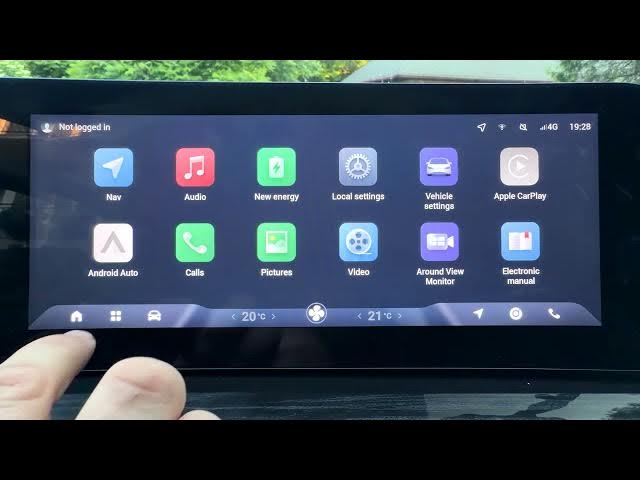
In this short video I show how to enable the Electronic Lock with Locking Function on the OMODA 5 EV. You will learn exactly where to find the setting in the car apps: open Apps, go to New Energy, select Other Settings and switch the Electronic Lock with Locking option on. This quick step will activate the electronic locking behavior and improve vehicle security. The steps are simple and perfect for new OMODA 5 EV owners or anyone who wants to customize locking behavior in their EV.
How to enable Electronic Lock with Locking Function on OMODA 5 EV?
How to find Electronic Lock setting in OMODA 5 EV New Energy app?
How to disable Electronic Lock with Locking Function on OMODA 5 EV?
0:00 Intro – what we’ll enable
0:07 Open Apps and go to New Energy
0:17 Open Other Settings
0:25 Switch on Electronic Lock with Locking Function
0:30 Finish and quick recap
#OMODA5EV #ElectronicLock #EVSettings #CarSecurity
Find out more:
https://www.hardreset.info/devices/omoda/omoda-5-ev/
Follow us on Instagram ► https://www.instagram.com/hardreset.info
Like us on Facebook ► https://www.facebook.com/hardresetinfo/
Tweet us on Twitter ► https://twitter.com/HardResetI
Show More Show Less #Science