0:00
Hi everyone, here we've got Xiaomi Mini 90 and let me share with you some secret codes, some useful codes which you can use on your device
0:13
So firstly, let's enter the dialer because this is the place where we will enter all of those codes
0:18
And let me begin with the shortest one, which is asterisk pound, 06 pound
0:23
And as you can see by this code, we are provided with, let's say, technical info about your device
0:28
so here we've got two e-main numbers for both sim slots let's step on okay and let me show you another code
0:35
which is in my opinion the most useful one it is asterisk pound asterisk pound six four double
0:42
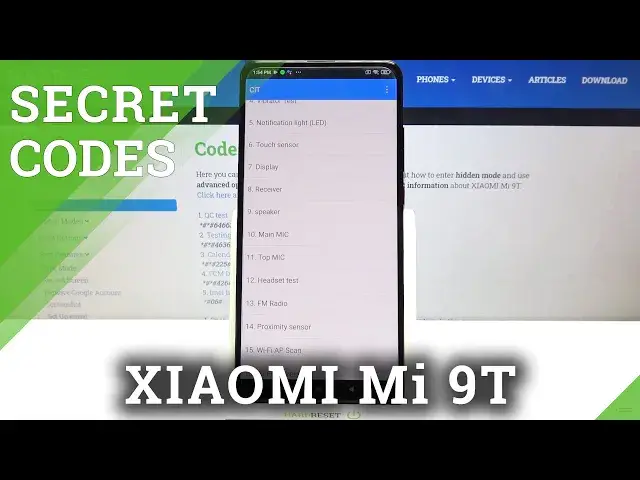
six three pound asterisk pound asterisk and as you can see we are in the qc test mode let's say
0:50
and here we can check all the components of our device so for example you can check the keyboard
0:55
the vibration, touch sensor, display, receiver, microphone headset test. Actually, a lot of, a lot of things which you can check here
1:02
We've got 37 of them listed. So this is the best code to actually stay here and have fun
1:10
because thanks to this you can really check if your device works perfectly fine So let me pick for example maybe touch sensor And as you can see here we have to draw the lines in those rectangles
1:22
in order to check if all the areas of our screen are working perfectly fine
1:28
So if you can see that they are turning blue, then it means that they are working
1:34
So as you can see, we just passed the test. Here we've got another one because if you can open another
1:41
test then it means that the previous one has been passed. So now let's check the screen and if you can see
1:48
the color all across the screen without any missing spots, then it means that it works fine. So the red
1:54
works, green also and blue also. So if the screen test has been completed and if you think that
2:02
your device passed it, just tap on pass and you've moved to totally another one with receiver. So let me get back
2:10
And as you can see, if you will mark pass, then it will be also notified on this list
2:16
So I really highly recommend to stay here and check your device
2:20
So let me get back and let me show you another code which is asterisk pound asterisk pound 466 And as you can see we are in a testing mode we can check some phone info which is divided to the phone info one and two and this is because this device gives you an opportunity to use two
2:41
different SIM cards and you can check the Wi-Fi info so let me enter the phone info and here you can
2:47
check the email phone number current network data service data network type or a signal strength
2:53
of course i know that here we've got some empty spaces actually the whole page is empty
2:58
but it is because I didn't inserted my SIM card. So obviously, if you will have one, then you know, you will be able to check all of those info
3:08
What's more, we can run Pink Test right here. As you can see here, we've got the results
3:12
And we can tap on more, and here we can also enable data connection or view service dialing numbers
3:18
Let's get back and let's check the Wi-Fi info. Here we can check, for example, the API configuration and the status
3:24
So let me get the status. Let's refresh the stats. And here we can check the network state, SSID or network ID
3:32
We can run pink test just by tapping here. And here you've got the results
3:36
So let me get off because that's all for this code. And now let me enter the calendar info which is asterisk pound asterisk pound double to five pound asterisk and as I said we are in the calendar info so here we got all the events in one place here we can check how many we got family events saved some
3:57
holidays in your country should appear right here or events attached to your mail so as I as I said
4:02
here you can check the total amount of particular events let me get back and let me show you the
4:09
last code which is asterisk pound asterisk pound four to six pound asterisk
4:14
Pound asterisk. And as you can see, we are in a diagnostics
4:19
So here we can check the server, host, port, type, connected or signal level
4:24
What's more, we can tap on events. And here we've got some further details, let's say, technical ones
4:30
And if you'd like to check the advanced view, just tap on this 3.5 icon, tap on advanced view
4:36
and tap on the status again. And as you can see here, we've got the info, for example, like the last ping, network type, or HB algorithm
4:44
So actually that's all. This is how to use secret codes in your Xiaomi Me 90
4:49
Thank you so much for watching. I hope that this video was helpful and if it was, please hit the subscribe button and leave the thumbs up