
NAVEE GT3 Max – Manage Light Settings
May 28, 2026

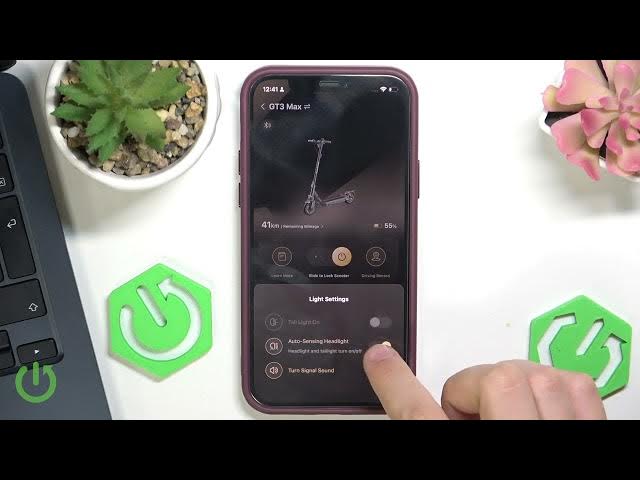
In this short video I show how to manage the light settings on the NAVEE GT3 Max using the NAVEE app. You will learn how to open General settings, go to Light settings, enable the taillight, use automatic headlight/taillight mode, and toggle the turn signal sound. This quick walkthrough is ideal for new NAVEE GT3 Max owners who want to adjust lights for safety, visibility, and better riding comfort. The steps are simple and shown directly in the NAVEE application so you can set it up in minutes.
How to manage light settings on NAVEE GT3 Max?
How to enable taillight on NAVEE GT3 Max?
How to enable automatic headlights on NAVEE GT3 Max?
0:00 Introduction
0:09 Open NAVEE app and go to General settings
0:20 Tap Light settings and enable taillight
0:30 Enable automatic headlight/taillight mode
0:45 Toggle turn signal sound
0:54 Wrap up and goodbye
#NAVEE #NAVEEGT3Max #ElectricScooter #LightSettings
Find out more:
https://www.hardreset.info/devices/navee/navee-gt3-max/
Follow us on Instagram ► https://www.instagram.com/hardreset.info
Like us on Facebook ► https://www.facebook.com/hardresetinfo/
Show More Show Less #Science