
MOTOROLA Edge 70 Pro – How to Change Screen Timeout
Jun 10, 2026

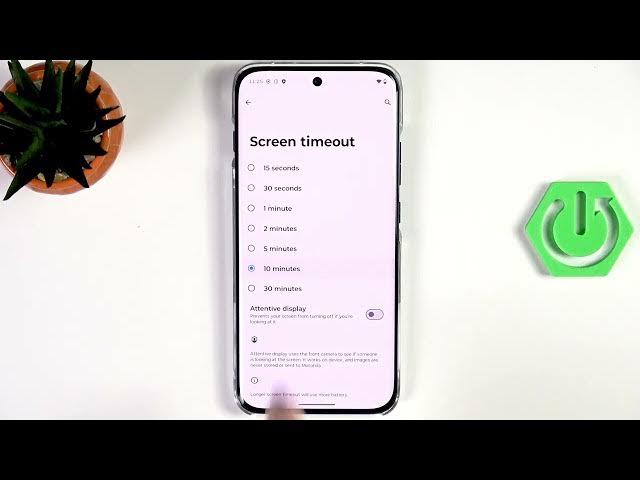
Learn how to change the screen timeout on your MOTOROLA Edge 70 Pro. In this short, easy guide we open Settings, go to Display, locate Screen timeout and pick the time you want. You can choose very short options like 15 or 30 seconds or much longer choices up to 30 minutes. In the video I select 10 minutes so the screen will turn off after 10 minutes of inactivity. This helps you save battery or keep the display active when you need it.
How to change screen timeout on MOTOROLA Edge 70 Pro?
How to set screen timeout to 10 minutes on MOTOROLA Edge 70 Pro?
Where is the Screen timeout setting in MOTOROLA Edge 70 Pro?
0:00 Intro
0:06 Open Settings and go to Display
0:18 Find Screen timeout option
0:24 Review available timeout options (15s–30min)
0:32 Select 10 minutes and confirm
0:44 Wrap up and subscribe
#MOTOROLA #Edge70Pro #ScreenTimeout #AndroidSettings
Find out more:
https://www.hardreset.info/devices/motorola/motorola-edge-70-pro/screen-timeout/
Follow us on Instagram ► https://www.instagram.com/hardreset.info
Like us on Facebook ► https://www.facebook.com/hardresetinfo/
Show More Show Less #Science