0:00
Hi, today we're reviewing Xiaomi 13 Lite and I'll show you how to find and manage sound settings on this device
0:12
So first let's open the settings application and then tap to the sounds and vibration
0:16
Here you will see notifications, ringtones and alarm sections. Just if you wanna change the, for example, notification sounds, you should tap to this section and select one from the available sounds
0:28
Here we'll see the volume panels, the media, ringtone and alarm volume panels
0:33
Just to change the volume, we should slide to the left or to the right side these panels with our finger
0:41
Here we'll see Google Assistant section, just we can turn on and turn off here all of these options with the help of these switchers
0:51
If you wanna activate and turn off the silent mode, set to silent media and silent mode, we should tap on these switchers
0:57
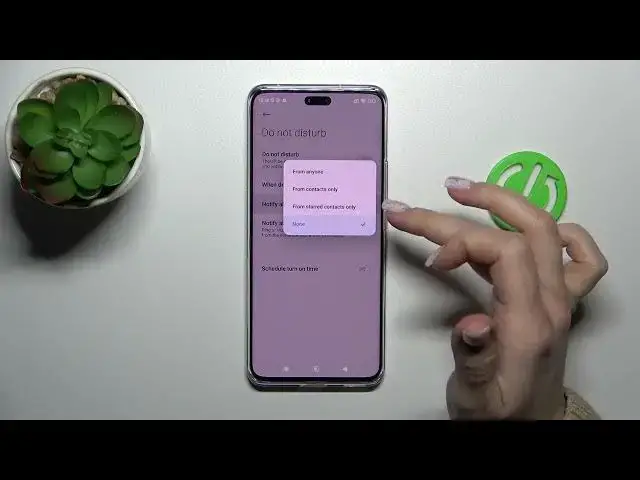
Just to activate and turn off the Don't Disturb mode, we can make it here to use Don't Disturb when the device is locked
1:05
to notify about the calls from no one, anyone, start contacts and to notify about repeated calls
1:11
Also if you wanna set the shadow, the start and the end time, you can make it here
1:17
In additional settings, we can use the dial buttons, tap sounds, lock and lock sounds, screenshot and installing, deleting sounds, charging sounds and start tap sounds
1:29
So just to turn on and turn off all of these options, we should use these switchers
1:33
Let's go back. If you wanna activate and turn off the vibration for calls, set to use vibration and silent mode, you should use these switchers
1:41
To change the haptic feedback level, we should slide to the left and to the right side, but to change it, be sure that the haptic feedback option is activated
1:52
And in sound effects, we can make a turn on the audio attenuator to change it in our settings
2:01
So that's it. Thank you for watching. And if you find this video helpful, don't forget to leave a like, comment and to subscribe our channel