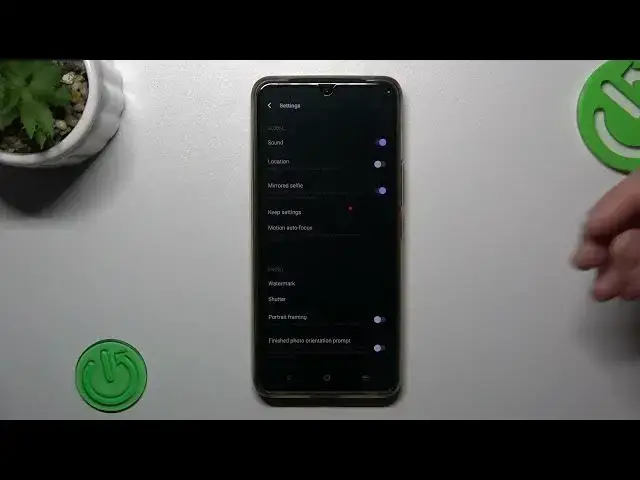

How to Enable & Disable Photo Location Tags on Vivo T1 Pro / Manage Location Settings
Mar 16, 2024

Check other tutorials for your Vivo T1 Pro Smartphone:
https://www.hardreset.info/devices/vivo/vivo-t1-pro-5g/tutorials/
Welcome to our tutorial on managing location photo tags on your Vivo T1 Pro! In this informative video, we'll walk you through the steps to effectively manage and control the geotagging feature on your device. Geotags can automatically add location information to your photos, but it's important to have control over this feature to ensure privacy and security. Our expert will guide you in accessing the photo settings menu on your Vivo T1 Pro and provide detailed instructions on managing and customizing the visibility of location tags associated with your photos. With this knowledge, you'll have the power to decide when and where your geotagged images are shared. Subscribe to our YouTube channel for more tutorials, tips, and tricks to make the most out of your Vivo T1 Pro. Take charge of your geotagged photos and enhance your privacy with our step-by-step guide!
How to manage location photo tags on Vivo T1 Pro?
How to organize geotagged images on Vivo T1 Pro?
How to control the visibility of location tags on Vivo T1 Pro?
How to maintain privacy with geotagged images on Vivo T1 Pro?
#vivot1pro5g #vivo #locationtags
Follow us on Instagram ► https://www.instagram.com/hardreset.info
Like us on Facebook ► https://www.facebook.com/hardresetinfo/
Tweet us on Twitter ► https://twitter.com/HardResetI
Support us on TikTok ► https://www.tiktok.com/@hardreset.info
Use Reset Guides for many popular Apps ► https://www.hardreset.info/apps/apps/
Show More Show Less