0:00
Welcome, in front of me I have Fossil Hybrid HR and I'm gonna show you how to customize
0:12
the button shortcuts on this device. What I mean by button shortcuts
0:17
Basically each button on your watch has some shortcut assigned to it
0:21
And to use the shortcut simply press the button. So for example if I press the upper button it's gonna open the training menu or whatever
0:33
it's called. If I press the middle button it's gonna open the notification menu
0:40
And if I press the lower button it's gonna open the music control. Okay
0:45
Now we can customize the shortcuts for these buttons. To do it your watch needs to be paired with your phone via the Fossil Hybrid smartwatch application
0:57
Once the devices are paired you can open the application. In the app you can tap on customization right here
1:06
And on this page you have different profiles. You can swipe left and right to scroll through the profiles
1:13
Find the current one that is applied. As you can see this one is applied
1:17
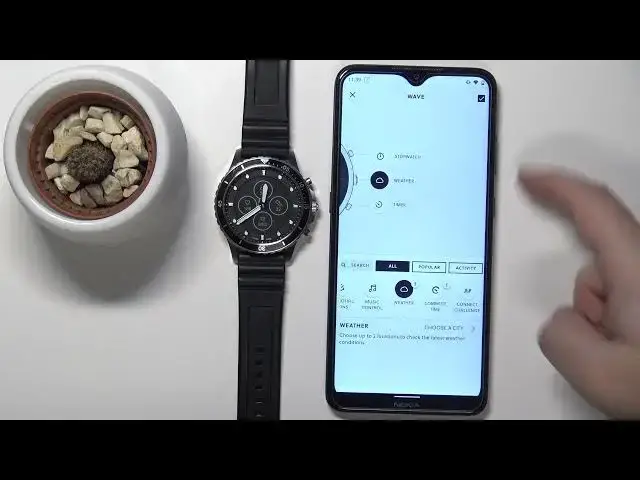
And here we have the shortcuts. And to customize them simply tap on one to open this menu
1:24
As you can see here we have wellness dashboard, past notifications and music controls
1:29
And we can scroll through the different shortcuts right here. We have different categories
1:37
Popular, activity, all. I'm gonna select all. And here we have all of the shortcuts we can use
1:43
For example we have workout mode, stopwatch, timer, weather and stuff like that
1:50
To change the shortcut simply press and hold on one you want to use
1:55
And then drag it to the position you want it to be in
1:59
So for example I want this stopwatch to be the top button. Drag it here and release it
2:05
As you can see they swapped. Now the stopwatch is there. Let's do the same for timer
2:10
I'm gonna move it to the lower. And for the middle let's set for example weather like this
2:21
Try again. Like that. And as you can see the weather has this exclamation mark above it
2:33
We need to tap on this. And basically select the city we want to get the weather from
2:37
So let's tap on choose the city. You can select current location
2:42
If you use the location services you can also uncheck it. I believe
2:50
Apparently not. What if I type in the city? Let's type in something like New York
2:58
Oh you can. So basically you can search for the city and select the city
3:04
So you can use the current location and New York. You can uncheck the current location
3:10
And once you set up the weather you can tap on this checkmark here
3:15
Once you're done editing your shortcuts of course to save the settings
3:19
And if you're using something that requires some permissions you need to tap on enable
3:26
and tap OK. And basically we need to allow the location permissions all the time for some reason if
3:36
we want the weather to work. OK let's tap on the checkmark again to confirm
3:42
As you can see the shortcuts changed. Now we can go to our watch
3:48
Press the upper button to open the stopwatch. As you can see it's working
3:57
Middle button to open the weather menu. And here we have the weather
4:07
And lower button to open the timer. Like this. And that's how you customize the button shortcuts on this device
4:17
Thank you for watching. If you found this video helpful please consider subscribing to our channel and leaving a