Up next in 10

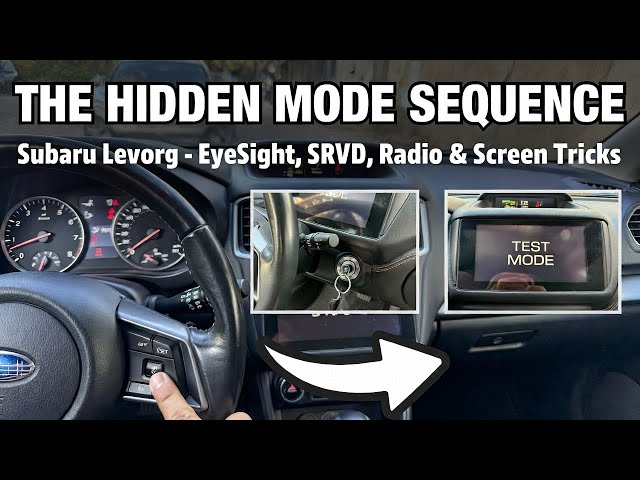
Subaru Levorg (2015–2018) – Hidden Settings, EyeSight, SRVD, Radio & Top Screen Tricks
Jan 21, 2026

If you drive a Subaru Levorg 2015–2018 and want to unlock the settings you actually use every day, this video is a full walkthrough of the most important menus and shortcuts. You’ll learn how to navigate the top screen display and instrument cluster, change radio options (FM info, AF, TA traffic announcements, station list refresh, presets, source and band), adjust screen settings (contrast, screen off, camera shortcut, camera shift link), and manage climate control (AC on/off, defogger time, dual sync, air circulation, windshield blowing). We also cover safety and driver assist features like EyeSight settings, warning volume, lead vehicle moving monitor, SRVD (rear side vehicle detection), steering responsive headlights, plus maintenance reminders (tires, oil, oil filter, clear all). Perfect if you just bought a used Levorg or want quick Subaru Levorg tips without guessing through menus.
How to enable or disable EyeSight settings on Subaru Levorg (2015–2018)?
How to change radio source, update station list, and save presets on Subaru Levorg (2015–2018)?
How to use the top screen menu and reset settings to factory defaults on Subaru Levorg (2015–2018)?
0:00 FM info on/off (radio settings)
0:27 Rear windshield heating on/off
0:59 Dual climate sync (DUAL) on/off
1:34 Trip A / Trip B reset
2:02 Beep mode (low/off/high)
2:37 Touchscreen on/off (menu setting)
3:04 Camera shift link on/off (auto camera in reverse)
3:46 Tire maintenance reminder (date + distance)
4:26 Top screen navigation overview (fuel, range, boost, oil temp, menu)
5:29 Front windshield blowing on/off
5:56 SRVD settings + warning volume (blind spot style alert)
6:51 Turn top screen off (screen off)
7:22 AC on/off (climate panel)
7:59 EyeSight: lead vehicle moving monitor (on/off)
Show More Show Less View Video Transcript
0:01
So today I'm in Sububaru Leorg. In this video I'll show you how to enable and disable FM informations.
0:10
The beginning take a look at the screen display. And next go to audio tune and settings.
0:16
Go to FM info to enable or disable it. And that's basically it. If you find
0:21
this video helpful, please leave like, comment, and subscribe. [Music]
0:28
Today I'm in Subaru Leorg. In this video, I'll show you how to enable and disable rear windshield.
0:36
In the beginning, take a look in the center of the car. Right here, we've got the climate control panel. To enable
0:41
rear windshield heating, simply press this button. Press again to disable it. Of course,
0:47
make sure that the car is running in order to use this function. If you find this video helpful, please leave like,
0:54
comment, and subscribe. [Applause] Hello. Today I'm in Subaru Leorg. In
1:00
this video, I'll show you how to enable and disable dual airflow.
1:07
The synchronize airflow. Take a look in the center of the car. Press dual button
1:14
to synchronize it. And to disynchronize it. If the light is on, it means that
1:20
the LFO is enabled. Now you can set different temperatures.
1:29
If you find this video helpful, please leave like, comment, and subscribe.
1:35
Hello. Today I'm in Subaru Leorg. In this video, I'll show you how to find and reset trip one or two.
1:44
In the beginning, take a look at the instrument cluster and then press this knob.
1:49
Here you can switch between trip A and trip B. To reset it, press and hold this button. If you find the video helpful,
1:56
please leave like, comment, and subscribe. [Applause] Hello. Today I'm in
2:03
Subaru Leorg. In this video, I'll show you how to change beep mode.
2:11
In the beginning, take a look at the top screen display and navigate through it via view button.
2:19
Go to menu, enter display, beep, and select between
2:26
low, off, high, set, and it's done. If you find this
2:32
video helpful, please leave like, comment, and subscribe.
2:38
Hello. Today I'm in Subaru Leorg. In this video, I'll show you how to enable and disable touchscreen.
2:47
In the beginning, take a look at the screen display. Go to home and go to
2:52
general. Enter beep to enable or disable it.
2:58
If you find this video helpful, please leave like, comment, and subscribe.
3:04
Hello. Today I'm in Subaru. In this video, I'll show you how to enable inu camera shifting.
3:13
In the beginning, take a look at the top screen display and navigate through view button.
3:18
Now enter menu of the top screen.
3:28
Go to screen settings, camera shift link, and switch it between on or off.
3:35
Thanks to this function, when you put on reverse gear, you will enter camera. If
3:40
you find this video helpful, please hit like, comment, and subscribe.
3:47
Hello. Today I'm in Subaru Leorg. In this video, I'll show you how to set tires maintenance schedule.
3:56
In the beginning, take a look at the top screen display. And next, navigate for
4:01
it via view button. Enter menu.
4:10
Go to maintenance tires and set notification date and notification distance.
4:19
Select set and it's done. If you find this video helpful, please leave like, comment, and subscribe.
4:27
Hello. Today I'm in Subaru Leok. In this video, I'll show you how to navigate through top speed.
4:35
At the beginning, take a look at the top screen. Right here, we've got the view button. Push it upwards or downwards to
4:43
change screen. On the tops top screen right here, you can find clock,
4:49
average fuel consumption, current fuel consumption, and range. You can find car
4:56
position statistics, acceleration, boost, and oil temperature. And then you
5:04
can go to menu. To go to menu, press and hold view button.
5:10
Here you can manage time and date settings, display settings, screen settings, maintenance settings, driving
5:15
history, car settings, or you can reset to factory defaults. If you find the video helpful,
5:23
please leave like, comment, and subscribe. Hello. Today I'm in Subaru. In this
5:30
video, I'll show you how to enable and disable front windshield
5:35
blowing. In the beginning, take a look in the center of the car. Right here, we've got
5:42
this panel. To enable front windshield blowing, simply press this button.
5:48
Press it again to disable it. If you find this video helpful, please hit like, comment, and subscribe.
5:55
[Music] Hello. In front of me, I've got Subaru Lev. In this video, I'll show you how to
6:01
enable and disable SRVD.
6:07
Beginning take a look at the instrument cluster and pull and hold set button to
6:14
go to menu.
6:20
Scroll down and go to SRBD. Here you can adjust SRVD warning volume between max,
6:27
mid or min. SRVD in Subaru stands for Subaru rear
6:32
side vehicle detection which is advanced safety system designed to improve driver awareness and reduce accident risk by
6:39
monitoring the areas behind and beside the vehicle. If you find this video helpful, please
6:45
leave like, comment, and subscribe. [Music] Today I'm in Subaru. In this video, I'll
6:52
show you how to turn screen display off.
6:57
To turn top screen display off, take a look at the instrument, sorry, top screen display and navigate through it
7:03
via view button. Now go to display and select screen off.
7:12
Press view to turn screen off. To turn it on again, press view button again. If
7:17
you find this video helpful, please like, comment, and subscribe. [Applause]
7:23
Hello. Today I'm in Subaru Le. In this video, I'll show you how to enable and
7:29
disable AC. The beginning, take a look at the screen display. Right here, we've got the
7:36
climate control panel. To enable AC, simply press this button. Press it again
7:41
to disable it. Of course, make sure that the airflow temperature is set at lowest
7:46
point and also airflow power is set on at least first level. If you find this
7:52
video helpful, please like, comment, and subscribe. [Applause] [Music]
7:58
In front of me, I've got Subaru Leorg. In this video, I'll show you how to enable and disable lit vehicle moving
8:05
monitor function. In the beginning, take a look at the
8:10
instrument cluster and pull and hold eyesight button to go to menu. Next,
8:17
enter eyesight and scroll down. Find lead vehicle moving monitor function and select
8:24
between off, on or go back. If you find this video helpful, please leave like,
8:31
comment and subscribe. [Music] Today I'm in Subaru Leorg. In this
8:38
video, I'll show you how to find travel time and how to reset it.
8:46
In the beginning, take a look at the instrument cluster right here. Press top and bottom arrow to navigate
8:53
for it. Travel time is located right here. If you want to reset it, press I set button and hold it.
9:02
If you find this video helpful, please leave like, comment, and subscribe. [Applause]
9:08
Hello. Today I'm in Subaru Leorg. In this video, I'll show you how to enable disabled traffic announcements.
9:16
Beginning take a look at the screen display. Go to audio tune settings and tap on TA to enable or
9:23
disable this function. If you find this video helpful, please leave like, comment, and subscribe.
9:31
[Music] Hello. In front of me, I've got Subaru
9:36
Leorg. In this video, I'll show you how to enter and manage the default.
9:43
In the beginning, take a look at the top screen display and navigate through it via view button.
9:51
Scroll down and go to car settings. Find defoger and switch defoger between 15
9:58
minutes and continues. Confirm and it's done. If you find this
10:03
video helpful, please hit like, comment, and subscribe. [Music]
10:10
Today I'm in Subaru Leorg. In this video, I'll show you how to reset top
10:15
screen display settings to factory defaults.
10:21
In the beginning, take a look at the top screen display and navigate through it via view button.
10:30
Enter many and scroll all the way down. Select
10:35
choice and here you can reset to defaults or lifetime fuel consumption
10:41
reset. If you find this video helpful, please leave like, comment, and subscribe.
10:47
[Music] Hello. Today I'm in Subaru Leorg. In this video, I'll show you how to change
10:53
radio station. In the beginning, take a look at the screen display.
11:00
Go to audio. And now you can twist this knob to manually tune the radio. Or you
11:06
can select the radio station from the radio station presets or list.
11:16
If you find this video helpful, please leave like, comment, and subscribe.
11:21
[Music] Today I'm in Subaru Leorg. In this video, I'll show you how to set interior
11:26
lights timer. In the beginning, take a look at the
11:33
top screen display and navigate through it via view button. Enter menu
11:41
and go to car settings. Find material light and manage it.
11:47
If you find this video helpful, please leave like, comment, and subscribe.
11:54
Hello. Today I'm in Subaru Leorg. In this video, I'll show you how to enable and disable regal code change.
12:03
In the beginning, take a look at the screen display. Next, go to audio tune and go to settings. Tap on original code
12:11
change to enable or disable this function. And that's basically it. If you find this video helpful, please
12:18
leave like, comment, and subscribe. [Music]
12:24
Today, I'm in Subaru Lev. In this video, I'll show you how to reset instrument cluster settings to factory defaults.
12:32
In the beginning, take a look at the instrument cluster and navigate through using this panel. Now go to menu
12:40
by pressing is set button. Scroll up and up. Select default and
12:46
confirm. If you find this video helpful, please leave like, comment, and subscribe.
12:53
[Applause] Hello, today I'm in Subaru Leorg. In this video, I'll show you how to enable
12:59
in civil auto airflow. In the beginning, take a look at the
13:05
screen display. And next, right here, we've got two knobs. To enable auto
13:12
airflow, simply press this button. To disable it, change airflow power.
13:18
If you find this video helpful, please leave like, comment, and subscribe. [Applause] [Music]
13:24
Hello. Today I'm in Subaru Leorg. In this video, I'll show you how to find fuel save.
13:32
Check amount of fuel saved via start stop. Take a look at the instrument cluster. Navigate through using this
13:40
three buttons. Find this menu. And here next to the
13:47
tank icon, we've got milliliters. Here is the fuel saved by the start stop system. If
13:55
you find this video helpful, please leave like, comment, and subscribe. [Applause] [Music]
14:01
Today I'm in Subaru Leorg. In this video, I'll show you how to change clock mode on the top screen display.
14:10
In the beginning, take a look at the top screen and navigate through it using view button.
14:16
Now go to menu. by pressing and holding view button and
14:23
go to screen settings. Enter clock and select analog calendar or off.
14:32
If you find this video helpful, please leave like, comment and subscribe.
14:38
[Music] Today I'm in Subaru level. In this video, I'll show you how to find list of
14:45
all radio stations. In the beginning, take a look at the
14:50
screen display. Go to audio tune and go to list. Here is the full list of radio stations.
14:58
If you find this video helpful, please hit like, comment, and subscribe.
15:04
[Music] Today I'm in Subaru Leorg. In this video, I'll show you how to change equalizer.
15:13
In the beginning, take a look at the screen display and next go to audio tune. Enter sound and select equalizer
15:19
presets from the list. If you find this video helpful, please
15:25
leave like, comment, and subscribe. [Music] In front of me, I've got
15:32
Subaru Leorg. In this video, I'll show you how to change eyesight assist monitor color.
15:40
In the beginning, take a look at the instrument cluster and pull and hold eyesight button.
15:46
Now in menu let's go to eyesight.
15:51
Go to eyesight assist monitor and select red indicator, yellow indicator or green
15:58
indicator. If you find this video helpful, please
16:04
leave like, comment and subscribe. [Music]
16:09
Today I'm in Subaru Lev. In this video, I'll show you how to find digital
16:14
speedometer. To find digital speedometer, take a look
16:19
at the instrument cluster. Navigate through using this panel. Now
16:26
scroll until you see this mini. This is the digital speedometer. If you find this video helpful, please
16:32
like, comment, and subscribe. [Applause] Hello. Today I'm in Subaru SRH. In this
16:39
video, I'll show you how to change eyesight warning volume.
16:45
In the beginning, take a look at the instrument cluster. Navigate through via this panel. Press and hold I set button
16:53
and next go to SRH in menu. Sorry. Uh go to eyesight.
17:00
Find warning volume and adjust it between max mid min.
17:07
If you find this video helpful, please leave like, comment, and subscribe. [Music]
17:14
Today I'm in Subaru level. In this video I'll show you how to find car position information.
17:22
The beginning take a look at the top screen and navigate through using view button.
17:28
Scroll until you see this menu right here. You can check wheels position,
17:36
elevation of your car and the degree of standing. Also, you can check if
17:44
traction control and auto hold is enabled. If you find the video helpful,
17:49
please like, comment, and subscribe. [Applause] Hello. Today I'm in
17:56
Subaru Lev. In this video, I'll show you how to change language on instrument
18:02
cluster. Beginning take a look at the instrument
18:07
cluster and press is set button and hold it. Thanks to this, you will go to menu.
18:13
Go to screen settings. Scroll down and find language. You've got 21 languages to select from.
18:23
If you find this video helpful, please hit like, comment, and subscribe. [Music]
18:30
Hello. Today I'm in Subaru Leorg. In this video, I'll show you how to change radio source.
18:38
At the beginning, take a look at the screen display and go to audio tune.
18:45
Go to source and select new radio source. You can select from AM, FMDAB,
18:54
disk, Bluetooth, USB, and micro SD. If you find this video helpful, please
18:59
leave like, comment, and subscribe. Hello. Today I'm in Subaru Leorg. In
19:06
this video, I'll show you how to find oil temperature. To check oil temperature of your car,
19:13
take a look at the top screen. Navigate through it using the view button below.
19:19
Oil temperature is located right here on the right side. The view button is located here.
19:26
If you find this video helpful, please leave like, comment, and subscribe.
19:32
Hello. Today I'm in Subaru Leorg. In this video, I'll show you how to find range.
19:39
To find range of your car, take a look at the top screen. Navigate through using view button.
19:45
Push the view button until you see range.
19:51
If you find this video helpful, please like, comment, and subscribe.
19:57
[Music] In front of me, I've got Subaru Leorg. In this video, I'll show you how to find
20:04
supercharger boost. In the beginning, take a look at the top
20:10
screen. Navigate through using view button. Scroll down until you see this menu. Here is the supercharger boost
20:19
in bars. If you find the video helpful, please
20:24
leave like, comment, and subscribe. [Music]
20:30
Today I'm in Subaru Leorg. In this video, I'll show you how
20:35
to change security relocking timer. In the beginning, take a look at the top
20:42
screen display. Navigate food via view button. Now go to menu.
20:50
Enter car settings, security, relocking, and switch timer between off and 60
20:57
seconds. If you find this video helpful, please hit like, comment, and subscribe.
21:05
Hello, today I'm in Subaru. In this video, I'll show you how to navigate through instrument cluster display.
21:14
In the beginning, let's take a look at the instrument cluster. We are going to navigate through it via these three buttons. Press stop and arrow button to
21:22
navigate through current menu. Press and hold I set button to go to mine menu.
21:30
Right here you can find travel time, digital speedometer, SE
21:37
drive menu,
21:42
range and start stop timer
21:48
and you can go to menu. In menu, you can manage screen settings, SR, SRH
21:55
settings, eyesight, SRVD, or you can reset to defaults.
22:02
In the end, right here, you can find current fuel consumption. If you find this video helpful, please leave like,
22:08
comment, and subscribe. Hello. Today I'm in Subaru Lev. In this
22:14
video, I'll show you how to enable disable daylight saving time.
22:21
In the beginning, take a look at the top screen and navigate through it via view button.
22:30
Enter menu. Go to time and date and find daylight
22:35
saving time. Select between summer and winter.
22:41
If you find this video helpful, please like, comment, and subscribe.
22:47
[Music] In front of me, I've got Subaru Leorg. In this video, I'll show you how to
22:52
enable disable interior airflow circulation.
22:57
In the beginning, take a look in the center of the car. Right here, we've got the climate control panel. To enable or
23:03
disable interior circulation, simply press this button.
23:09
If you find this video helpful, please leave like, comment, and subscribe.
23:15
Hello. Today I'm in Subaru Lev. In this video, I'll show you how to scan four
23:21
radio stations. In the beginning, take a look at the
23:27
center of the car. Go to audio tune and tap scan to activate auto store. Thanks
23:34
to this function, the strongest registrations in your area will be assigned to settings. If you find this
23:40
video helpful, please leave like, comment, and subscribe. [Applause] Hello. Today I'm in Subaru Leorg. In
23:47
this video, I'll show you how to set birthdays and anniversaries.
23:56
In the beginning, take a look at the top screen and go to menu view
24:02
via view button.
24:07
Go to time and date. And here you can set birthdays and anniversaries.
24:33
If you find this video helpful, please leave like, comment, and subscribe. [Music]
24:40
Today I'm in Subaru Levor. In this video, I'll show you how to find autometer.
24:47
Check autometer in your car. Take a look at the instrument cluster. Autometer is always located right here.
24:54
That's the highest number on the bottom of the instrument cluster. If you find this video helpful, please
25:00
leave like, comment, and subscribe. [Applause] Hello. Today I'm in Subaru. In this
25:06
video, I'll show you how to set engine oil maintenance schedule.
25:14
In the beginning, take a look at the screen display. Navigate through it via
25:20
view button. Go to menu and press and hold view button.
25:26
Now go to maintenance engine oil and set notification date and notification
25:31
distance. Tap set and it's done. If you find this
25:37
video helpful, please leave like, comment and subscribe.
25:42
Hello. Today I'm in Subaru Levor. In this video, I will show you how to find current fuel consumption.
25:50
In the beginning, take a look at the instrument cluster display. Current fuel consumption is located right here on the
25:56
top of the screen. And that's basically it. If you find
26:02
this video helpful, please like, comment, and subscribe.
26:07
[Music] In front of me, I've got Subaru Leor. In this video, I'll show you where is the
26:12
micro SD card. Find micro SD card slot. Take a look in
26:19
the center of the car. Right here on the top of the screen display, we've got this cover. Open it. And the micro SD
26:26
card slot is located here.
26:37
If you find the video helpful, please leave like, comment, and subscribe.
26:43
Hello. Today I'm in Subaru Leorg. In this video, I'll show you how to enable and disable AF function for radio.
26:53
In the beginning, take a look at the screen display. Go to audio tune and next go to
27:00
settings. Tap an alternative frequency to enable or disable this function. If you find
27:07
this video helpful, please leave like, comment, and subscribe. [Applause] [Music]
27:13
Today I'm in subaru level. In this video I'll show you how to find start stop statistics.
27:23
Beginning take a look at the instrument cluster and navigate through using this three buttons. Push arrow button until
27:30
you see this menu. This is the start stop timer.
27:36
If you want to reset it, press and hold this button. If you find this video helpful, please
27:41
leave like, comment, and subscribe. [Applause] [Music] Today I'm in Subaru Leorg. In this
27:48
video, I'll show you how to change system language.
27:56
In the beginning, take a look at the screen display. And next, go to home and settings. Enter general language and
28:06
select language from the list. If you find this video helpful, please
28:11
leave like, comment, and subscribe. Hello. In front of me, I've got
28:19
Subaru Leorg. In this video, I'll show you how to manage bypass screen functions.
28:27
In the beginning, take a look at the top screen display and manage it via view button.
28:33
Now enter menu
28:38
and go to screen setting. Enter bypass screen and here you can enable welcome
28:44
screen, echo summary, birthday reminder
28:49
and anniversary reminder. If you find this video helpful, please leave like, comment and subscribe.
28:58
Today I'm in Subaru Leorg. In this video, I'll show you how to change system language.
29:05
In the beginning, take a look at the screen display and go to home and settings.
29:11
Mine settings, language, and select language you want.
29:27
And that's basically it. If you find this video helpful, please click like, comment, and subscribe.
29:35
Hello. In front of me, I've got Subaru Leorg. In this video, I'll show you how to manage date and time settings.
29:44
In the beginning, take a look at the top screen and navigate through using view button. Find this menu and press and
29:51
hold view button. Go to time and date. D date. And here you can change date
29:58
and time manually.
30:09
If you find this video helpful, please leave like, comment, and subscribe. [Applause]
30:14
Today I'm in Subaru Leorg. In this video, I'll show you how to
30:20
manage automatic gearbox. In the beginning, take a look in the
30:26
center of the car. Right here, we've got the automatic gearbox lever. Firstly, press brake. And then, if you want to
30:33
switch from parking to reverse, press button located on the front of the gearbox and pull the lever.
30:40
Pull it again without the button to select drive. Neutral. And now when we
30:45
are in no in drive mode, we can push the gearbox left to manually switch the
30:51
gears. You can switch gears manually via paddles behind the steering wheel.
30:59
If you find this video helpful, please leave like, comment, and subscribe.
31:05
Hello. Today I'm in Subaru Levor. In this video, I'll show you how to change time on the screen display.
31:14
In the beginning, take a look at the screen display. And next, go to settings, general,
31:20
and clock. Here you can enable automatic time zone or disable it.
31:27
You can enable daylight saving time or you can select time zone manually. If
31:33
you find this video helpful, please leave like, comment, and subscribe.
31:39
Hello. Today I'm in Subaru. In this video, I'll show you how to change top screen
31:45
display language. In the beginning, take a look at the
31:52
top screen and navigate through it using button.
31:58
Now, enter menu.
32:04
Go to screen settings, languages, and select new language from the list.
32:11
Select set and it's done. If you find this video helpful, please leave like, comment, and subscribe.
32:20
Hello. In front of me, I've got Subaru Leorg. In this video, I'll show you how to manage hazard warning flashing.
32:29
In the beginning, take a look at the screen display. Navigate through it via view button.
32:36
Now, go to menu.
32:43
Enter car settings hazard warning flasher and select between on or off.
32:49
If you find this video helpful, please leave like, comment and subscribe.
32:54
[Music] Today I'm in Subaru Leorg. In this video, I'll show you how to change
32:59
triple meter mode. In the beginning, take a look at the
33:05
instrument cluster at the top screen. Navigate through it using view button.
33:13
The triple meter is located right here. To adjust it, go to menu,
33:22
go to screen settings, triple meter, and here you can select function for triple meter. For example, you can switch
33:29
acceleration to angle, distance, and more.
33:36
If you find this video helpful, please leave like, comment, and subscribe.
33:42
Hello. Today I'm in Subaru Leorg. In this video, I'll show you how to change units.
33:50
To adjust car units, take a look at the screen display and go to home and settings. Next, go to general and go to
33:57
unit settings. Select between miles and kilometers. If you find this video helpful, please
34:04
hit like, comment, and subscribe. [Music]
34:09
In front of me, I've got Subaru. In this video, I'll show you how to manage welcome and goodbye screens.
34:16
In the beginning, take a look at instrument cluster and go to menu by pressing and holding I set button.
34:25
Now go to screen settings. Welcome goodbye screen and switch
34:31
between on or off. If you find this video helpful, please leave like, comment, and subscribe.
34:41
Hello. In front of me, I've got Subaru Leorg. In this video, I'll show you how to reset maintenance reminders.
34:49
In the beginning, take a look at the top screen display and go to menu by
34:54
pressing and holding view button.
35:07
Enter maintenance and find clear all settings. Select yes and it's done. If
35:13
you find this video helpful, please leave like, comment and subscribe. [Music]
35:19
In front of me, I've got Subaru Levor. In this video, I'll show you how to check acceleration
35:25
percentage. To find acceleration statistics of your
35:30
car, take a look at the top screen and navigate through it using view button.
35:38
Acceleration is located right here. If you find this video helpful, please leave like, comment, and subscribe.
35:46
[Music] Today I'm in Subaru Leok. In this video I'll show you how to check maintenance
35:52
schedule. In the beginning take a look at the top screen display
35:59
and navigate through view via view button. Go to menu
36:07
and now
36:14
enter maintenance. Enter maintenance schedule and here you can set maintenance schedule date and
36:22
distance. Tap set and it's done. If you find this video helpful, please leave like, comment and subscribe.
36:30
[Music] Hello. Today I'm in Subaru Leorg. In
36:36
this video, I'll show you how to turn screen display off.
36:42
The beginning, take a look at the screen display and go to settings. Now, simply tap screen display off to
36:48
turn it off. To turn it on again, tap home button. If you find this video
36:53
helpful, please leave like, comment, and subscribe. [Music]
36:59
Today, I'm in Subaru. In this video, I will show you how to find and reset average fuel consumption.
37:07
In the beginning, take a look at the top screen. Navigate through it using VU button. Scroll down until you see top
37:15
screen till you see average fuel consumption. It's right here. To reset
37:21
it, we have to press and hold this knob. If you find this video helpful, please
37:27
leave like, comment, and subscribe. [Music] Today I'm in Subaru Leorg. In this video
37:34
I'll show you how to find alerts on instrument cluster.
37:41
Check alerts on instrument cluster. Firstly take a look at the steering wheel. Right here we've got the set
37:47
button. Press it and alerts are located right here.
37:54
If you find the video helpful, please leave like, comment and subscribe.
38:00
Hello. Today I'm in Subaru Leorg. In this video, I'll show you how to adjust display contrast.
38:10
In the beginning, take a look at the screen display. Navigate through it via view button.
38:16
Now go to display and find contrast. Adjust it on this slider.
38:27
If you find the video helpful, please hit like, comment, and subscribe. [Applause]
38:33
Hello. Today I'm in Subaru. In this video, I'll show you how to enter camera on top screen display.
38:42
Take a look at the top screen display and shortly press view button.
38:48
Thanks to this, you can enter camera. If you find this video helpful, please
38:54
leave like, comment, and subscribe. Hello, today I'm in Subaru Leorg. In
39:00
this video, I'll show you how to assign radio station to preset.
39:06
In the beginning, take a look at the screen display. Now, go to audio tune and go to list of radio stations.
39:14
Select radio station you want to assign.
39:19
And next, press and hold buttons from one to
39:28
18 to assign the radio station.
39:38
If you find this video helpful, please leave like, comment, and subscribe.
39:44
[Music] In front of me, I've got Subaru Leorg. In this video, I'll show you how to find and reset driving history.
39:53
In the beginning, take a look at the top screen display and navigate through it via view button. Enter menu.
40:01
Go to driving history. And here you can set driving history,
40:09
override it, and reset it. If you find the video helpful, please
40:15
leave like, comment, and subscribe. [Applause] Hello, today I'm in Subaru Leorg. In
40:22
this video, I'll show you how to change airflow directly.
40:29
In the beginning, take a look in the center of the car. To adjust airflow direction, simply press mode button.
40:36
You can see current airflow direction on the top screen display.
40:42
If you find this video helpful, please leave like, comment, and subscribe.
40:47
[Music] Today I'm in Subaru Leorg. In this video, I'll show you how to enable and disable steering responsive headlights.
40:57
This is a feature where the headlights swivel to follow the direction of steering, significantly improving
41:02
visibility while cornering at night. To enable this function, press and hold is
41:07
set button on the steering wheel. And next, go to SRH.
41:14
Switch between on or off or go back. If you find this video helpful, please
41:20
leave like, comment, and subscribe. [Music] Today, I mean Subaru. In this video,
41:27
show you how to change radio band. In the beginning, take a look at the
41:32
screen display. Go to audio tune and source. Select radio bond between AM FM
41:39
and DAB. If you find this video helpful, please leave like, comment, and subscribe.
41:47
[Music] Today I'm in Subaru. In this video, I'll show you how to set oil filter
41:52
maintenance schedule. In the beginning, take a look at the top
41:58
screen display. Navigate through it via view button. Now go to menu and maintenance. Find oil
42:05
filter and set notification date and notification distance.
42:12
If you find the video helpful, please leave like, comment, and subscribe.
42:17
Hello. Today I'm in Subaru Le. In this video, I'll show you how to change
42:23
airflow temperature. In the beginning, take a look in the
42:30
center of the car. Right here, we've got the climate control panel. To adjust airflow temperature, you can
42:37
use knob on the left and right side. Simply twist it left or right to adjust the temperature. You can see the
42:43
temperature at the top screen. If you find this video helpful, please
42:49
like, comment, and subscribe. [Applause] [Music] In front of me, I've got Subaru Leorg.
42:56
In this video, I'll show you how to enable and disable maintenance notification.
43:02
In the beginning, take a look at the screen display. Go to menu by pressing view button.
43:10
And next, go to maintenance. Enter on off and select between on off to
43:17
enable or disable maintenance reminder. If you find this video helpful, please
43:23
leave like, comment, and subscribe. [Music]
43:29
Today I'm in Subaru Le. In this video, I'll show you how to enable and disable initial gouch movement.
43:38
In the beginning, take a look at the instrument cluster. Press and hold is set button to go to menu.
43:46
Go to screen settings. Scroll down and find gouch initial movement. Select between on or off.
43:53
If you find this video helpful, please leave like, comment, and subscribe. [Applause]
43:58
Hello. In front of me, I've got Subaru. In this video, I'll show you how to find clock on the top.
44:07
To enter standby mode, clock on the top screen. Use view button.
44:14
Push it until you see clock. If you find this video helpful, please
44:20
leave like, comment, and subscribe. [Music] In front of me, I've got Subaru Le. In
44:28
this video, I'll show you how to enable or disable lit vehicle acquisition sound.
44:37
In the beginning, take a look at the instrument cluster and press and hold button to go to menu.
44:44
Now, go to eyesight. Find lead vehicle acquisition sound and select between on
44:51
or off. If you find the video helpful, please leave like, comment, and subscribe.
44:58
[Applause] [Music] Today I'm in Subaru Leorg. In this video, I'll show you how to turn climate
45:04
control off and on. In the beginning, take a look at the
45:11
screen display. Right here below it, we've got climate
45:17
control panel. Press off button to disable climate control. To enable the back, change airflow power.
45:24
If you find the video helpful, please leave like, comment, and subscribe.
45:29
[Applause] Hello. Today I'm in Subaru Leok. In this video, I'll show you how
45:37
to enable and disable eyesight.
45:42
In the beginning, take a look at the instrument cluster display and press and hold eyesight button.
45:50
Now go to eyesight and here
45:55
go to eyesight assist monitor. Hello. Today I'm in Subaru Lear. In this
46:03
video I'll show you how to turn radio on and off and how to change radio volume.
46:09
Beginning. Take a look at the screen display of the radio and press this button to turn radio on or off.
46:17
To change radio volume, twist this knob. If you find this video helpful, please
46:23
leave like, comment, and subscribe. [Music] Today I'm in Subaru Leorg. In this
46:29
video, I'll show you how to update radio stations.
46:34
In the beginning, take a look at the screen display. And next go to audio tune and list.
46:40
Go to refresh and the list of radio stations will automatically update. If
46:46
you find the video helpful, please leave like, comment and subscribe. [Applause]
46:51
[Music] Today I'm in Subaru Leorg. In this video, I'll show you how to set custom
46:57
equalizer preset. In the beginning, take a look at the screen display.
47:03
And next go to audio tune and sound enter adjust and select new equalizer
47:10
preset or create your custom.
47:18
If you find this video helpful, please leave like, comment and subscribe.
47:24
[Music]
#Autos & Vehicles
#Subaru