0:00
Hi everyone, in front of me I've got Honor X6 and let me share with you how to check total screen
0:05
time on this device. So first of all we have to enter the settings and then scroll down to the
0:15
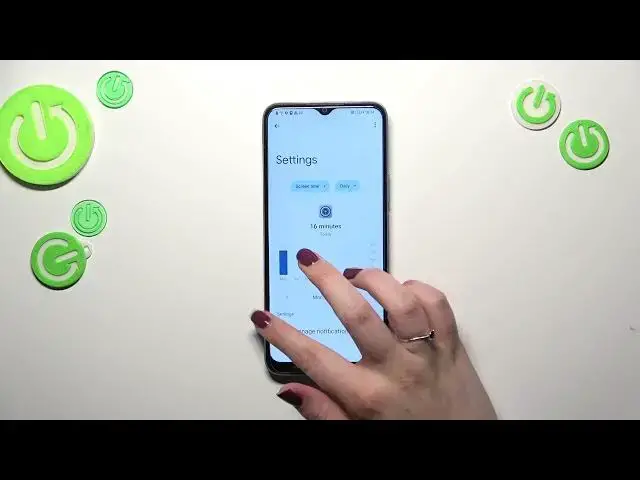
very very bottom to find digital well-being and parental controls. And as you can see we will be
0:21
immediately transferred to this graph which will show us for how long we've been using this device
0:26
today. So you can see that I've been using it for 31 minutes and most of the time I've spent on the
0:31
settings. We've got also the unlocks and the notifications count. If you want to check some
0:37
further details you can do it using two different ways. So the first one is to tap inside the graph
0:43
and then we will be transferred to this dashboard which will show us the screen time activity in
0:50
particular days of the week. And under it we've got the list of apps which we were
0:56
which we were using during this day. And the second way to check the details are tightly
1:02
connected with one app. So we can tap on the settings, contacts, camera, chrome etc
1:10
Just tap on it and again we've got the dashboard but this time it is only connected with the
1:15
settings in my case. So basically this is it. This is how to check the total screen time
1:21
However just a quick disclaimer about the ways to disconnect because I can understand that sometimes
1:26
people need the time for themselves. They just want to rest, they don't want to be disturbed, they need
1:31
to work, they need to sleep etc. And the devices can really can distract us a lot. So here
1:39
we've got special modes which we can set. So for example the focus mode or the bedtime mode
1:45
We can simply set particular days in a week and hours. And after activating the schedule your
1:52
device will simply limit the notifications in that in shown hours. And it will limit it from
2:04
the apps of your choice. So if you know that you've got the app which is most distracting for you
2:09
I don't know, connected with the social media or a game, whatever, you can just add it and
2:15
set the schedule and you will not be disturbed. All right so basically that's all. This is how
2:22
to check the total screen time in your Honor X6. Thank you so much for watching. I hope that this
2:27
video was helpful and if it was please hit the subscribe button and leave the thumbs up