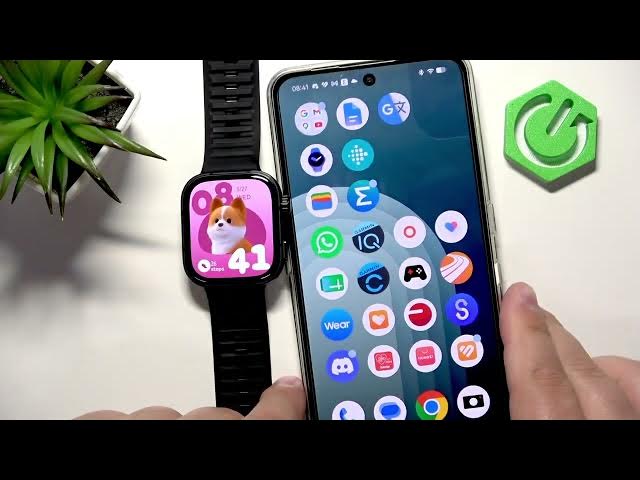

HUAWEI Watch Fit 5 Pro – How to Change Watch Face
Jun 10, 2026

In this video I show how to change and customize the watch face on the HUAWEI Watch Fit 5 Pro. You’ll learn how to wake the screen, open the watch face menu with the crown button, select and apply a new face, edit available styles, colors and data fields, and how to install extra faces using the Huawei Health app on your phone. Clear, step-by-step instructions so you can personalize your Watch Fit 5 Pro quickly and easily.
How to change the watch face on HUAWEI Watch Fit 5 Pro?
How to add new watch faces to HUAWEI Watch Fit 5 Pro using Huawei Health?
How to customize watch face color and data on HUAWEI Watch Fit 5 Pro?
0:00 Introduction
0:12 Wake the screen and open watch face menu (press crown, press and hold)
0:30 Scroll and select a watch face on the watch
0:44 Customize watch face (style, time, color, displayed data)
1:26 Apply changes and return to main screen
1:48 Change watch face using Huawei Health app (Devices → Fit5 Pro → My faces)
2:12 Install additional watch faces from the store (More → browse → install)
2:37 Wrap up and outro
#HuaweiWatchFit5Pro #WatchFace #HuaweiHealth #Smartwatch
Find out more:
https://www.hardreset.info/devices/huawei/huawei-watch-fit-5-pro/change-watch-face/
Follow us on Instagram ► https://www.instagram.com/hardreset.info
Like us on Facebook ► https://www.facebook.com/hardresetinfo/
Tweet us on Twitter ► https://twitter.com/HardResetI
Support us on TikTok ► https://www.tiktok.com/@hardreset.info
Use Reset Guides for many popular Apps ► https://www.hardreset.info/apps/apps/
Show More Show Less