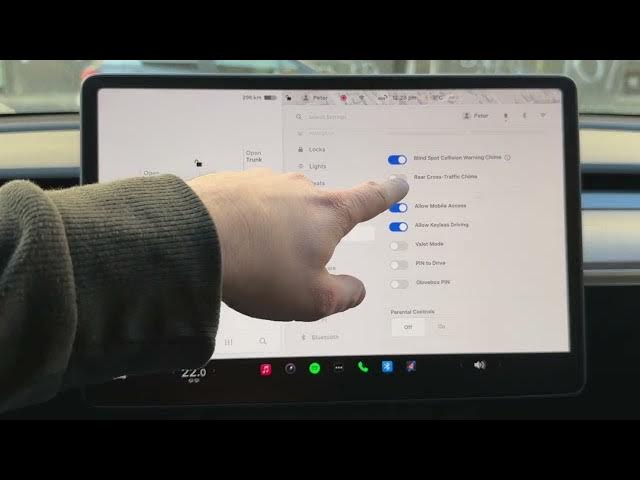

TESLA Model Y – How to Enable Rear Cross-Traffic Chime
Jan 19, 2026

In this short and clear video we show how to enable the Rear Cross-Traffic Chime on a Tesla Model Y. You will learn the exact menu steps to find and turn on the chime so your car beeps when it detects a vehicle approaching from the side while reversing. This is useful when parking in tight spaces or garages and helps avoid collisions while backing up. Follow along: tap the Car icon, open Settings, choose Safety, then scroll to Rear Cross-Traffic Chime and enable it. We also explain why you should double-check this setting even if it is usually on by default.
How to enable the Rear Cross-Traffic Chime on Tesla Model Y?
How to find Rear Cross-Traffic Chime in Tesla Model Y settings?
How to turn off Rear Cross-Traffic Chime on Tesla Model Y?
0:00 Intro – What we will show
0:06 Open the Car icon and settings
0:15 Select Safety in the settings list
0:22 Scroll to Rear Cross-Traffic Chime
0:37 Enable the chime and what it does
0:51 Outro and subscribe request
#Tesla #ModelY #CrossTrafficChime #TeslaSafety
Find out more:
https://www.hardreset.info/devices/car/car-tesla/
Follow us on Instagram ► https://www.instagram.com/hardreset.info
Like us on Facebook ► https://www.facebook.com/hardresetinfo/
Show More Show Less