0:00
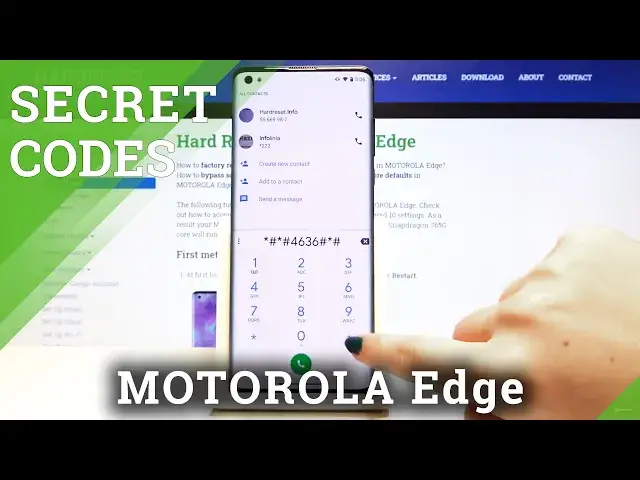
Hi everyone, here we've got Motorola Edge and let me show you all secret codes which
0:10
will work on this device. So first of all let's open the dialer and let's type the first code, it will be asterix
0:17
pound asterix pound four six three six pound asterix pound asterix. And as you can see we are in a testing mode and we can check for example some phone info
0:29
some usage statistics, we can change the type of sorting for example to the last time used
0:39
and here we've got the full list. Let's get back and you can of course check for example Wi-Fi info and the status
0:47
Let's refresh it and you can check everything. Let's get back to the dialer and let's find another code, it is asterix pound zero six
0:58
and as you can see after typing this code the device information just pops out and this
1:03
is the fastest way to check the email info or serial number info
1:08
Let's click OK and get back. Now let's type asterix pound asterix pound two two five pound asterix pound asterix and
1:18
as you can see we are in the calendar info with all the events
1:23
Let's get back and let's type asterix pound asterix pound two four six pound asterix pound asterix
1:33
Maybe again. Asterix pound asterix pound two not two four two six pound asterix pound asterix and here
1:44
we are in a diagnostic mode. As you can see you can check the events also the status
1:50
If you want more info simply click on this three dots icon and click on advanced view
1:56
Let's get back and in the events you've got a lot of info to check
2:00
Let's get back and this is the last code it will be asterix pound asterix pound two four
2:08
eight six pound asterix pound asterix and here we are in an engineering mode
2:14
Here you can check your phone if everything works fine. Let's check this one
2:20
For example you can go to the battery info and check the battery level
2:24
For example battery health and battery status. Let's get back. Check for example maybe touch screen and here you've got the test
2:36
You have to touch the white dot and then drag it diagonally and as you can see everything
2:42
works finally. So that's all. This is how to use secret codes on your Motorola Edge
2:49
Thank you so much for watching. If you find that this video was helpful please hit the subscribe button and leave the thumbs up