0:00
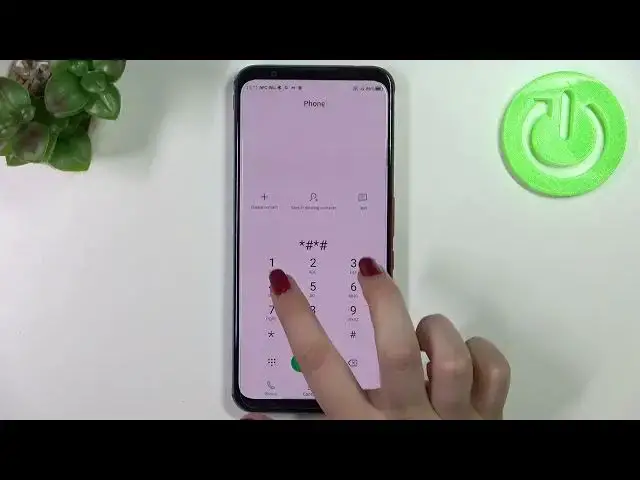
Hi everyone, in front of me I've got Nubia Red Magic 5S and let me share with you how
0:11
to use secret codes on this device. So on this device we can only enter 4 different codes so it will not be a long video
0:20
So first of all we have to enter the dialer because this is the place where we can enter
0:23
them and let me begin with the shortest code and probably the most known and the code is **06POUND
0:33
And as you can see thanks to this code we can check both email numbers for both SIM slots
0:39
Let's tap on OK and let me show you another code which will open the calendar info and
0:44
the code is **POUND**
0:54
And as I said we are in the calendar info so here we've got all the events in one place
0:58
We can check some family events, some holidays in your country should also appear right here
1:02
or events attached to your mail. So this is the best place to check the events because here they are grouped simply in particular sections
1:11
Let's go back and let me show you another code which will open the diagnostics and this
1:15
code is provided by Google and it is **POUND**. And as I said we are in the diagnostics so here we had immediately opened advanced view
1:31
but let's begin with the basic view let's say. So here we can check the server host port, time connected or sign-in level
1:40
We can also tap on events and here we've got some further details
1:44
As you saw we can tap on the three dots icon, tap on advanced view and tap on the status
1:49
to check some further details. So for example we can check the heartbeat, last ping or HP algorithm
1:56
Let me get back and let me show you the last code which will open the testing menu and
2:01
this code is **POUND**. And as I said we are in the testing mode so here we've got the phone info, usage statistics
2:12
and Wi-Fi info. So let's begin with the phone info here and as you can see we can check the info just
2:19
like the email number, phone number, current network, data service or data network type
2:24
Of course I know that I do not have this info but it is because I do not have my SIM card inserted
2:32
So no worries if you will have your inside your device then you will be able to check
2:36
the info. We can run ping test here, as you can see we've got the results and basically that's
2:45
all for the phone info. We can go back, we can enter usage statistics also and as you can see right here we've got
2:52
the list of all kind of apps and processes which are currently on this device
2:57
So right now they are sorted by usage time. So for example we can check that I've been using the settings for 20 minutes and we can
3:06
change the sorting type to the for example last time use or app name
3:10
So basically of course after picking for example the app name everything will be listed alphabetically
3:17
So let me get back and the last option, so the Wi-Fi info
3:21
Here we can check the API configuration or the status. So let me pick the status, let's refresh the stats and as you can see we can check the
3:29
network state SSID or network ID. We can also run ping test here
3:35
So actually this is it, this is how to use secret codes in your Nubia Red Magic 5S
3:41
Thank you so much for watching, I hope that this video was helpful and if it was please
3:45
hit the subscribe button and leave the thumbs up