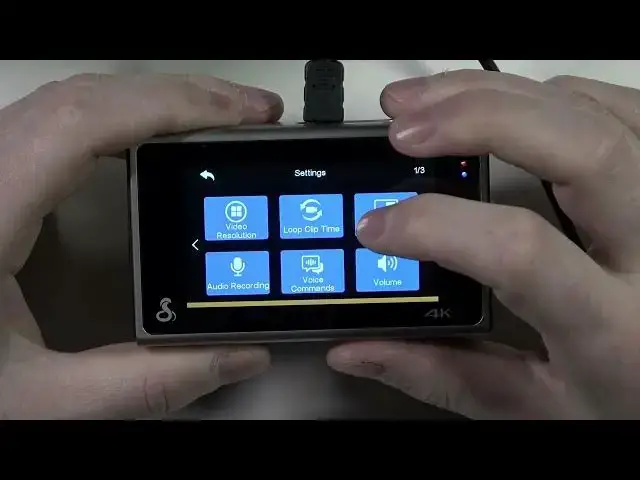

Master Your COBRA SC400: Change Loop Clips Like a Pro Using Drive Smarter App
Mar 19, 2024

More COBRA SC400 Smart Dash Cam Tips&Tricks: https://www.hardreset.info/devices/cobra/cobra-sc400/
Embark on a journey of discovery with us as we delve into the world of COBRA SC400 Smart Dash Cam. This isn't just about a piece of tech. It's about ensuring your safety, protecting your interests, and capturing every moment of your road journey. The heart of today's exploration? We're changing loop clips - a simple operation that can make all the difference in your dashcam experience.
Picture this: the sleek design of your COBRA SC400 Dash Cam, its compact body housing a powerhouse of features. One of its hallmark features is the loop recording. But what happens when you want to change the loop clip? That's the question we're answering today.
To guide you, we'll be using the Drive Smarter App, your indispensable tool for controlling your COBRA SC400. It's not just about changing a loop clip; it's about maximizing your dashcam's potential. Imagine having the power to modify your settings, view your footage, and ensure your dashcam is working optimally - all at your fingertips. That's what the Drive Smarter App brings to the table.
Get ready to unlock a world of possibilities. By the end of this video, you'll be a COBRA SC400 loop clip-changing maestro. You'll have the confidence to handle this task with ease, ensuring that you never miss capturing a moment on your travels. The road is full of unexpected moments. Be ready to capture them all with your COBRA SC400 and the Drive Smarter App.
How to ensure your COBRA SC400 is optimally set up?
How to connect your COBRA SC400 with the Drive Smarter App?
How to navigate the Drive Smarter App for the best user experience?
How to manage your dashcam storage efficiently?
How to optimize the loop recording feature on your COBRA SC400?
#COBRASC400 #DriveSmarterApp #DashCamTips
Follow us on Instagram ► https://www.instagram.com/hardreset.info
Like us on Facebook ► https://www.facebook.com/hardresetinfo/
Tweet us on Twitter ► https://twitter.com/HardResetI
Please support us on TikTok ► https://www.tiktok.com/@hardreset.info
Use Reset Guides for many popular Apps ► https://www.hardreset.info/apps/apps/
Show More Show Less