
HYUNDAI Santa Fe V – How to Enable/Disable Position Lights
Jun 15, 2026

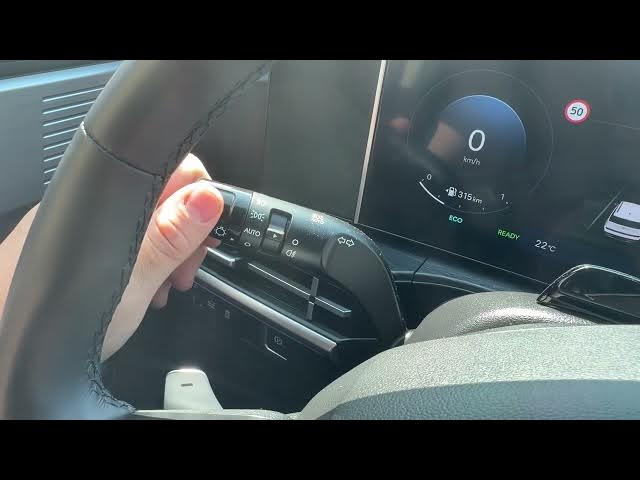
Learn how to quickly enable and disable the position (parking) lights on the HYUNDAI Santa Fe V. In this short, clear video we show exactly where the headlight/indicator lever is located behind the left side of the steering wheel, how to twist the top part twice upward to turn on position lights, and how to set it back to the 0 position to switch them off. We also point out other functions available on the same stalk like auto lights, dipped beam, fog lights and high beam. This step-by-step demo is perfect for new owners or anyone who needs a fast reminder on exterior light controls.
How to enable position lights on HYUNDAI Santa Fe V?
How to disable position lights on HYUNDAI Santa Fe V?
How to turn on parking (position) lights on HYUNDAI Santa Fe V?
0:00 Intro – what this video covers
0:05 Locate the headlight lever behind the left side of the steering wheel
0:15 How to enable position lights – twist the top of the lever twice upward
0:19 How to disable position lights – return the lever to the 0 position
0:23 Other light functions on the lever: auto, dipped beam, fog, high beam
0:29 Outro – like, comment and subscribe
#HyundaiSantaFeV #PositionLights #CarTips #ParkingLights
Find out more:
https://www.hardreset.info/devices/hyundai/hyundai-santa-fe-v/how-to-enable-disable-position-lights/
Follow us on Instagram ► https://www.instagram.com/hardreset.info
Like us on Facebook ► https://www.facebook.com/hardresetinfo/
Show More Show Less #Science