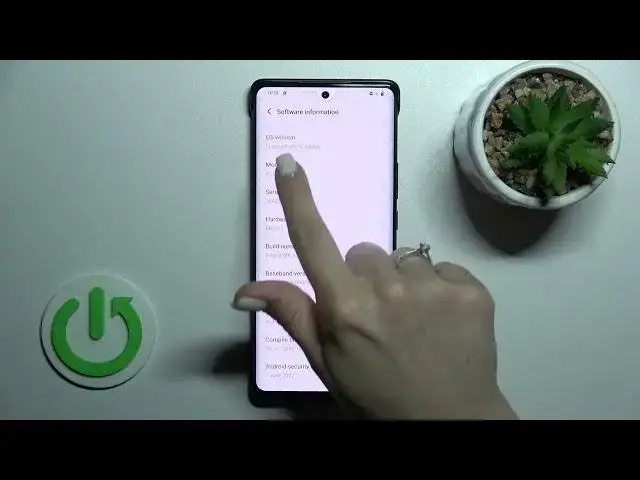

How to Check Device Model on VIVO X80 PRO - Find Device Model
Jul 25, 2024

To learn more tutorials about VIVO X80 PRO:
https://www.hardreset.info/devices/vivo/vivo-x80-pro/tutorials/
Hello, everyone! Are you looking for a way, how to Check the Device Model on VIVO X80 PRO? The About Phone tab of VIVO X80 PRO settings allows you to check a lot of various and useful device information. Let's watch our new tutorial and learn, how to Find the Device Model on your VIVO X80 PRO. In today's video, our specialist will show you, where the relevant settings are located and how to Check your Full Device Name. Follow all the instructions step-by-step described by our expert to Find and Open the About Phone tab and Check the Device Model on VIVO X80 PRO. If this video was useful for you, leave a thumbs up, leave a comment, and subscribe to our Channel. To learn more video tutorials about your VIVO X80 PRO and other devices. In case you have any questions, ask them in a comment. Thank you for staying with us and watching our videos!
How to Check Device Model on VIVO X80 PRO?
How to Find Device Model on VIVO X80 PRO?
How to Open the About Phone tab on VIVO X80 PRO?
#VIVOX80PRO #CheckDeviceModel #FindDeviceModel
Follow us on Instagram ► https://www.instagram.com/hardreset.info
Like us on Facebook ► https://www.facebook.com/hardresetinfo/
Tweet us on Twitter ► https://twitter.com/HardResetI
Support us on TikTok ► https://www.tiktok.com/@hardreset.info
Use Reset Guides for many popular Apps ► https://www.hardreset.info/apps/apps/
Show More Show Less