0:00
Welcome and follow me. I have the brand new Apple watch series 9 and
0:05
Today I'll go for unboxing along with a quick look at the device itself
0:12
So let's just get straight into it how we have the typical Apple packaging so we're just gonna flip that up
0:20
Hello We go There we go Now in here, obviously we have our watch and a separate box and the straps and it's on package. So we go
0:37
Leave that to the side And stick with those two for now
0:43
Or for the rest of the video actually because there's nothing else. Anyway, let's peel those off And
0:51
Here obviously we will have our watch strap Now here we have some instructions or whatever in different languages, we don't really care about that
1:02
We only care about the strap itself. So Now the packaging of this is absolutely infuriating the heck am I supposed to get that out
1:19
I Don't want to break this
1:49
So I didn't want to break this that's why I was Taking my sweet time with this. But there we go. There's our little strap. Now. Let's move over to the actual watch itself
2:03
Young those off and this And we go there's our watch So we have some paperwork designed by Apple in California
2:19
Looking for the manufactured in China by little children, but it's missing from here
2:25
We have some more instructions and we get the watch itself There we go, I'm gonna move that to the side and let's put up the watch
2:46
There's another button There we go, that's the one that I was supposed to press you can also put on the strap itself so clip it
3:00
There we go, you just slide it on here and the same thing with the bottom one just
3:08
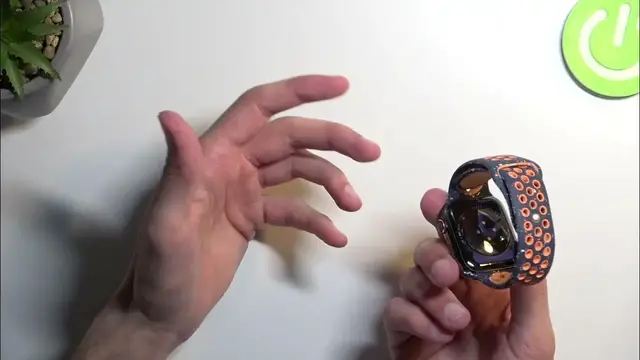
Boom and it's on Now I'll be honest the strap color isn't necessarily my cup of tea
3:16
Don't necessarily like how it looks like but for a fitness band, I think it
3:22
Fitness watch things like that. This should be pretty good And obviously you can get other straps right here, which concerning this is Apple
3:30
It's very easy to find different ones different flavor looking months and
3:35
obviously completely different styles that will look a little bit more professional than this for instance if you want to wear this watch with like
3:41
A suit or something and you'll find ones that will look significantly better and even Apple offers
3:48
Offers better looking ones if you I just pay a little bit more like the stainless steel one
3:53
Bracelet kind of ones. I'm not exactly sure if they have like specific name That is the one with like a clip metal one that just flops right here. So yeah, this one will obviously look better than
4:05
This that comes here now objectively at least in my opinion So, there we go now, let's quickly run down the couple of the specs of this device
4:15
So we have a built-in battery of three thousand three hundred and eight milliamps
4:20
We have a 1.9 inch display 484 by three hundred and ninety six pixels
4:26
It has an IP 6x certification For the water resistance we have ECG monitoring which is also certified
4:36
We have a retina LTPO OLED display with a 2,000 and it peak brightness, which means it gets really bright
4:45
and Where is it looking for some other info that might be useful
4:54
We obviously have the typical things like the heart rate monitoring bar barometer
5:00
Compass blood oxygenation Temperature and we actually have a body temperature measurement right here, which is pretty interesting and
5:09
We have a 64 gigabytes of built-in storage into this device And it doesn't really specify the RAM running on watch OS 10. There we go. That's basically all the worth mentioning info
5:21
Unfortunately, even though it's considered a smartwatch. It needs another device to connect and so you can set it up which begs the question
5:29
How is it smart if can be set it up without any other device
5:34
It kind of bugs me with most of these smart watches that are considered smart, but yet they don't work with
5:39
Without a device or they don't set up without other device Even though some of them like for instance the ultra version of this watch
5:47
and some other ones come with LTE connectivity SIM cards and stuff like that yet
5:53
They still need a phone to be connected to even though they're designed to work without a phone
5:57
Why But anyway, this one obviously I don't think has a SIM connectivity right here or do could be wrong
6:07
Or you know, it does support eSIM apparently so you could put an eSIM but obviously you have to not first set it up
6:13
with a phone So yeah, that's a little bit of a bummer for me. Anyway, if you found this video helpful informative
6:20
Don't forget to smash that like button subscribe and thanks for watching