0:00
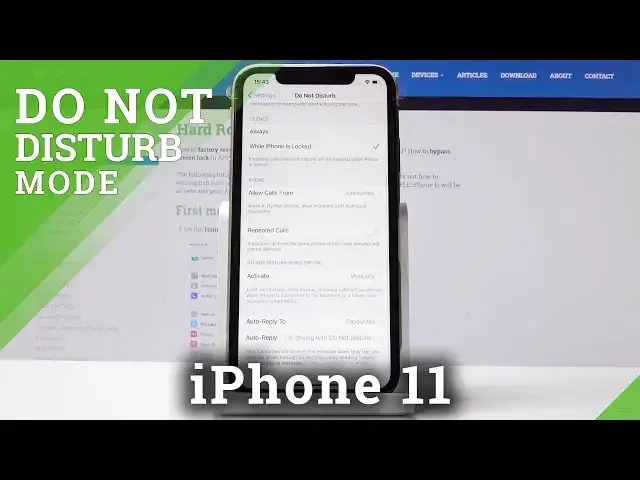
Here I've got Apple iPhone 11 and let me show you how to activate Do Not Disturb mode on
0:11
the following device. So at first you have to open the settings
0:16
Now you have to locate Do Not Disturb, so here it is
0:20
And simply by tapping on this switcher you can activate silent option, so from now on
0:25
all calls and notifications will be muted. And you can also schedule this mode simply by tapping on Scheduled and select the period
0:32
of time in which it should be active, so it can be, for example, between 10 and 7 next day
0:42
So let me go back. You can also activate Dim Screen if you want to and you can switch it off the same way
0:48
You can also pick Silence mode always or just while your iPhone is locked, so it's all up
0:54
to you. You can do it whenever you want to and you can also add some exceptions, so for example
0:59
you can allow calls from anyone, from no one or from favorite contacts
1:05
And if you have some contact group, it will be here included, so you will be also able
1:10
to add it for some particular group. Then you can also activate Repeat Callers option, so a second call from the same person
1:17
within three minutes will not be silenced. Then you can also activate Do Not Disturb mode while driving
1:23
Here it is, so you can either have it turned on automatically if you'll pick the first
1:29
option, then you can have it turned on once you connect to your car Bluetooth or you can
1:35
switch it on manually. Then you can also activate with CarPlay if you want to
1:39
So let me go back. And finally, you can also write a message to all the contacts that will be trying to
1:46
reach you while your D&D mode is active. So here you can pick Auto Reply 2, so it can be to no one, recent favorites or all contacts
1:54
And let me go back. And here you can write the message, so you can leave this one or you can delete it and
2:01
enter yours. So you can simply delete it and write yours. And that's it
2:14
You've just personalized it, so you can also access Do Not Disturb mode from the upper
2:18
bar, simply slide it down and then click on the moon icon, just like that
2:23
You can activate D&D mode quickly. And that's basically all, so you can easily and quickly use, personalize, activate and
2:30
deactivate Do Not Disturb mode in your Apple iPhone 11. Thank you for watching
2:34
Please subscribe to our channel and leave the thumbs up. Bye. Bye