0:00
Welcome! In front of me I have Apple Watch Ultra 2 and I'm gonna show you
0:05
how to set the alarm clock or set up the alarm clock on this watch
0:12
First thing we need to do is to wake up the screen on our watch and you can do
0:17
it by pressing any of the buttons. Once you wake up the screen press the crown
0:22
button to open the menu. Now scroll through the menu and find the alarm icon
0:27
Looks like this. Once you find it tap on it. And here we have the alarms menu and
0:32
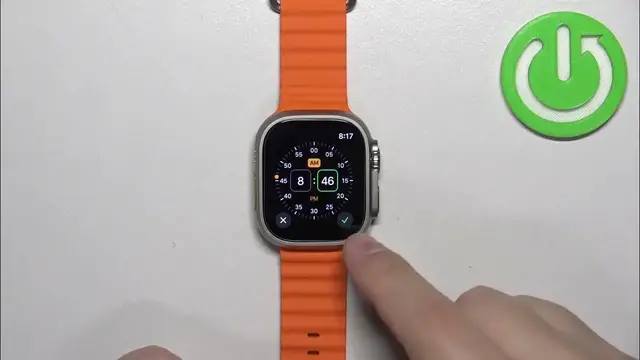
we can set up or set a new alarm clock by tapping on the plus button. Now we
0:39
can set the time on which the alarm should go off and you can do it by rotating the crown button like this. So set the hour then tap on minutes, set the
0:49
minutes and then tap on p.m. or a.m. and once you're done tap on the check mark
0:53
and the alarm will appear in the alarms menu. You can turn it on or off right
0:59
here and if you want to edit it a little bit further you can tap on it and here
1:04
we can change the time if you want to. You can change the repeat option so
1:08
basically on which days it should repeat or how often. So if you tap on repeat you
1:13
have every day, weekdays, weekends and you can select specific days right here. So
1:20
let's say you select the everyday, the alarm will go off every day. If you select weekends it will go off only on weekends. And if you
1:28
select for example Sunday and Friday it will only repeat on a Sunday and Friday
1:36
Okay so once you select the repeat option you can also assign the label so
1:40
basically you can name the alarm clock and then tap on done and you can also
1:49
enable or disable the snooze option. And once you're done editing your alarm you
1:54
can go back and here we have it. You can have multiple alarms if you want to
2:01
And you can also remove the alarms by tapping on one and then tapping on delete
2:06
And once you're done setting up your alarms you can press the crown button to
2:10
go back to watch face like this. And that's how you set the alarm clock or
2:17
set up the alarm clock on this watch. Thank you for watching. If you found this
2:21
video helpful please consider subscribing to our Channel and leaving the like on the video