0:00
Hi everyone, in front of me I've got Huawei Nova Y90 and let me share with you how to enable developer options on this device
0:12
So first of all we have to enter the settings and scroll down to the very very bottom to find about phone
0:18
Now let's take a look at the build number because thanks to this we will be able to activate the developer options
0:24
All we have to do right now is to simply keep tapping on it until you'll see that you're in the developer mode
0:29
As you can see I am already a developer so I don't have to do that
0:34
And be aware that if you've got any kind of screen lock or any set then your device will ask you to enter it in order to confirm your whole step
0:41
So now we can go back to the general settings and tap on system and updates
0:48
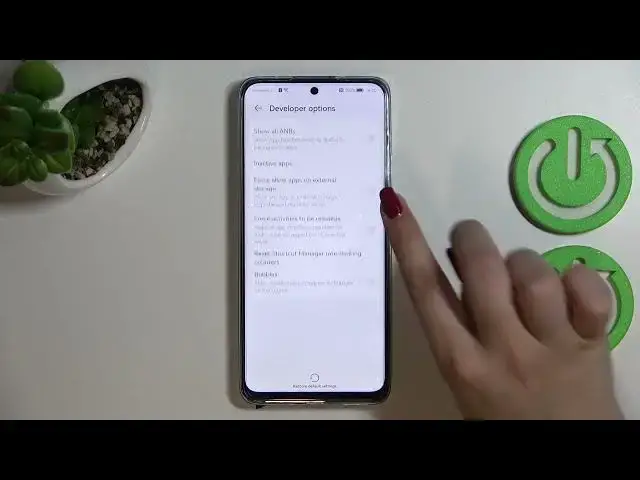
And as you can see in this last section we've got the developer options at the very top so let's enter
0:53
And here we've got plenty of advanced settings which we can customize
0:57
So for example here we've got the bubbles so we can allow the notifications to appear as the bubbles on the screen
1:03
Here we can show hardware layer updates. We've got the window animation scale for example we can show visual feedback for tabs
1:10
Here we've got some options which are connected to a Bluetooth USB so overall to the networking and so on and so on
1:18
So as you can see quite a lot of options. And in order to turn on the option all you have to do is to simply tap on the switcher on it
1:25
And as you can see it will be immediately activated and applied. Of course you can turn it off in the same way
1:31
And if you've got the options without the switcher like for example here in the window animation scale just tap on it in order to open much more advanced settings
1:39
So if you're done with customization of developer options you can go to the very top of the list and turn them off just by tapping on the switcher at the very top
1:47
And as you can see the developer options will disappear. But of course no worries you can customize them again if you want to
1:54
Just go back to the build number step and keep tapping. So actually this is it
2:00
This is how to enable developer options in your Huawei Nova Y19
2:04
Thank you so much for watching. I hope that this video was helpful and if it was please hit the subscribe button and leave the thumbs up