0:00
Today in front of me I have the Tecno Spark 20 Pro phone and in this video I will share
0:05
a few useful tips and tricks on this device. So to start I would like to show you how to improve the motion smoothness of your screen
0:18
So you can do that by increasing the refresh rate value. So launch settings, enter the display and brightness category
0:25
Here find the screen refresh rate page and open it and select the value anywhere between
0:30
60, I mean, well, any, set the value to be between 60, 90 and 120 Hz, options
0:39
So long story short, the higher you go, the better smoothness you'll get, the more, the
0:44
smoother animations and overall visuals will be. But at the same time, by increasing the refresh rate value, you are also increasing the power consumption
0:53
So I would like to, well, if you do not care too much about all this motion smoothness
0:58
stuff, you can just set it to 60 Hz and this way prolong your battery life significantly
1:04
Or you can just select the auto switch refresh rate option and allow the system to decide
1:08
which refresh rate beats your current needs the most, depending on what is the usage scenario
1:15
you have currently, what is your, well, battery life left and so on
1:20
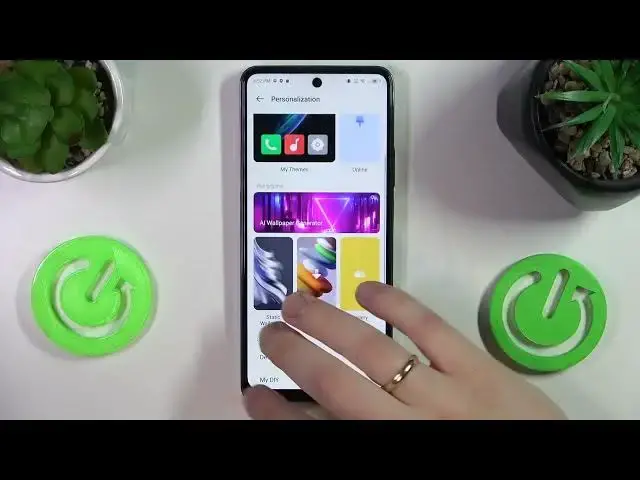
Another cool option that I wanted to share with you today, you'll find at the personalization
1:25
category of settings. It is called the AI wallpaper generator and well, the title, the name of this option is
1:31
pretty self-explanatory. You can just, well, type in the prompt and it will generate your wallpaper format
1:39
So for example, I will write an astronaut, how do you spell the astronaut
1:55
An astronaut cat landing on the moon, for example. Let's see how well it handles this request
2:02
Well, of course, you gotta have the internet connection beforehand, so let me quickly connect
2:10
my phone to the WiFi here. Now I've entered a password
2:22
I mean, I've entered the wrong password, so let me quickly re-enter the right one. Yep
2:28
So now the connection is established, I can get back to the AI wallpaper generation and
2:34
try once again. Yep, so it looks something like that
2:49
I mean, it's somewhat decent. Now you can set this image as your wallpaper or download it or delete it entirely
3:02
So moving on, the next option that I wanted to share with you today, you can find at the
3:09
special function category. Here it is, it is called the AppTwin and it allows you to clone apps, for example, some
3:18
chat applications or messengers such as Facebook Messenger, WhatsApp, Viber, Telegram, whatever
3:26
other messengers you guys use, you can duplicate them. The only app that I have of such kind is Facebook, so here just enable this option and the app
3:34
will be duplicated. So you can sign into two independent and separate accounts, for example, if you would like to
3:41
have separate app for your work account and your personal account as well
3:46
And the final option that I will show today, you can also find at the special function
3:50
category of settings. It is called the Memfusion and it allows you to increase the amount of RAM you have
3:57
Here you can add anywhere between three and eight gigabytes of additional random access memory
4:02
Obviously, this RAM will have the virtual character, so it's not like the physical RAM
4:08
but still it will improve your phone performance, empower your multitasking and just a very
4:14
great feature to have. So select the amount of additional random access memory gigabytes you would like to
4:19
get and then reboot your phone so those changes will be properly applied
4:23
And well, that'll be it. So thanks for watching and bye bye