0:00
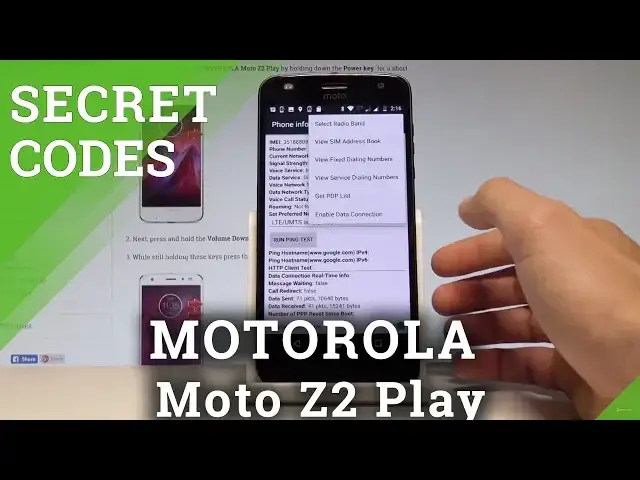
Here I have Motorola Moto Z2 Play and let me show you how to use secret codes on the
0:09
following device. At the very beginning let's start by using your home screen
0:13
Let's enable the fonts dialer, let's activate the keypad and let me start by using the Android
0:18
testing menu. So let's use asterix hash, asterix hash, four, six, three, six, hash, asterix, hash, asterix
0:29
As you can see the testing menu just pops up, here you can choose phone information
0:32
when you can read the email number, phone number, current network signal strength, you
0:36
may run a ping test or for example choose more key in order to select radio band, view
0:41
sim address book, view fixed dialing numbers, get PDP list or enable data connection
0:47
Let's go back twice and let's choose usage statistics, here you've got the list of all
0:50
applications and you can read such things as last time used or usage time
0:55
Let's go back one more time and here let's select the WiFi information, when you can
1:00
choose the WiFi API if you would like to. Here you can disable network, disconnect network, enable network or get connection info
1:09
You may also select the WiFi config and if you have some configured networks here you
1:13
have the full specification about them. Let's go back, choose WiFi status, here you've got the statistics about your WiFi, you can
1:20
refresh them or run a ping test. Let's go back one more time and here you can also choose the CMOS test alerts and you
1:28
may select NFC settings if you would like to change something. Let's go back a couple of times to go to the phone's dialer and let's use the calendar
1:36
info code, so asterix hash, asterix hash, 225 hash asterix, hash asterix
1:44
As you can see calendar info just pops up, you may read a couple of important information
1:48
about your calendar. Let's go back, you may also use Google Play service mode, so let's use asterix hash, asterix
1:56
hash, 426 hash asterix, hash asterix. And the Google Play service just pops up, here you can ping, connect, disconnect or events
2:08
And you can also open debug UI, so let's use asterix hash, asterix hash, 759 hash asterix
2:16
hash asterix. Sorry, I inputted wrong, let's do it again. Asterix hash, asterix hash, 759 hash asterix, hash asterix
2:27
As you can see debug UI just pops up, here you can view client's ID's, you can change
2:31
IEM mode, read the next alarm and current back off and other data
2:37
Let's go back, at the end let me show you how to check the email by using a secret code
2:41
so let's use star hash 06 asterix. And the email number just pops up, let's tap OK to close this window
2:50
So that's it, you just see all secret codes that works on Motorola Moto Z2 Play
2:56
Thank you for watching, please subscribe our channel and leave thumbs up under the video